Introducing the BlueMind Solution
BlueMind is a complete Open Source collaborative messaging solution, built-in with all the functionalities required for daily business : mail, contacts, calendars, tasks, video conferencing, drive, etc.
The BlueMind solution is also 100% web-based. Messaging and all applications are available online. BlueMind's webmail is based on the latest technologies, enabling it to adapt to all major browsers and all screen types, from cell phones to widescreen monitors.
The interface is simple, ergonomic and intuitive. Navigation is fast and fluid, whatever the device.

To suit individual needs and habits, it is also possible to connect via third-party software or mobile device.
BlueMind SAS has developed a professional offer, called BlueMind Subscription, based on this Open Source software. Its aim is to enable you to use the BlueMind collaborative mail system with complete peace of mind, over the long term. For more information on content, subscription types and how to subscribe, visit BlueMind Subscription.
Accessing applications and settings
The main ribbon at the top of the window is used to navigate the app.

The bento menu icon in the top right corner gives you access to the Mail, Contacts, Calendar and Tasks apps.
Access to Videoconference and online help is on the right-hand side of the banner.
To set up your account, open the menu under the user's name and click on Preferences.
By default, the interface opens in Mail, but can also be opened in Calendar. To do this, go to account settings : Preferences - General - Default application
To find out which version of BlueMind you have installed, go to About to open the information panel.

Using the search box
BlueMind has a new powerful search mode which can be used to make full-text searches in messages, contacts or events.
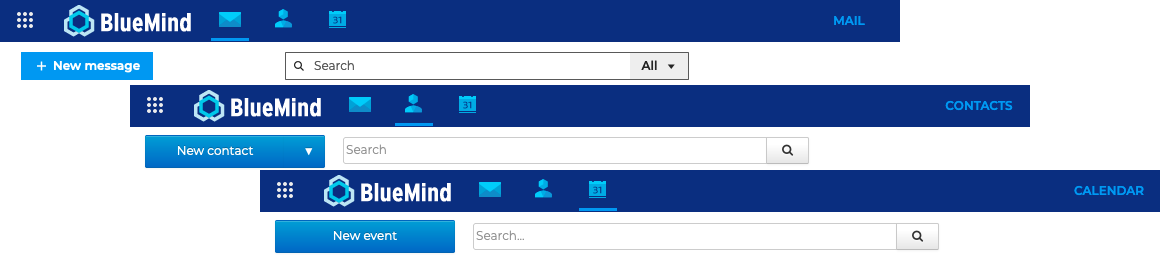
For contacts and calendar, the search is based on the content of contact and event records, including tags. You can use * truncation to replace part of a word in a search. For example:
-
invit*: searches for words beginning withinvitand finds, for example,invitesorinvitation -
inv*ion: searches for words starting withinand ending withion, such asinvitationorinvention.⚠️ response times for searches using the
*character are significantly longer than for a simple search.
For emails, in addition to the full text search on content and attachments, it is possible to refine results using the multi-criteria search. See Searching in messages for more details.