Connecting with Interstis
BlueMind offers the possibility of connecting Interstis, a sovereign document management solution (EDM).
Users can use their usual workspace to manage the files they send via their BlueMind mail, and thus benefit from the advantages offered by their in-house solution: file tree structure, moving, deleting, security, synchronization with their other applications, etc.
Administrators' capabilities are improved: easier, more detailed disk space management, user-specific management, centralized data, security and back-up monitoring.
Installation
Prerequisites
Interstis must be installed and operational.
Interstis is an independent product from BlueMind. For more information on obtaining, installing and operating Interstis, please visit https://www.interstis.fr/.
Cohabitation with BlueMind
Interstis can be used in two different ways:
-
Either in cohabitation with BlueMind's internal repository: if the user doesn't enter a username, BlueMind will be used. To do this, proceed with the installation as described in the next chapter.
-
Or as a replacement for the BlueMind internal repository: in this case, if the user does not enter an Interstis login, he/she will not have access to the attachment detachment feature. To operate in this way, simply uninstall the package dedicated to Filehosting by BlueMind:
aptitude remove bm-plugin-core-filehosting-filesystembmctl restart
In both cases, a restart of BlueMind is required to take this change into account. However, it can be deferred so as not to inconvenience users, it is possible to proceed with the installation below and restart BlueMind later.
Installing dedicated packages
Install the Interstis packages with the following command:
apt install bm-interstis bm-interstis-common
Then restart the system with the following command:
systemctl restart bm-core bm-webserver
Configuration
Configure WebDav url
The default url for Interstis WebDAV access is https://\<domaine>/api (for example https://interstis.server.tld/api).
Please refer to the Interstis server administration settings to find out exactly what the WebDAV access url is.
For all domains
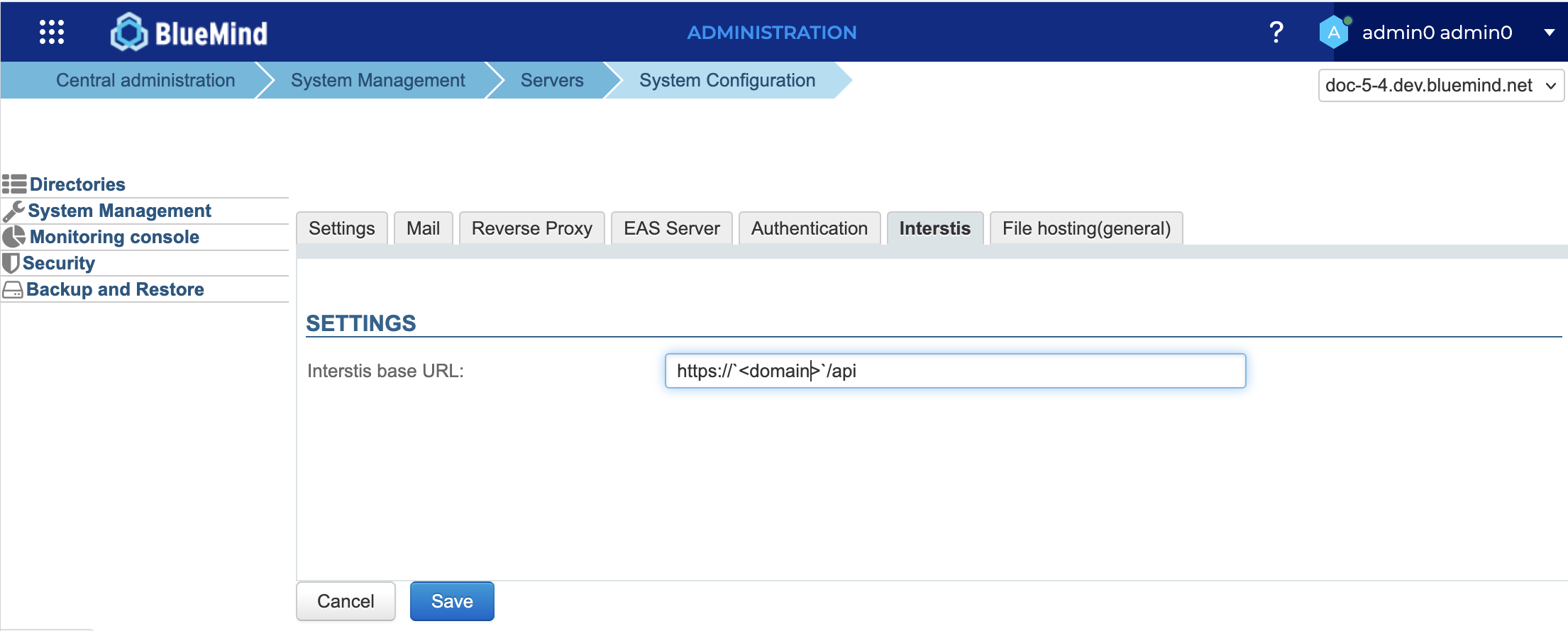
BlueMind's connection to Interstis for all domains is made from the system configuration of the administration console:
- log in to the admin console as admin0 (or delegated administrator with the role "Manage system configuration")
- go to System management > System configuration > Interstis tab
- enter the Interstis System WebDav url:
For a specific domain
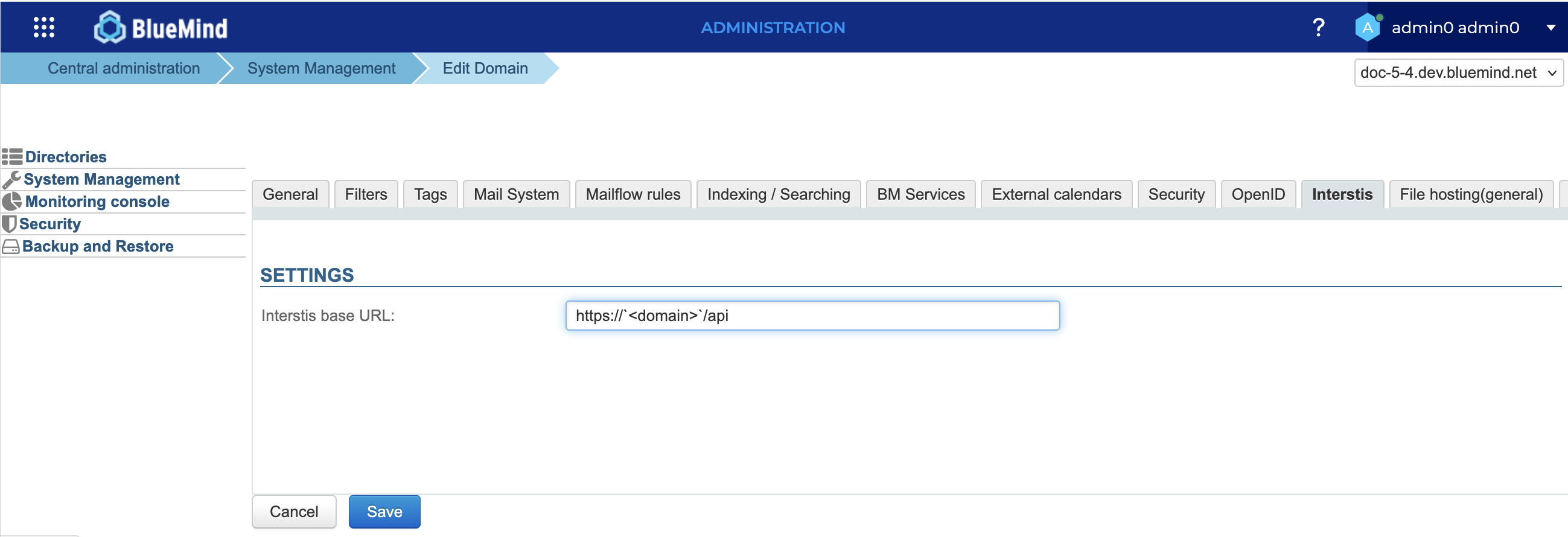
The BlueMind connection to Interstis for a particular domain can be set up by anyone who has been assigned the "Domain Administrator" role:
- log into the admin console as domain administrator
- go to System Management > Supervised Domains > select domain > Interstis tab
- enter the Interstis System WebDav url:
See Roles: access and administration rights for more information on delegated administrators or domain administrators.
Setting thresholds
The automatic detachment threshold and maximum file size can be specified in the Filehosting by BlueMind configuration.
Retention time is configured at the Interstis installation level. Contact Interstis for more information.
Connecting user accounts
Activation
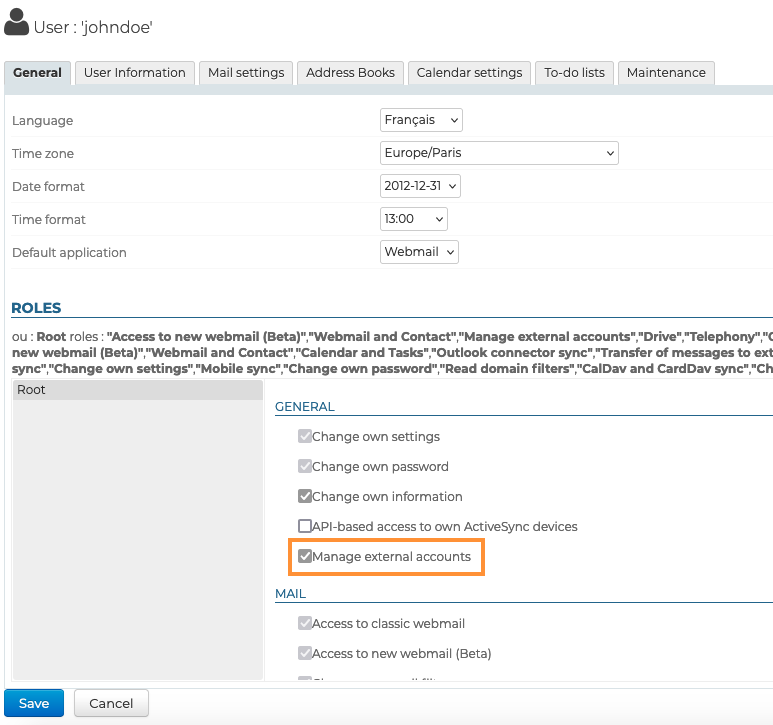
To enable users to access this feature, they must be authorized to connect an external account to their BlueMind account.
This can be done by group or by user, by going to the administration file of the desired group or user and activating the role "Manage external accounts":
Users who are already logged in to BlueMind at the time this feature is introduced will need to log out and then log back in order to benefit from it.
Connection
It is necessary to link the BlueMind user account to the Interstis account using an external account.
For further information, see Managing external accounts.