Videoconferencing with Lifesize
BlueMind can be connected to a Lifesize server to enable users to easily create conferences and link them to their calendar meetings.
Installation
To make the new features available to users, install the following packages on the server and then restart BlueMind:
- Debian/Ubuntu
- RedHat/CentOS
aptitude install bm-lifesize
bmctl restart
yum install bm-lifesize
bmctl restart
Administration
Activation
To activate videoconferencing for domain users, create a dedicated resource.
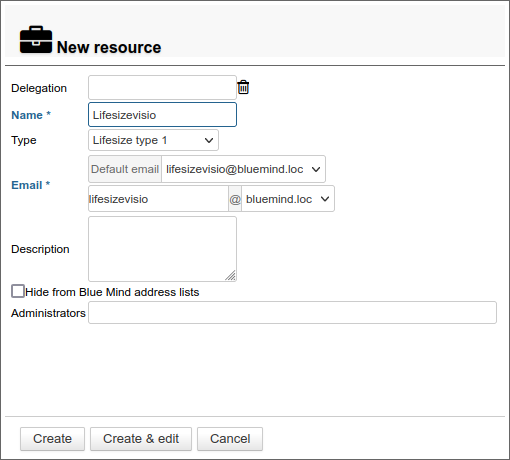
To do this, go to directory management in the administration console and create a resource of type Lifesize type 1 :
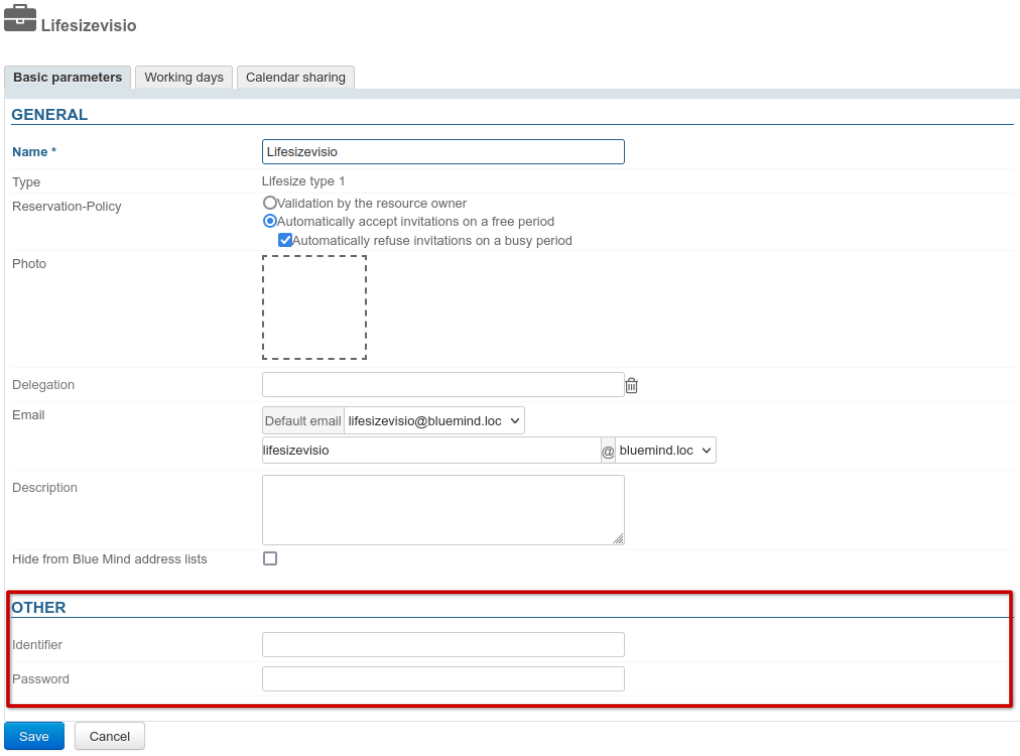
Then go to the resource file > General tab > Other section and enter the Lifesize server connection details:
Content template
A content pattern is defined by default and can be customized in the resource type management Lifesize type 1 created when the package was installed:
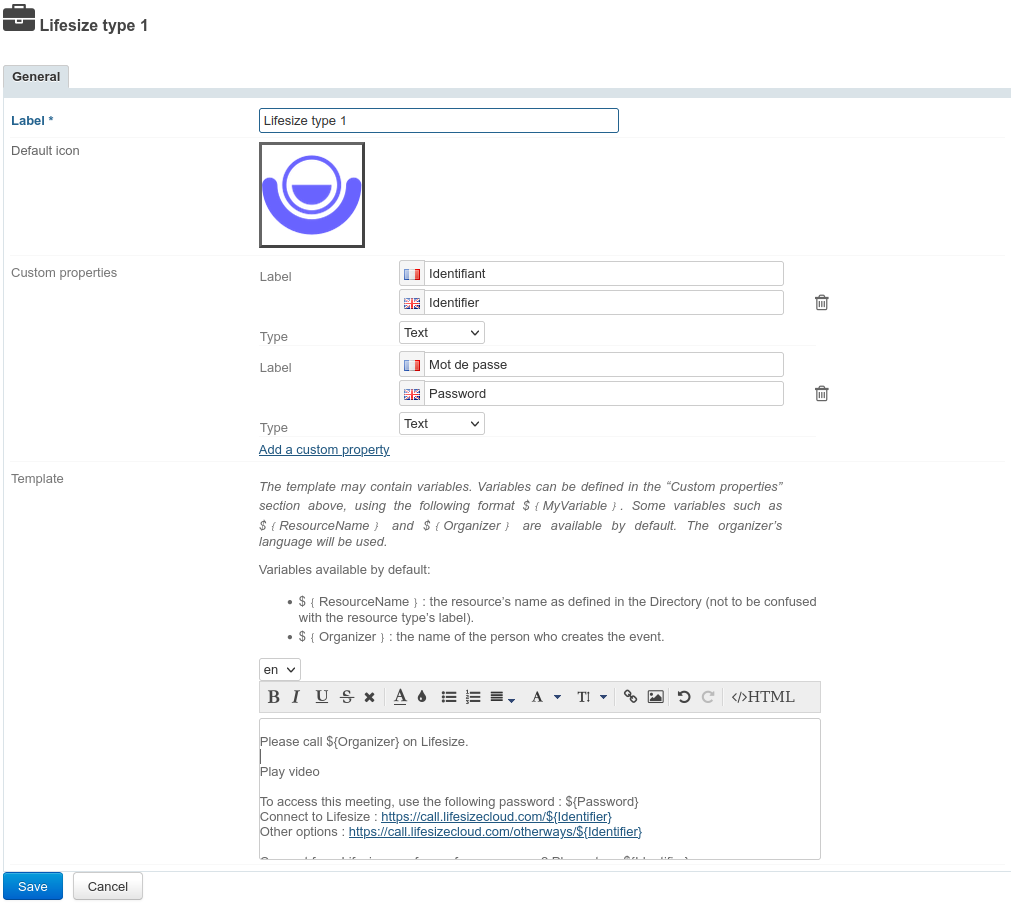
- Select the desired language from the drop-down list
Multilingual
The content from the previous language(s) is saved, so you can switch between them and create as many templates as there are languages available in the interface without having to save between each one.
When creating an event, the content will be added to the invitation based on the organizer's language.
- Fill or adapt content.
The template can contain variables which is filled in automatically by the system when the invitation is sent:
${ResourceName}: the name of the resource as defined in the directory (default: "Lifesize")${Organizer}: the name of the person creating the event in the Calendar${URL}: the conference access URL
- Click Save.
Deleting a language
To delete a language template :
- select the language in the dropdown
- empty the text field (select the text and delete)
- Click "Save" to confirm the changes.
Accessing the videoconference
Give users rights
The new feature is accessed via the resource created during the server configuration.
This resource is administered like any other, with sharing rights opening the way to reservation and, de facto, to the generation of videoconferencing links. Therefore, you must grant a reservation right (a "can book this resource" sharing right or higher) to the desired users or groups so that they can create video conferences for their events.
↳
Using the resource
As soon as users have reservation rights for the resource (see previous paragraph), a button is available in the event creation interface to add a videoconference.