BlueMind 5 release notes
Latest minor version : 5.5 - Release Notes 5.5
Latest release : 5.5.10 - Release notes 5.5.10
💡 For upgrades from BlueMind version 4, see BlueMind major version update.
Version 5 highlights
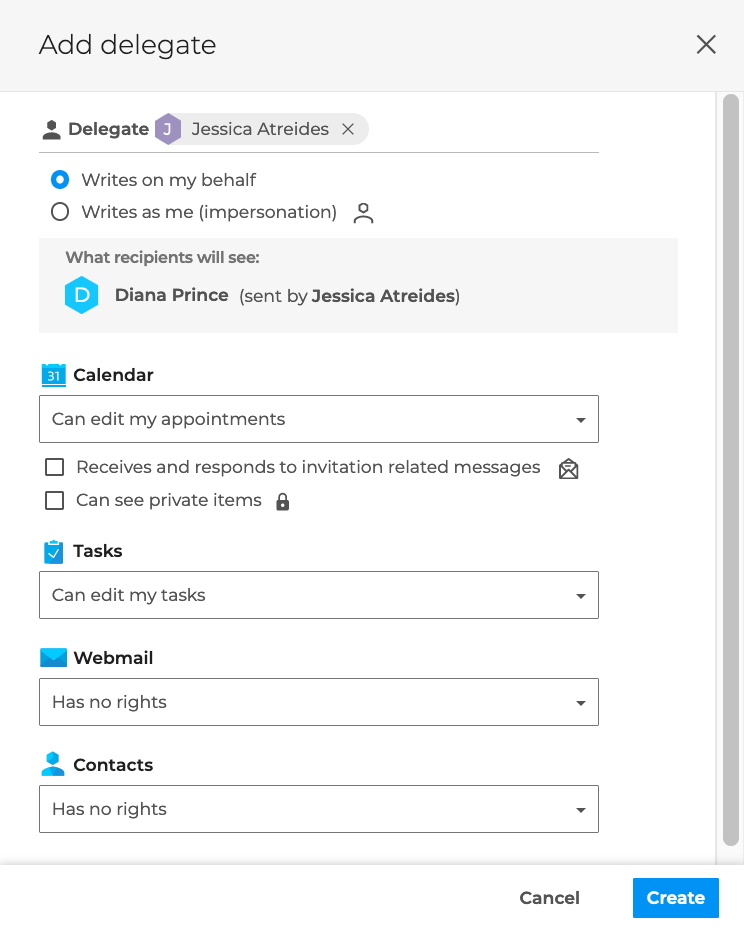
Delegation management
The new delegation management allows users to nominate delegates and define more detailed and targeted rights, both to write on their behalf and to mail or calendar :
The new shared mailboxes
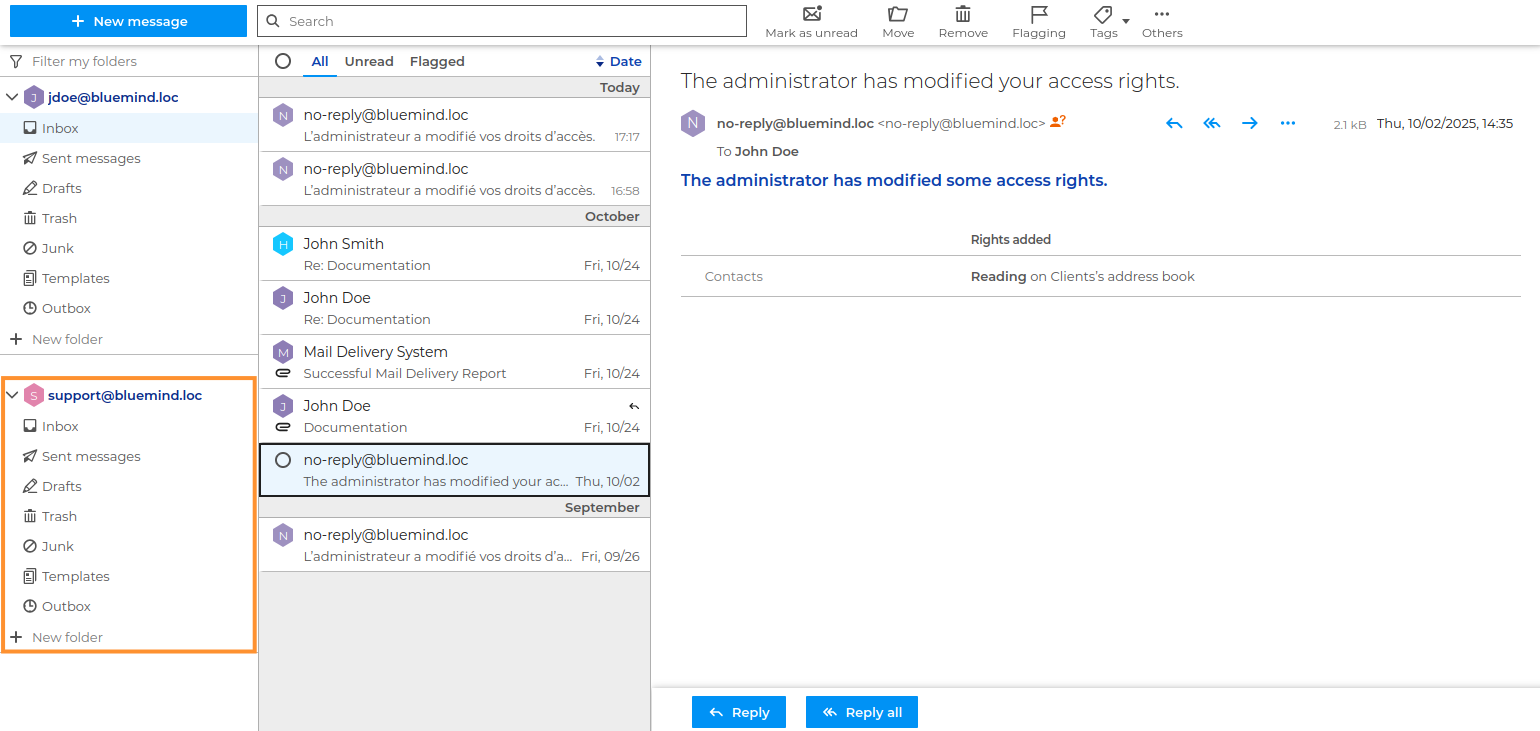
To further enhance native Outlook support, BlueMind 5.5 brings Exchange-style shared mailbox management, which now includes calendars, contacts and delegations:
Dark mode
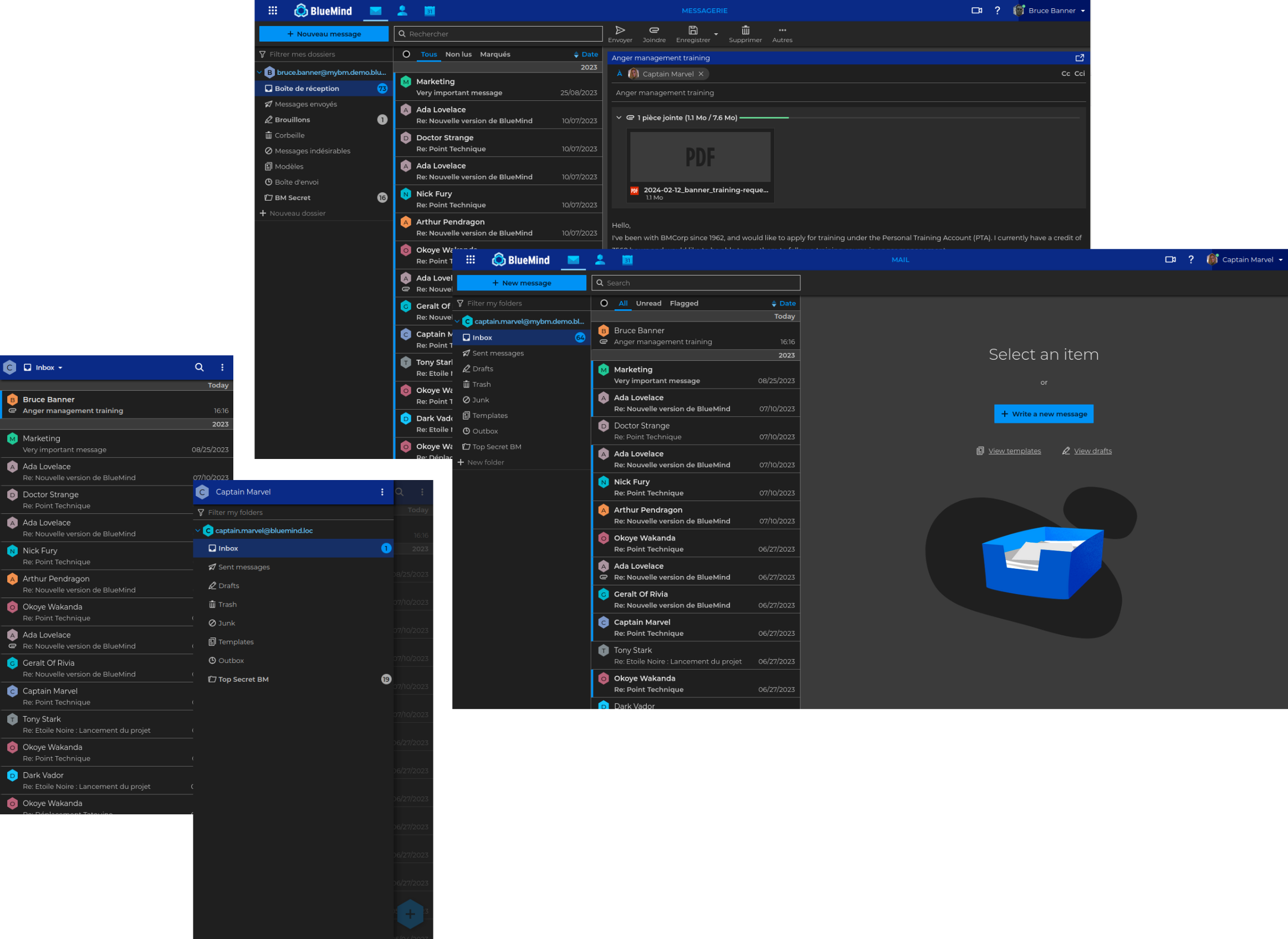
Users can now choose their display mode:
Mail
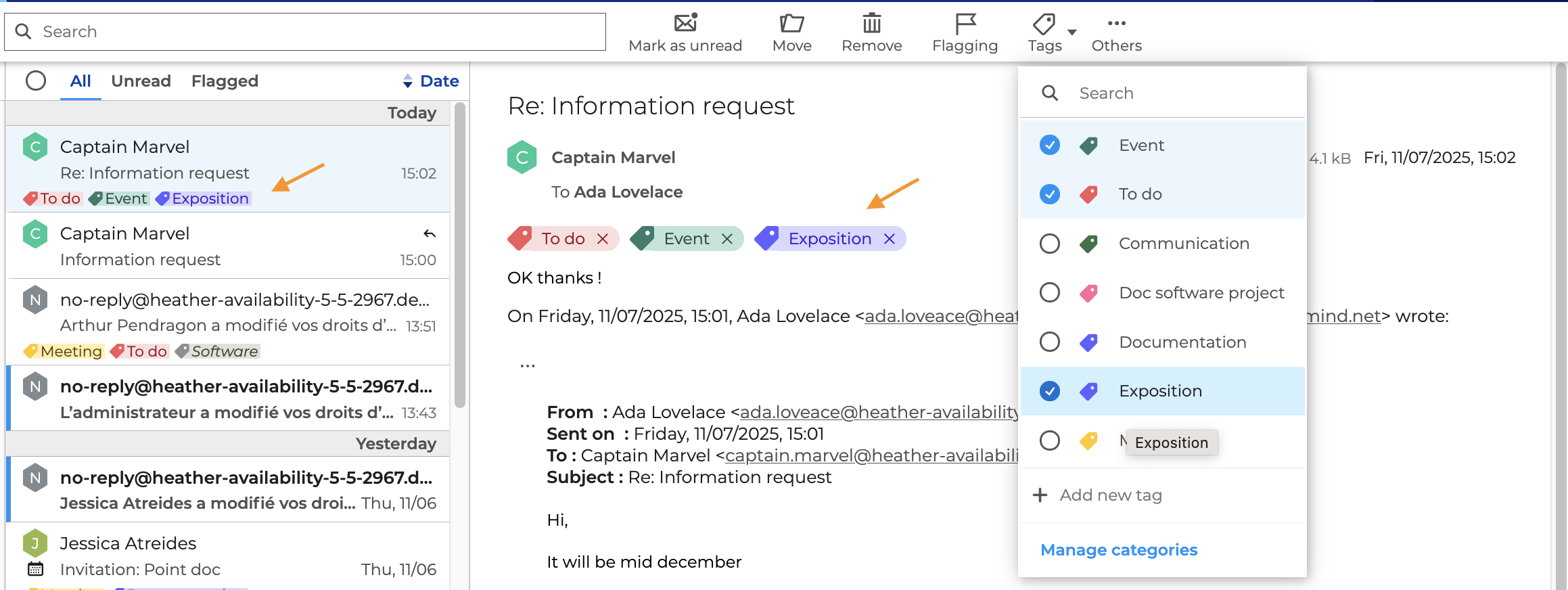
Tagging messages
BlueMind 5 adds the ability to add categories to emails. This was already possible for contacts and events, but now it's also possible for emails, and is compatible with Outlook:
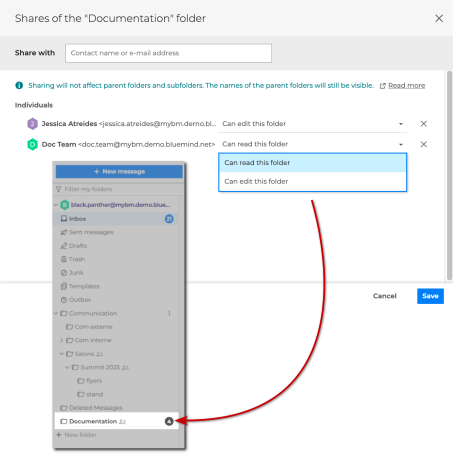
Sharing individual folders
Users can now access their files individually, without having to share their entire mailbox:
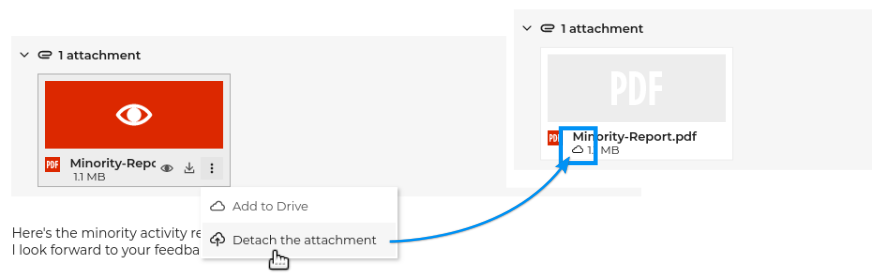
Deleting attachments
Users can now delete attachments from the emails they receive:
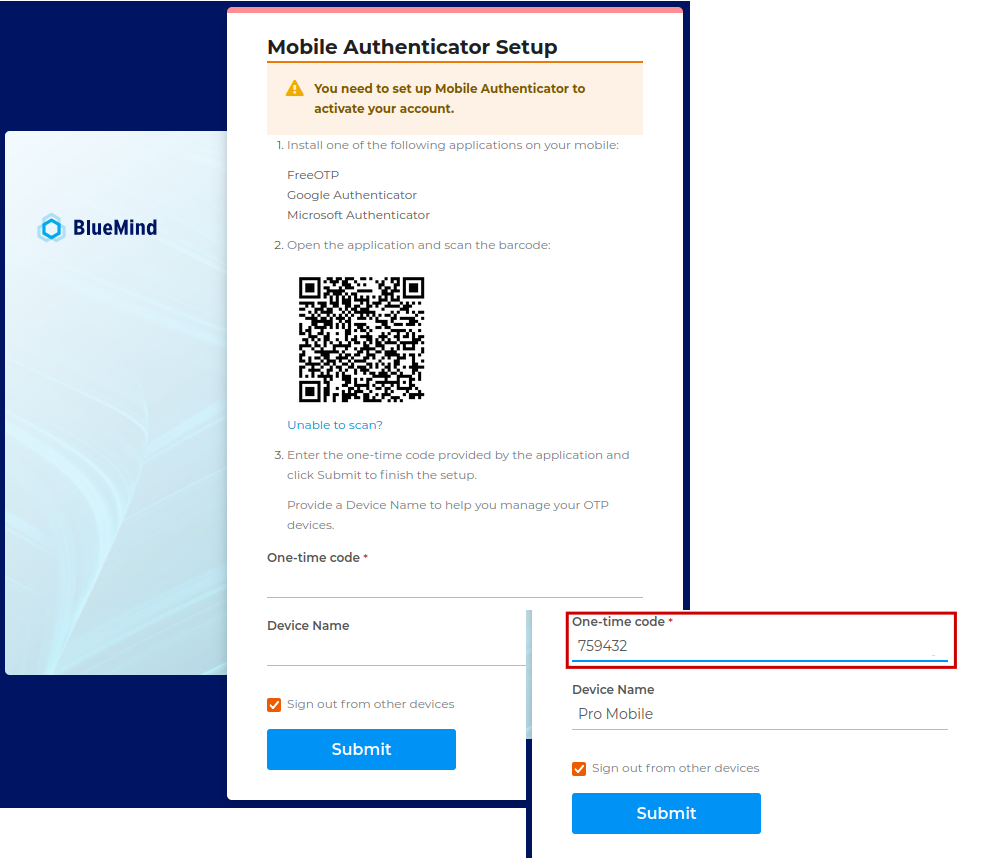
Multi-factor authentication
Multi-factor authentication, which can be activated by administrators, requires users to enter a one-time code in addition to their password:
- Release Notes 5.4
- Administrators: Multi-factor authentication via OTP
- Users: Securing connection with OTP
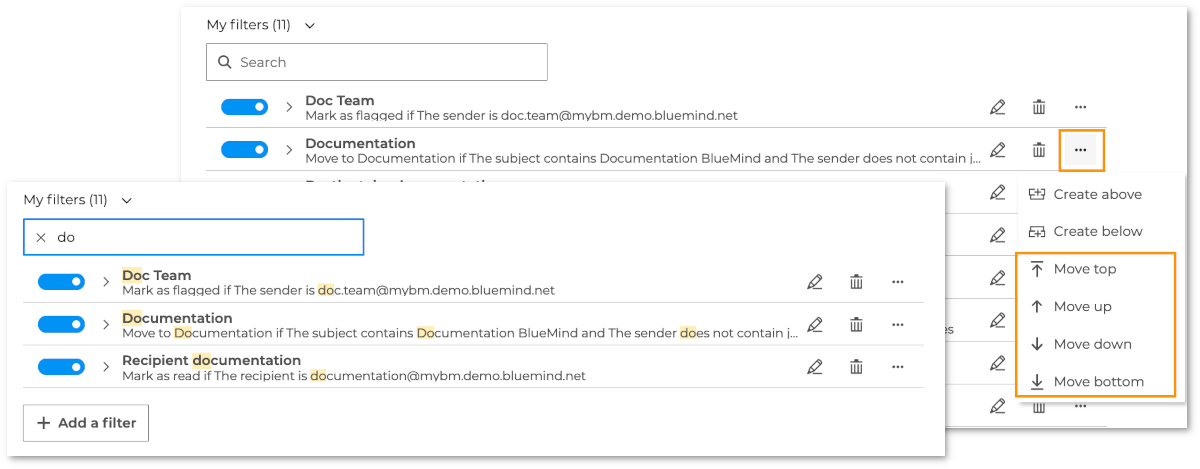
Mail filters
The mail filter management interface has been enhanced with new features that allow you to search for and sort filters (BM 5.0):
Filters, on the other hand, support multiple conditions and exceptions (BM 5.3):
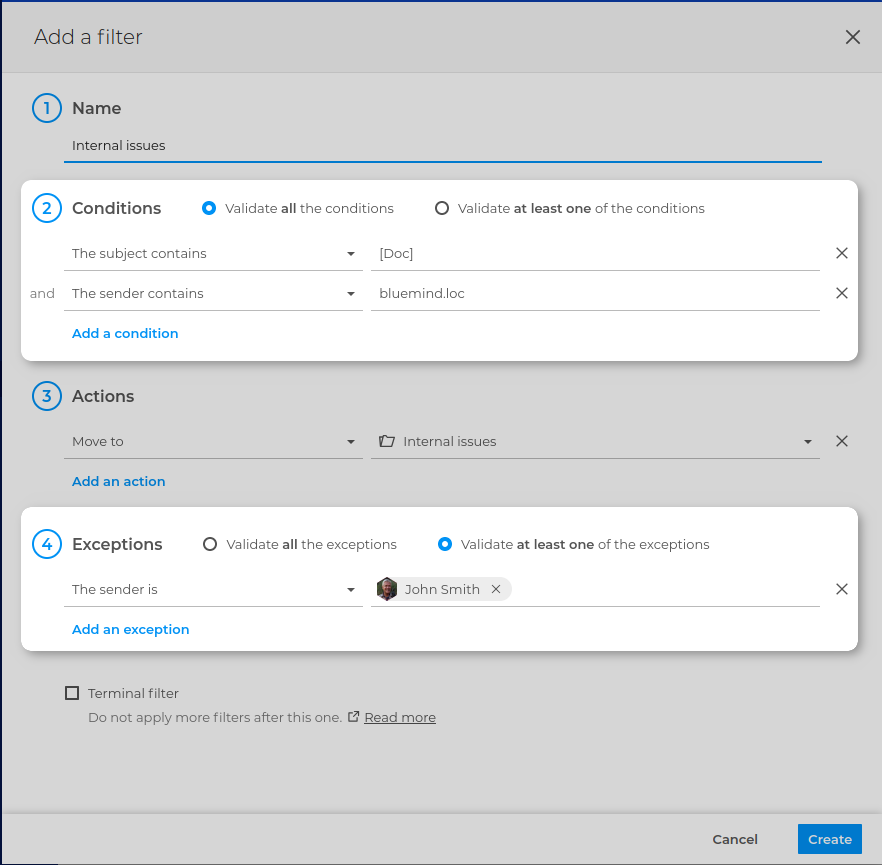
They also allow (BM 5.6):
- to automatically add tags to an email:

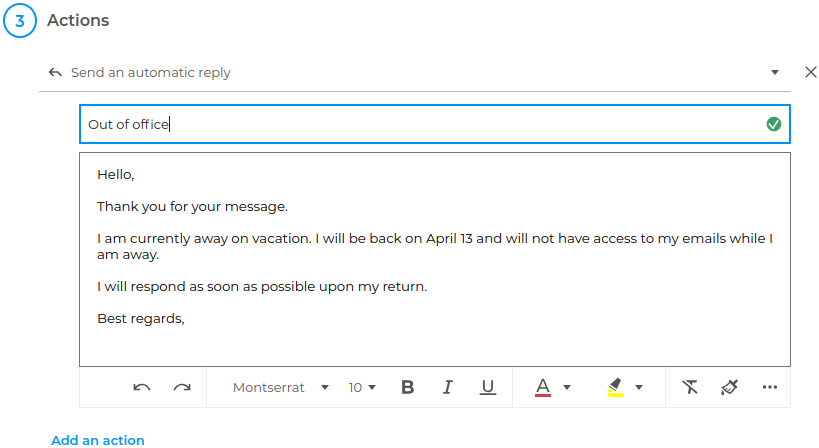
- to send a specific automatic reply:
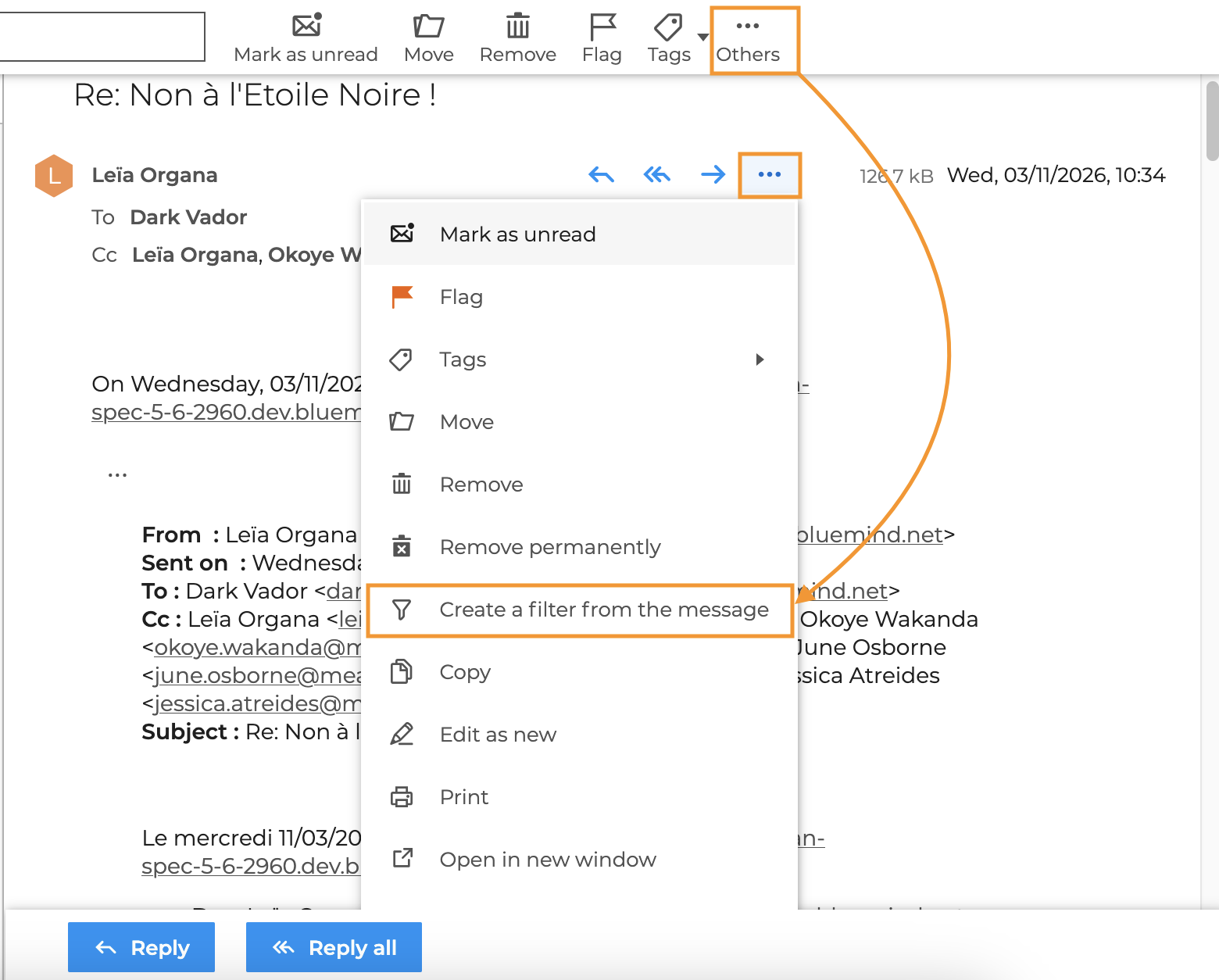
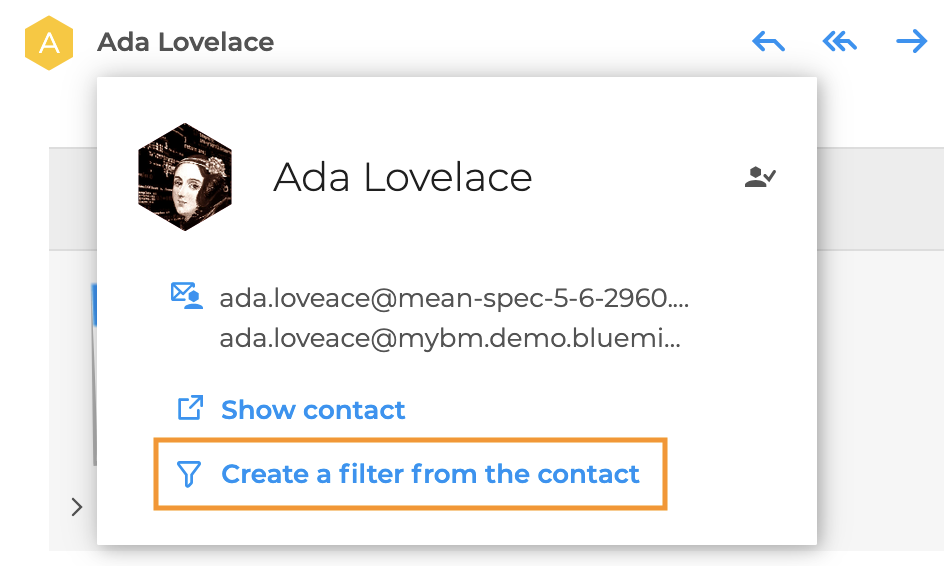
- to create a filter from an email or a contact:
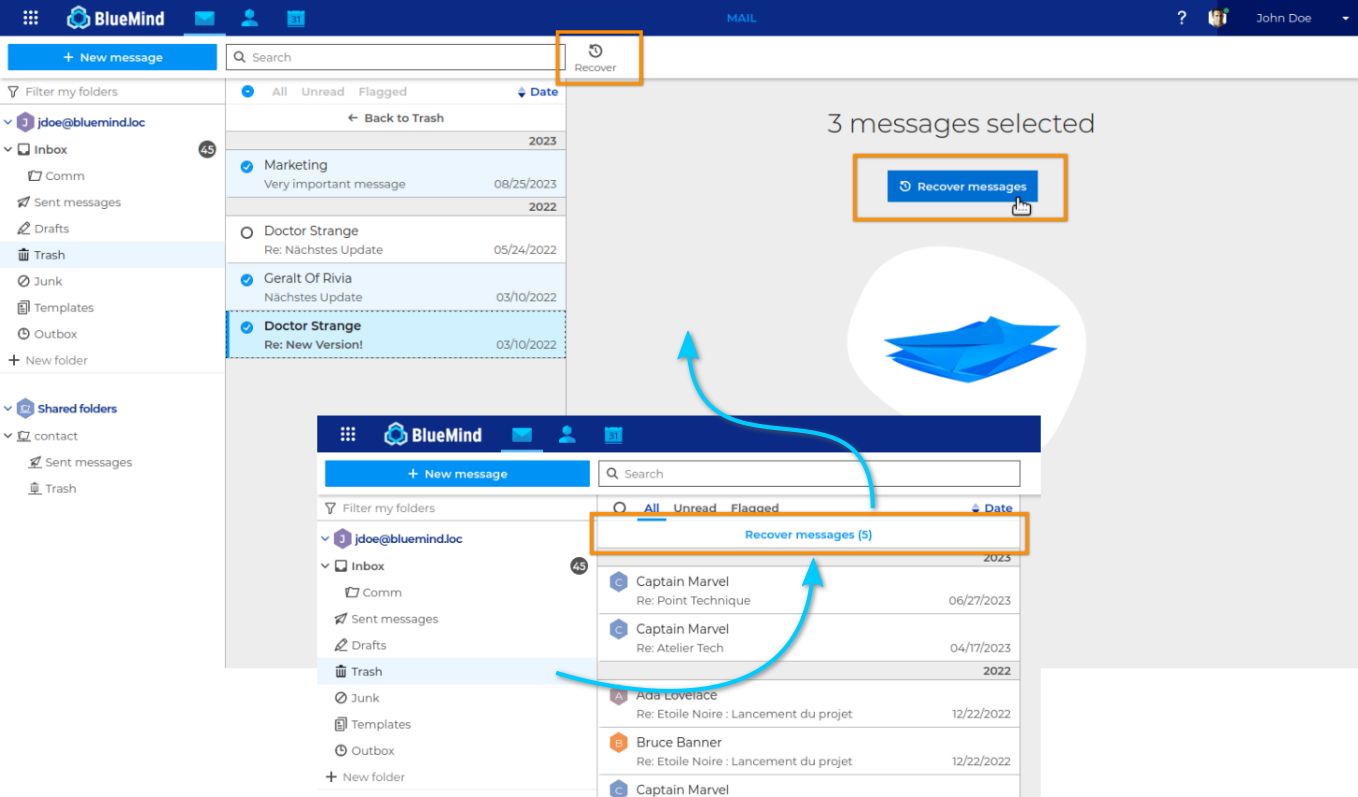
Double-bottom trash can
The trash now has a double bottom, allowing users to retrieve e-mails marked as permanently deleted for a period of time after they have been deleted.
Anti-phishing security
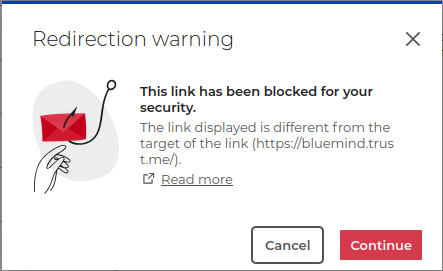
A new potentially fraudulent email alert system has been set up in the mailbox:
- suspicious recipient alert
- malicious link alert
New composer features
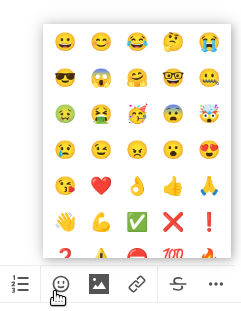
Several improvements have been made to enhance the composer experience, including the ability to remove or copy text formatting and add emojis (BM 5.4) 🎉
It is now also possible to:
- Set the priority of an email (BM 5.5):
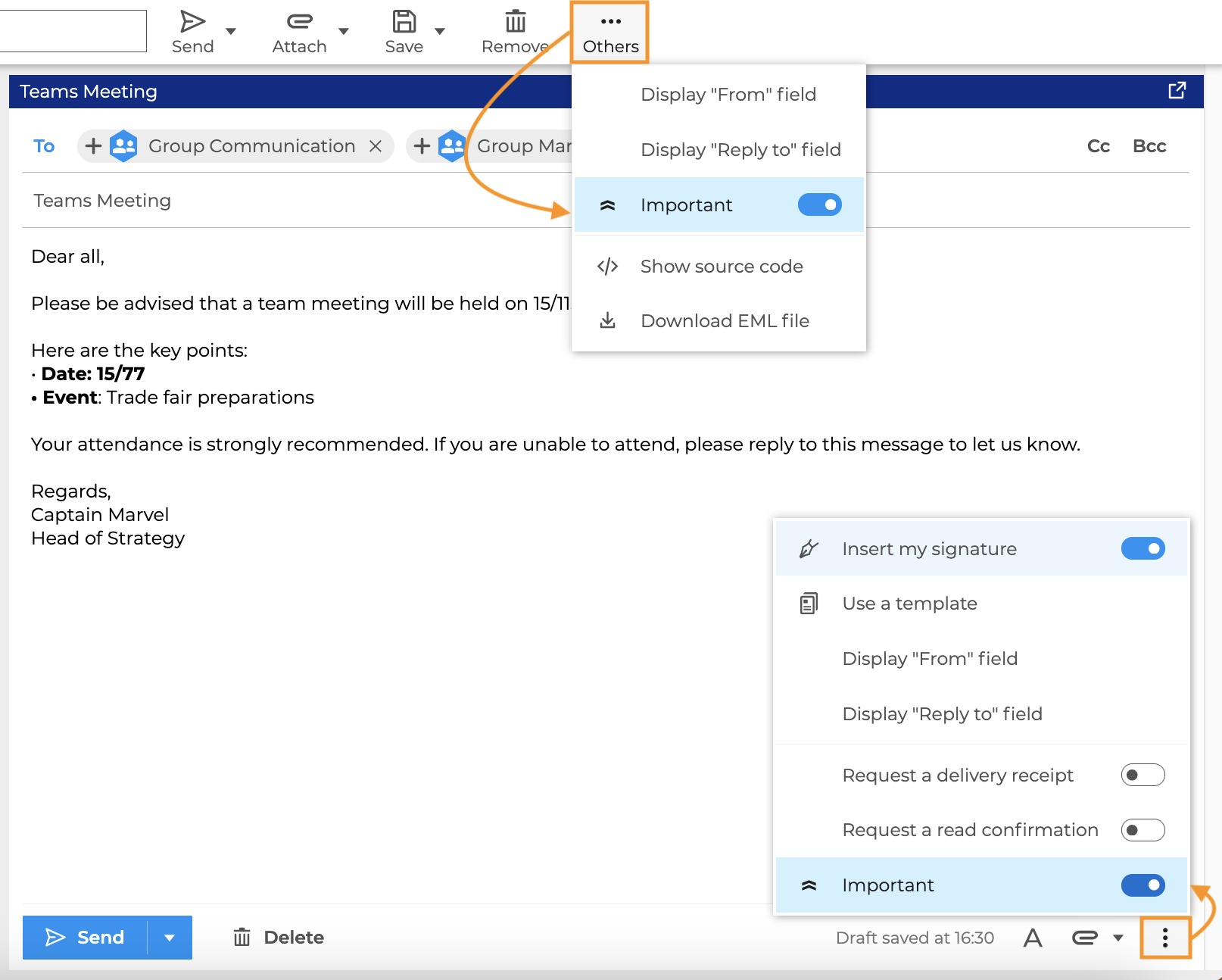
↳ For further information, see Sending an important email - Receive a notification if the recipient has enabled an out-of-office email or if their mailbox has reached its quota (BM 5.5):
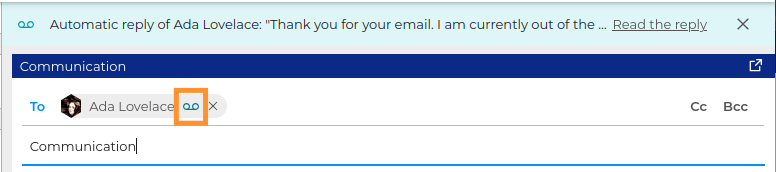
↳ For further information, see Email alerts. - Set the default font size for composing emails (BM 5.5) ↳ For further information, see Editing text
- Select a folder to save an email after sending it so that it is saved in a folder other than "Sent Items" (BM 5.6):
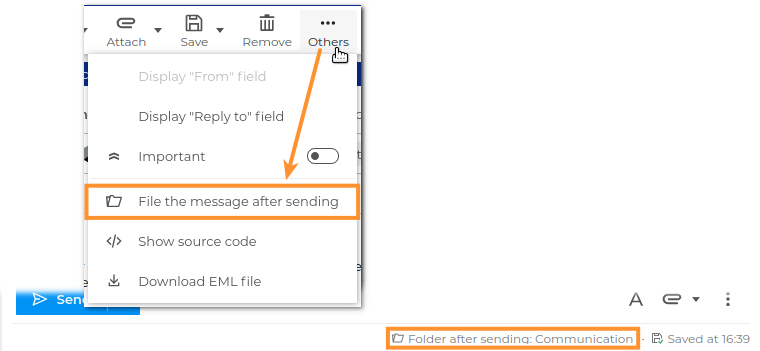
↳For further information see Modifying the file folder of the sent message
Adding a status bar to the composer allows you to manage various details and options for the email you are composing (BM 5.6):

↳
Schedule e-mail sending
It is now possible to set the day and time for sending an email:
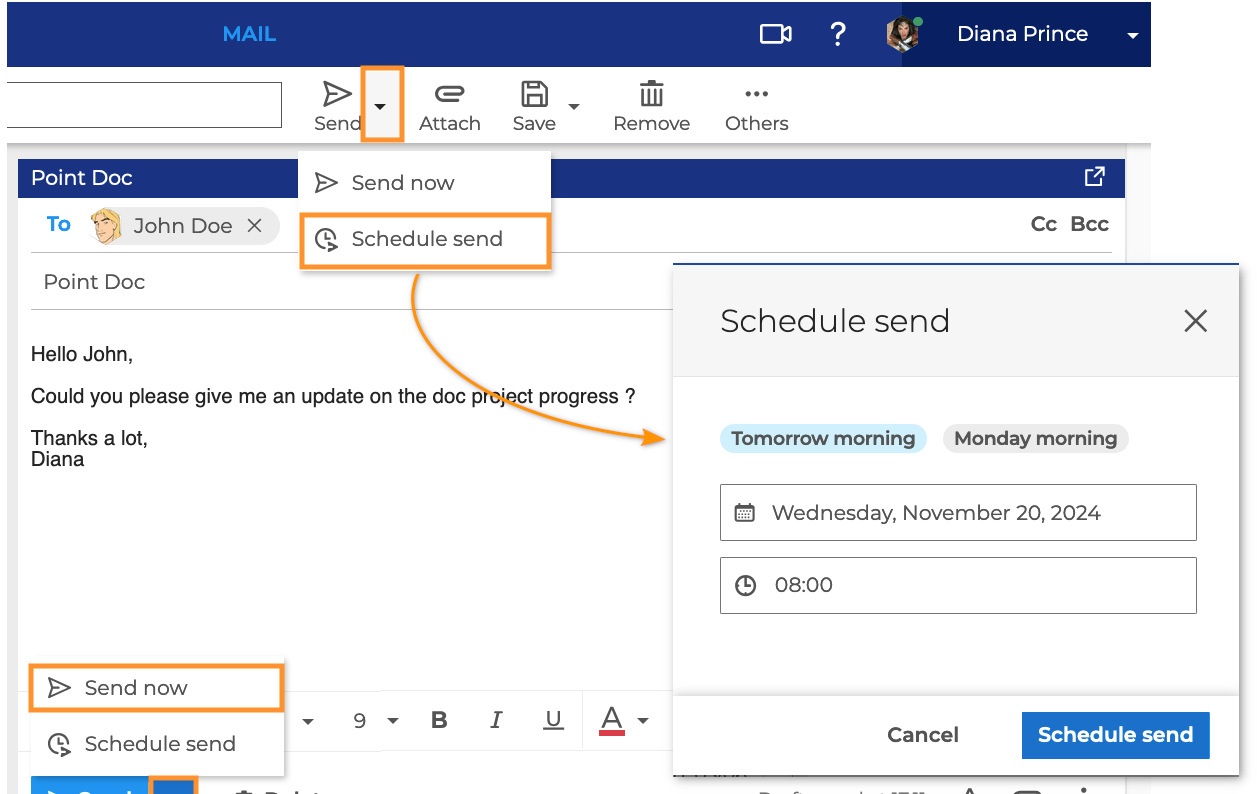
For further information, see:
Canceling the sending of an email
A user-configurable time limit allows the user to cancel the sending of an email within seconds of sending it:

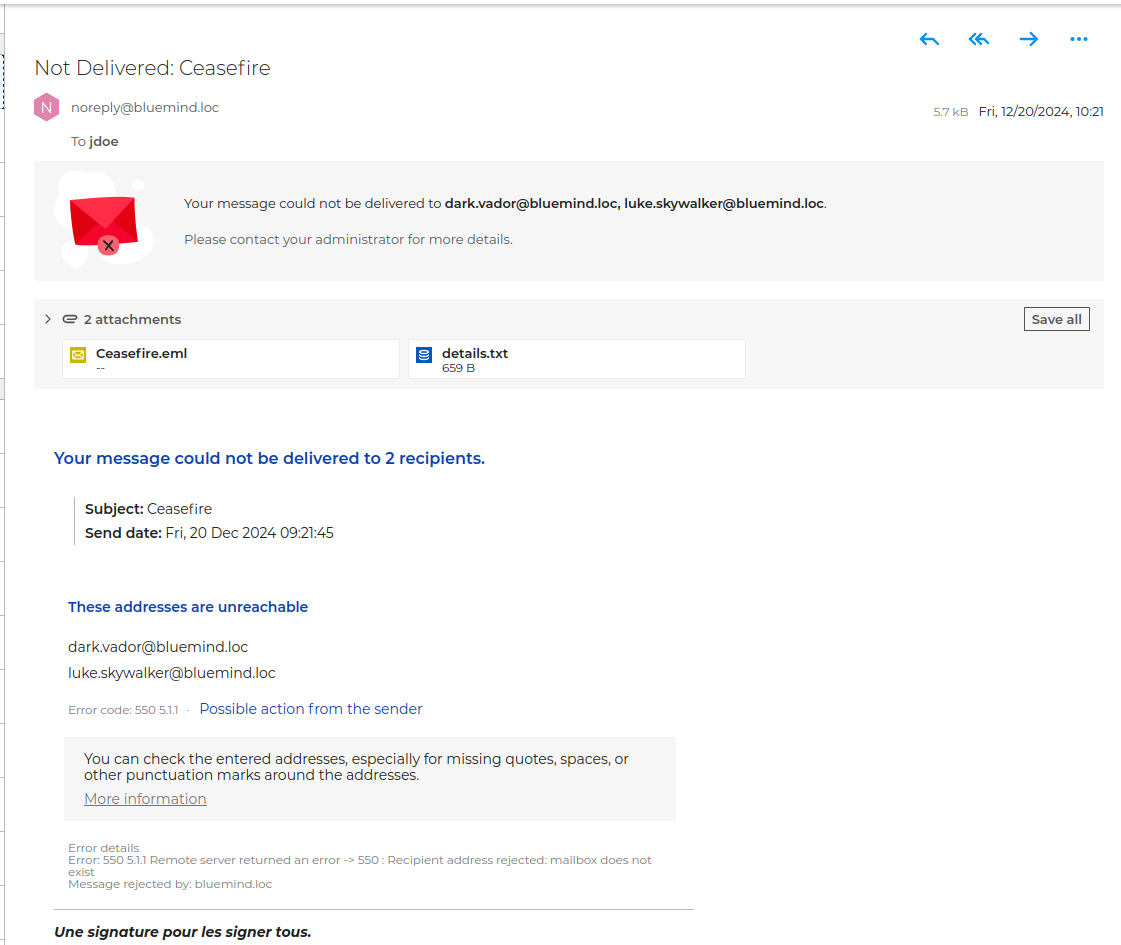
E-mail delivery error messages
Delivery error messages are clarified with a banner and clearer information on the cause of the problem:
Quota display
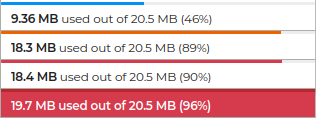
The mailbox occupancy display has been enhanced with several visual alert levels depending on how full the mailbox is:
Calendar
Forwarding invitations
Invitation forward enables a participant to invite a third party to a meeting. They can do this from the invitation e-mail or from the calendar:
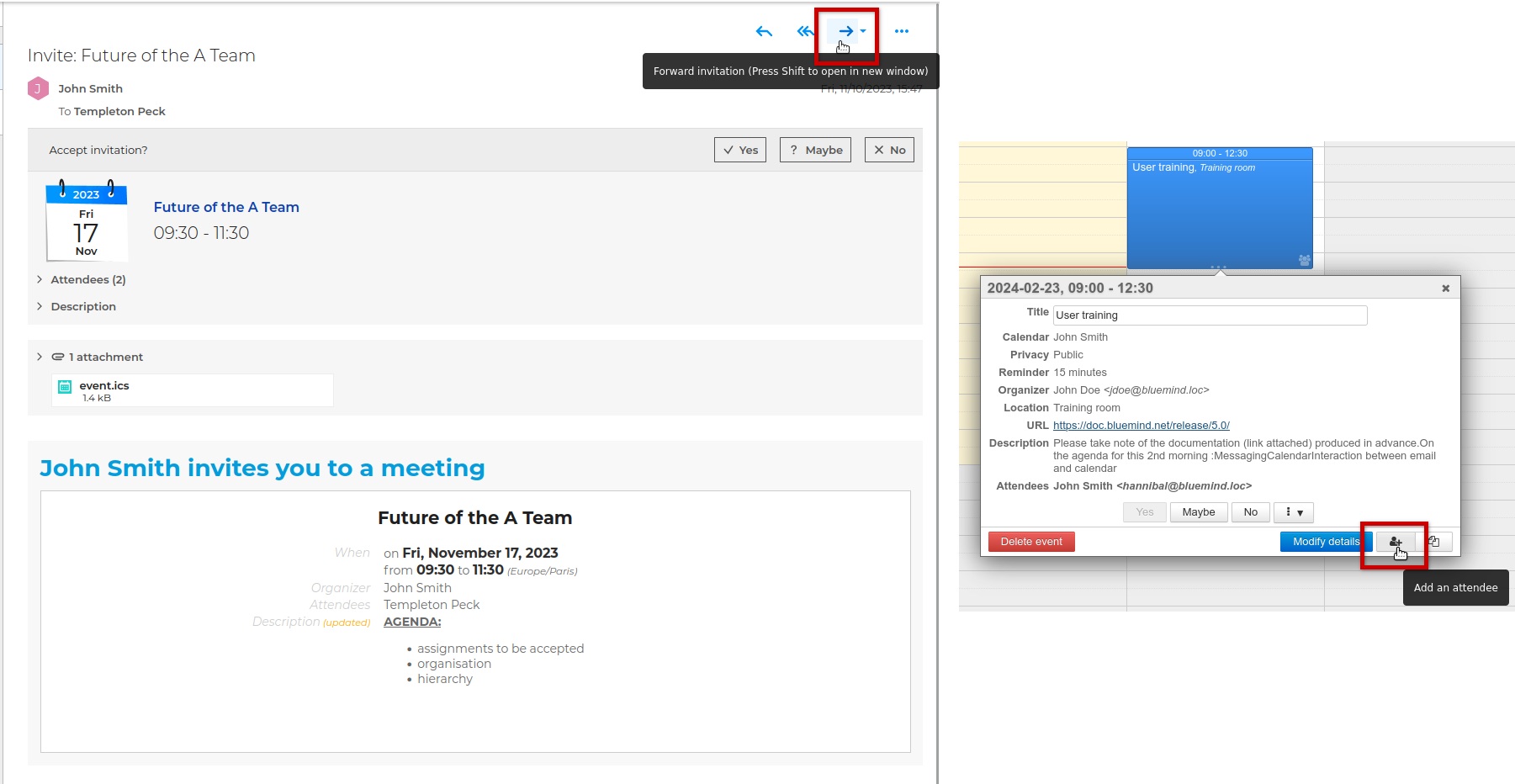
The organizer, for his part, is warned and can refuse added participants.
Resources and recurrences
Recurrences are now taken into account in the automatic acceptance of resource reservation, provided that the recurrence period does not exceed 12 months.
Event history
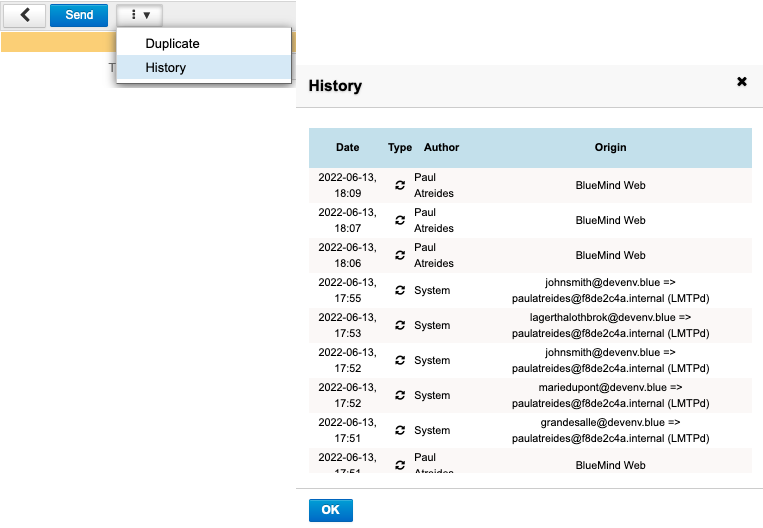
The calendar history is reintroduced:
Improvements to external sharing
External calendar sharing has been improved: a new "Publish" option generates a non-personalized sharing link that can be used by anyone with the link, and the sharing window allows you to automatically send an email to external contacts.
Outlook
Outlook benefits from numerous compatibility and functionality enhancements: delegations, email categories, invitation forwarding, videoconferencing, new schedule proposals, shared mailbox built-in...
Administration
Sharing rights and delegations
Sharing rights and delegation rights are standardized across new-version shared mailboxes (BM 5.5 and later) and users. The administration console reflects this clarification of permissions to simplify management for administrators and ensure consistency with user management:

Importing emails in eml format
The new import-emls command in the bm-cli command-line tool lets administrators import a batch of emails into a folder tree.
Starting with version 5.6, users can import EML-format emails themselves via webmail.
Auditlog
The Auditlog log analysis tool has been further enhanced to simplify log investigation.
OpenID configuration in a shared Environment
BlueMind 5.6 enhances authentication security by now allowing a single OpenID server to be used for multiple domains managed within the same installation: the OpenID server is configured for a primary domain, to which one or more secondary domains are linked. Users can therefore access BlueMind using the same URL, regardless of the hosted domain, by authenticating through the authorization server.