Release Notes 5.6
In accordance with our release lifecycle policy, the end of support dates for BlueMind 5.6 are:
- patch support: undefined yet
- security support : undefined yet
Introduction
For upgrades from BlueMind version 4, see BlueMind major version update.
Mail
Filter enhancement
The mail filters offers new ways to further improve organization and workflow. Thanks to filters, it is now possible to:
- to automatically add tags to an email:

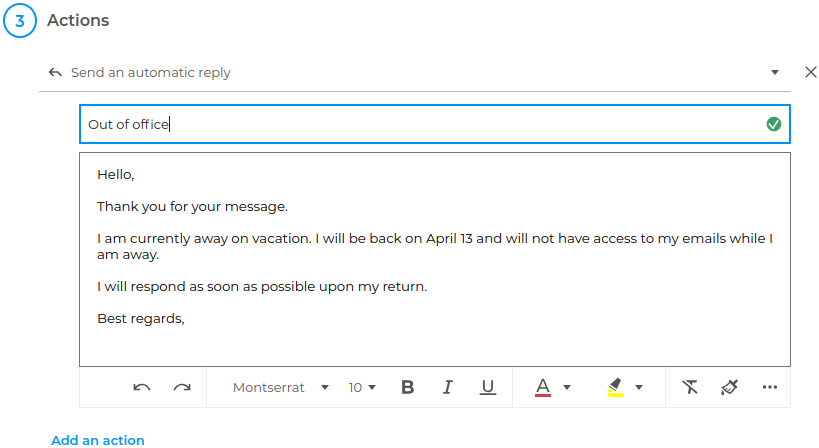
- to send a specific automatic reply:
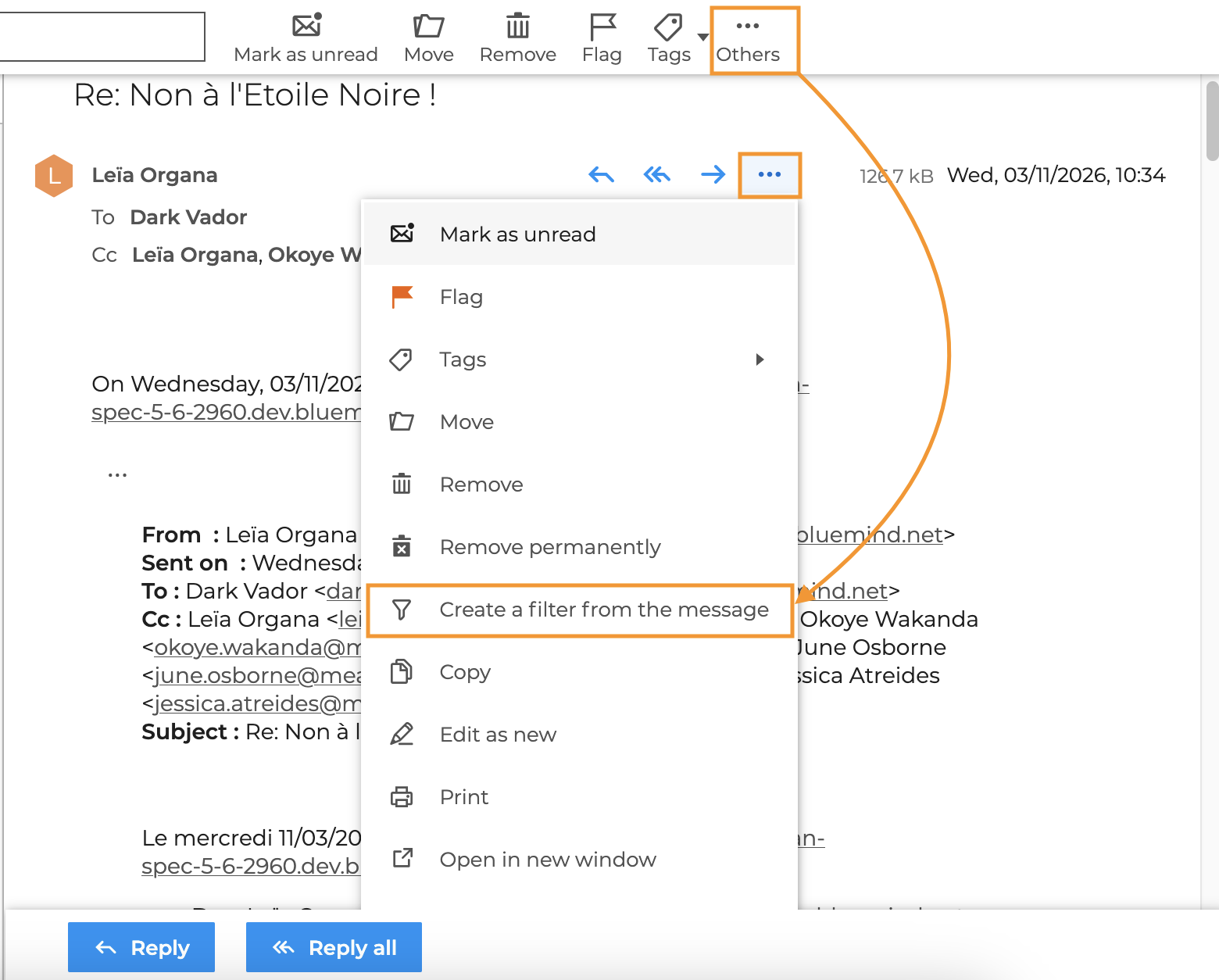
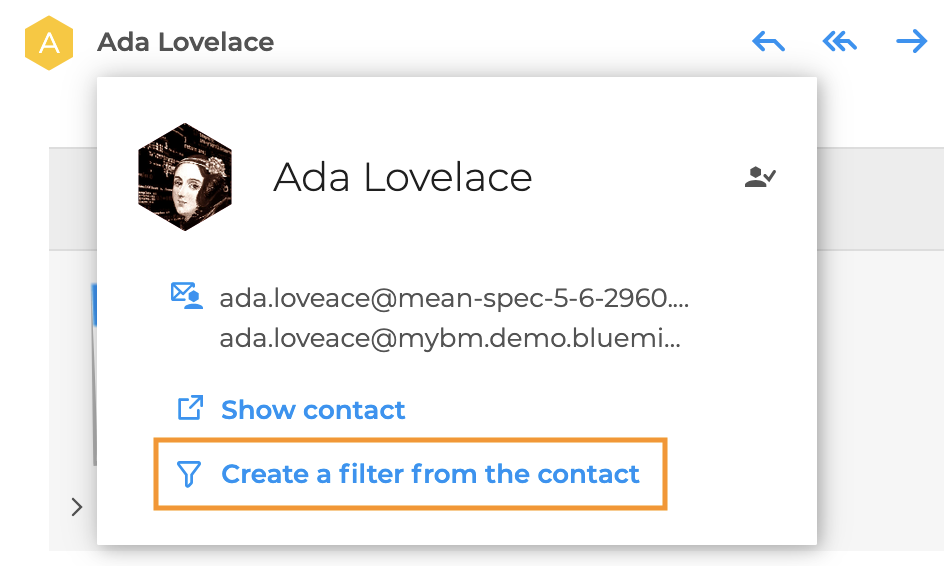
- to create a filter from an email or a contact:
New webmail features
Webmail and its composer now include new features, some of which were inspired by requests and suggestions from our users:
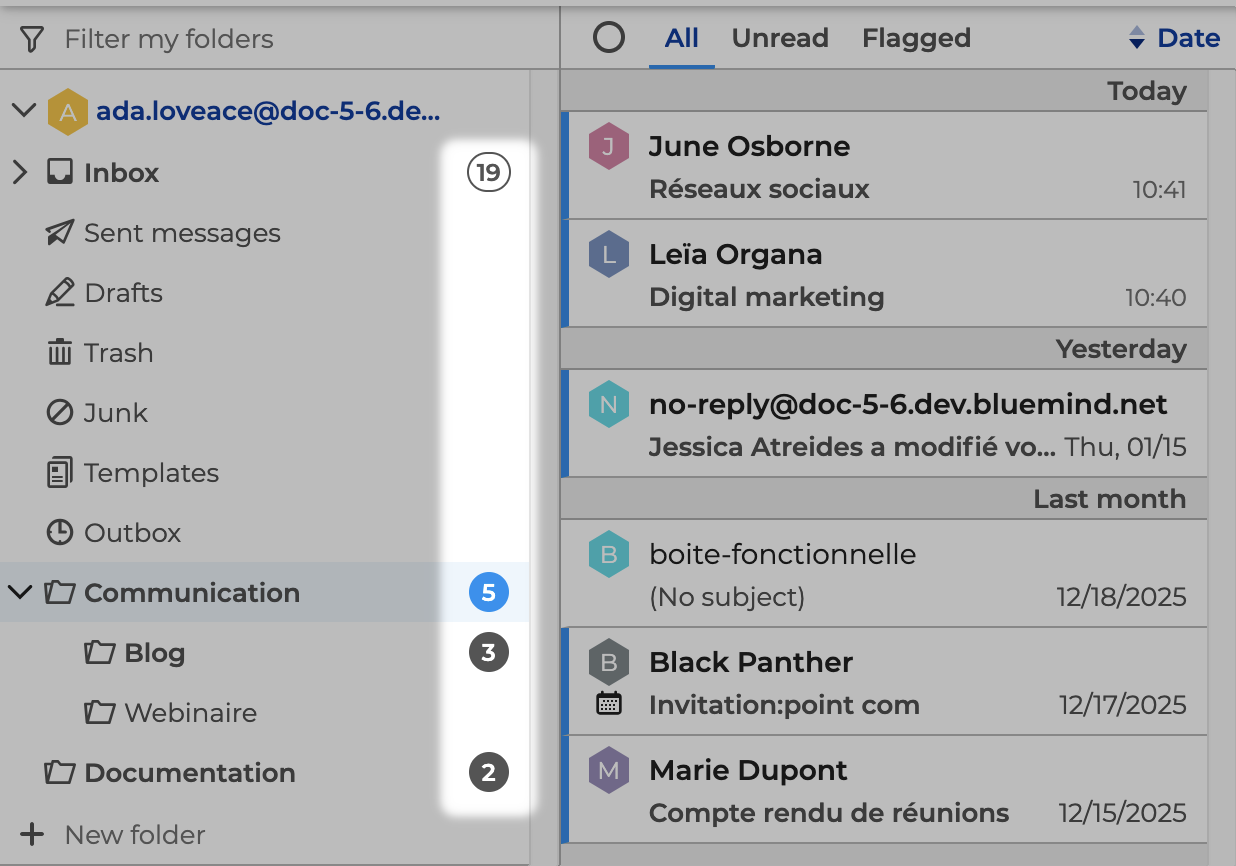
Improved visibility of unread emails
In folders and subfolders, the number of unread emails is now displayed for each folder or subfolder:
↳
"Treaty" tracking flag
The following flag now includes a third status, "Completed":

↳
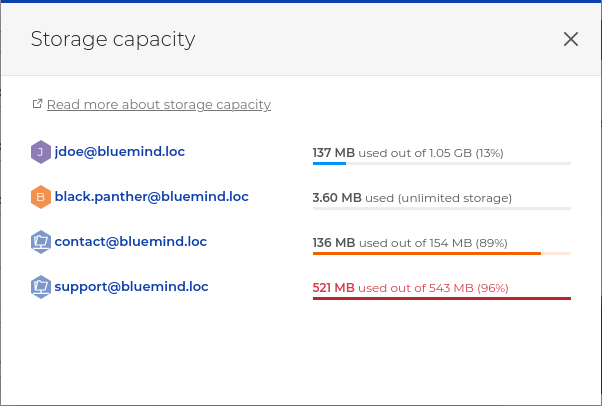
Shared mailbox quota
Users can view the total storage quota for all the mailboxes they are subscribed to:
↳
Open in a new tab or window
You can open an email in a new tab or window from the email list:

- Ctrl+Click opens in a new tab
- Shift+Click opens in a new window
↳
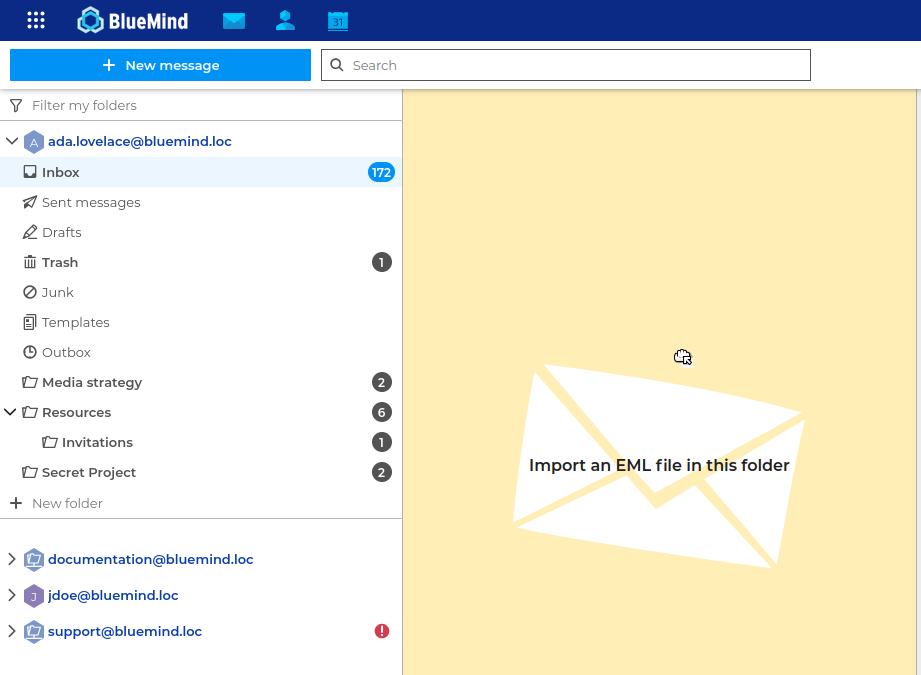
Importing messages in EML format
Administrators could already do this using the command line. Users can now import emails in EML format directly from the webmail interface:
↳
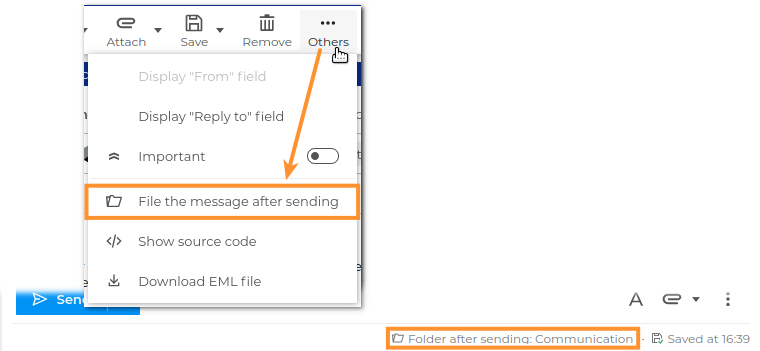
Select the folder to which an email should be filed after it is sent
This new option allows you to temporarily select a different save folder than the "Sent Items" folder, where emails are automatically saved:
↳
Composer status bar
Adding a status bar to the composer allows you to view various details and options for the message you are composing, such as priority, delivery receipts, the folder where the message is saved, the time the draft was last saved, and more :

↳
Cancel sending an email
Who hasn't accidentally clicked the "Send" button or spotted a mistake just as they were about to click?! A (configurable) time limit now allows users to cancel the sending of an email within seconds:

↳
Managing calendar events from emails
Designed to be increasingly user-friendly, the webmail interface enhances integration with the calendar, allowing users to check or view information at a glance and perform actions more quickly.
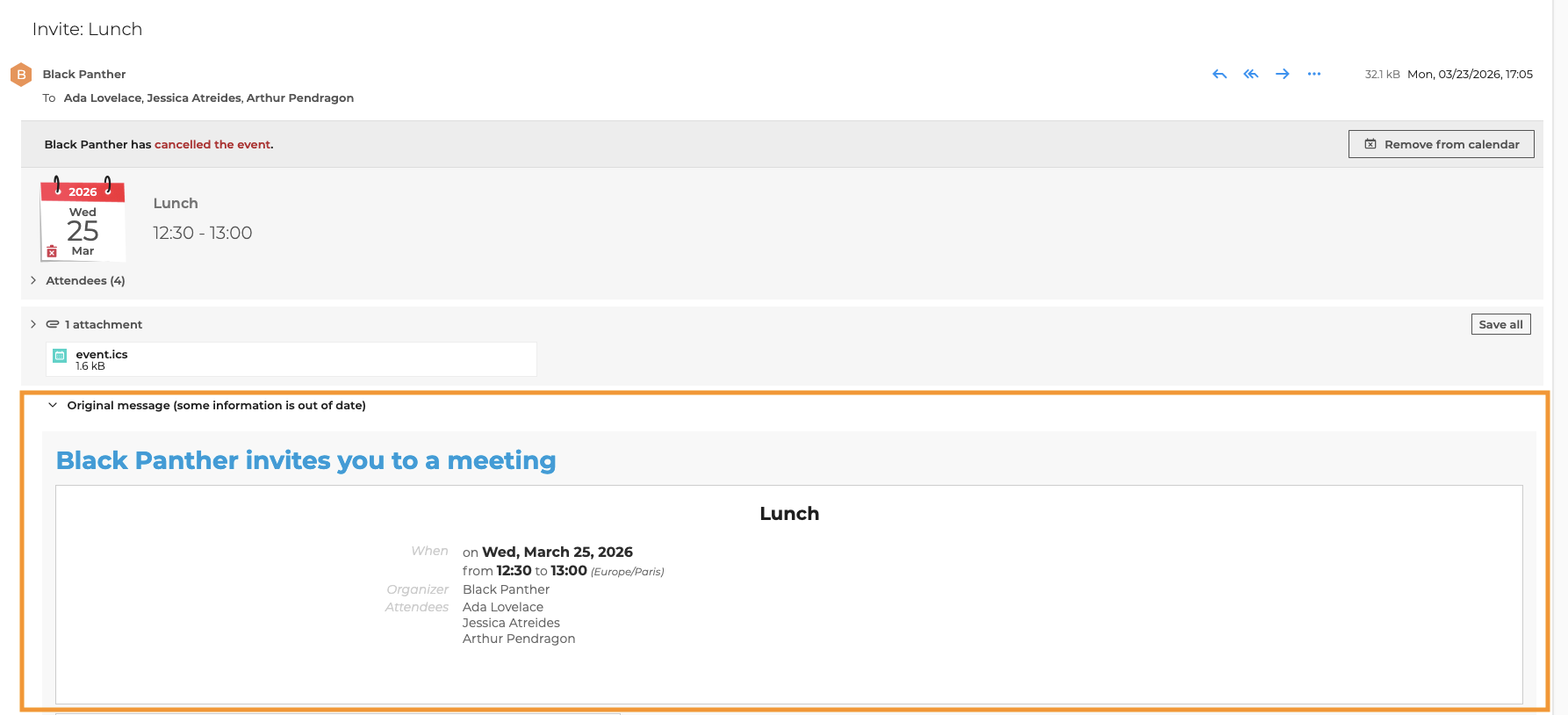
Hiding the source information of a modified event
Therefore, to avoid any confusion when an invitation is modified or canceled, the original information is now hidden in a collapsible panel, below the event description in email notifications:
↳
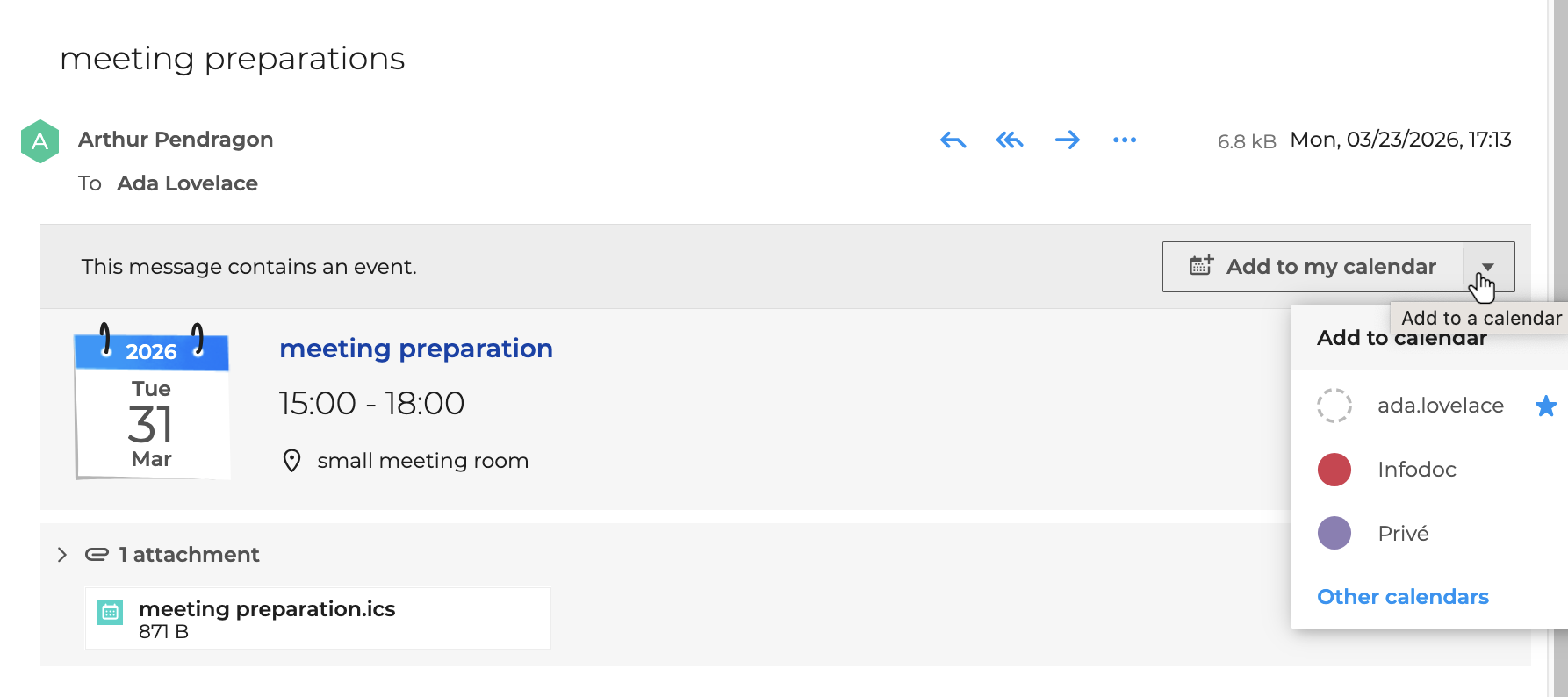
Adding an event from an email containing an ICS file
BlueMind handles invitations that comply with the IMIP standard, but some solutions send emails that simply contain an ICS file. BlueMind now treats these as invitations: you can now add the attached event to a BlueMind calendar directly from your mail application:
↳
Old webmail
The old webmail has been permanently replaced by BlueMind webmail; it is no longer possible to install it.
Calendar
External calendar sharing has been improved thanks to two new features.
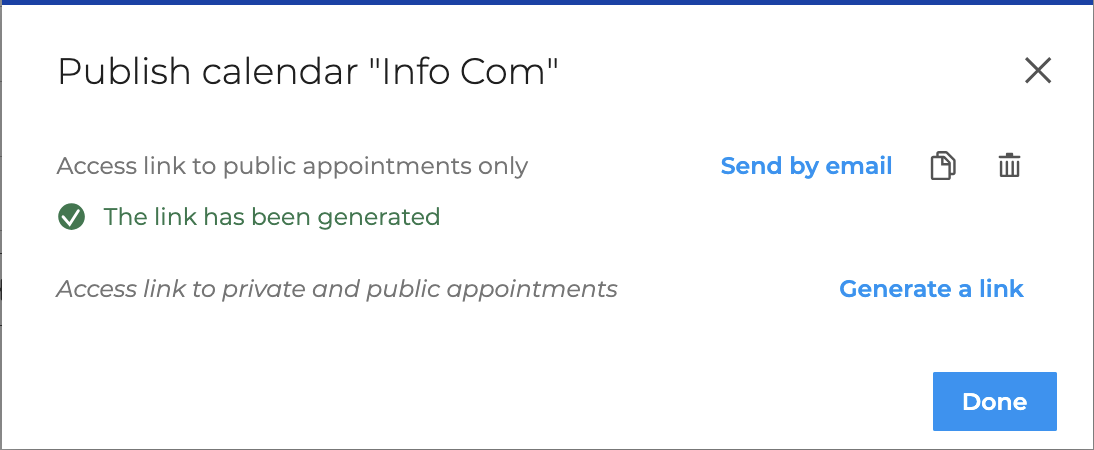
External sharing via a non-personalized link
Adding a new "Publish" option generates a non-personalized share link that can be used by anyone who has the link:
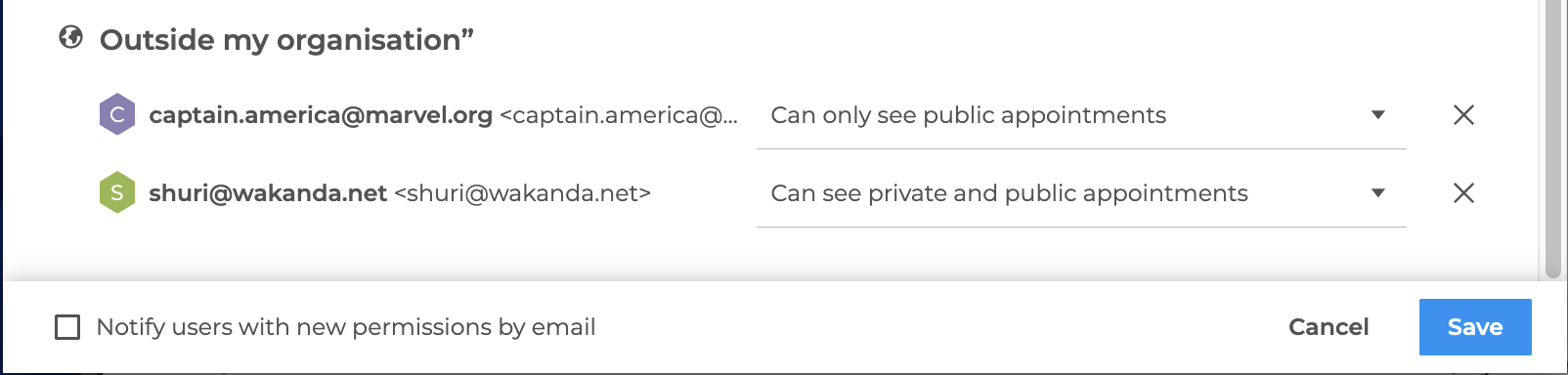
Automatic email sending to external users
The improved sharing window allows you to automatically send an email to external recipients when their sharing rights are created or modified:
Administration
Sharing rights and delegations
Following the enhancements and the introduction of "Exchange-style" shared mailboxes, the shared mailbox management interfaces in the administration console have been redesigned to accommodate the new capabilities and the new management of shares and delegations, both for shared mailboxes and for the users with whom this management is aligned.
OpenID configuration in a shared Environment
BlueMind 5.6 enhances authentication security by now allowing a single OpenID server to be used for multiple domains managed within the same installation: the OpenID server is configured for a primary domain, to which one or more secondary domains are linked. Users can therefore access BlueMind using the same URL, regardless of the hosted domain, by authenticating through the authorization server.
The patches
BlueMind version 5.6 includes the same level of patches as version 5.5.?. For details of fixes made to previous versions of BlueMind, please refer to the 5.5 patch release notes: