External Users
External users are users who do not have a BlueMind account but have an email address outside BlueMind. These users can be added to BlueMind groups in order to receive messages.
External users are shown in BlueMind with the following icon: 
Creating external users
To create a new user:
- From the directory management home page, click on "Create an external user" or from the directory entries list, use the New > External user button:
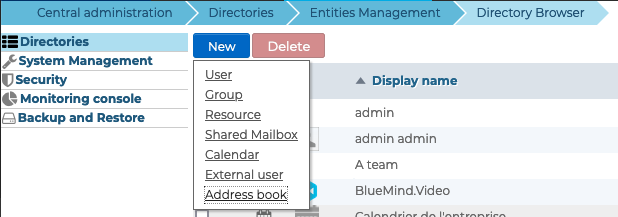
- Enter the new user's details in the popup window:
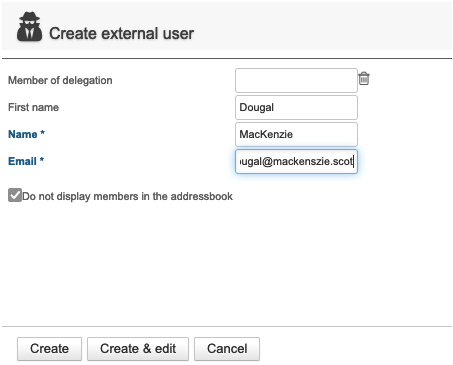
- Member of delegation: the user can belong to an organizational unit (see Delegated Administration)
- First name: optional
- Name: required
- Email: required - must contain a valid email address
- Do not display members in the addressbook: the contact may be a member of a group but will not be shown in the directory - this option is enabled by default, it can be disabled/enabled again on creation and at any other time.
- Check the "Hide BlueMind address lists" option if desired:
- If the option is checked, the contact can be a member of a group but will not appear in the directory.
- Click on "Create" for simple, direct user creation, or click on "Create & edit" to create the external user and access configuration options.
Managing external users
From Directories >> Directory entries, select the external user to be edited from the list.
General
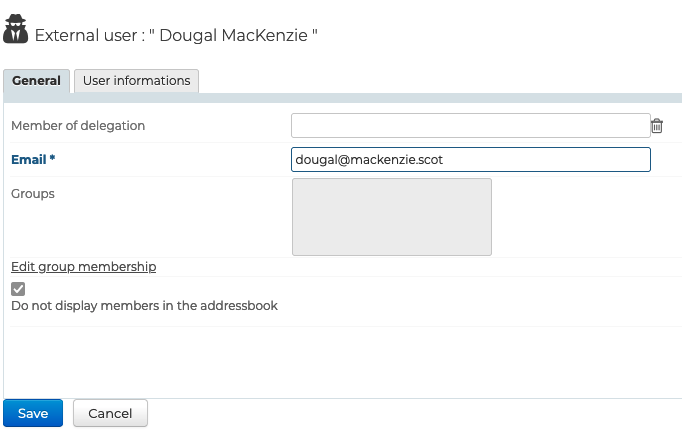
The General tab of a user's sheet allows you to complete/modify the fields filled in when the user was created, and also to modify the groups to which the user belongs:
User information
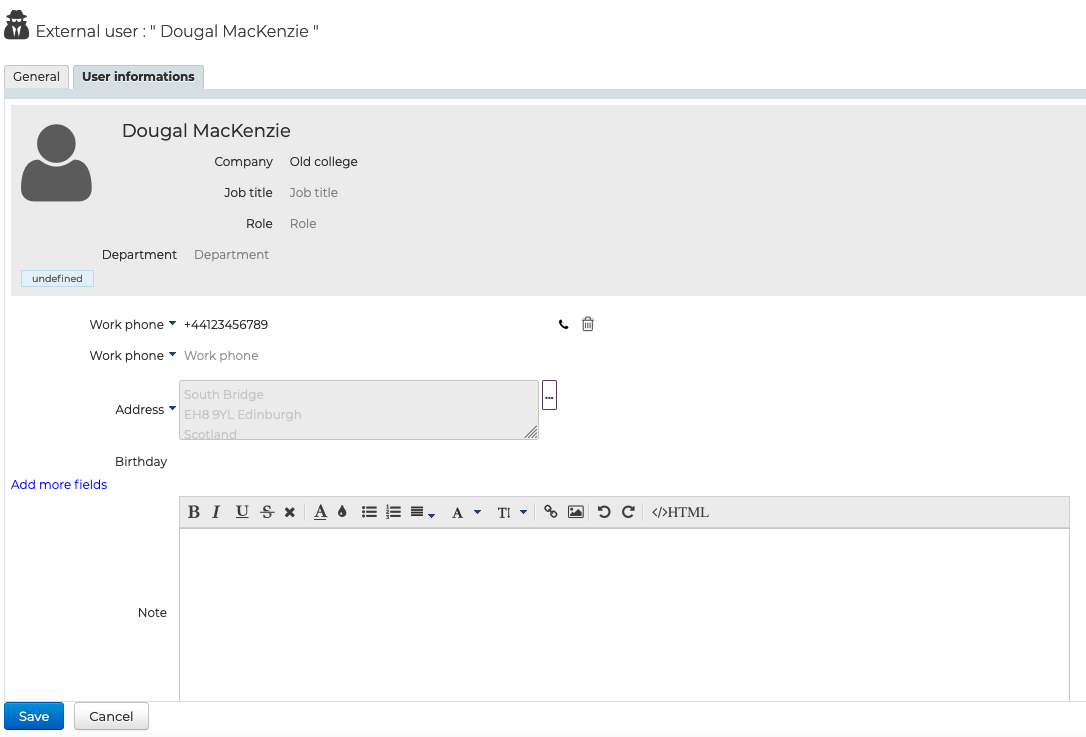
The "User information" tab is used to enter the user's contact details for sharing in the directory:
:::tip Group membership
When you click the "Edit Group Membership" link, a pop-up appears that allows you to view and edit the groups to which the user belongs.
To delete a group, click on the corresponding cross; to add one, enter the first few letters and validate a choice proposed by autocomplete.
:::
Deleting external users
To delete an external user:
- go to the BlueMind directory homepage >> Directory browser
- select the user and click "Delete":

The user is automatically removed from all the groups it belonged to.