Setting Calendar Preferences
You can choose your display, time management and reminder preferences in your general Calendar settings.
To do this, go to Preferences - Calendar - General
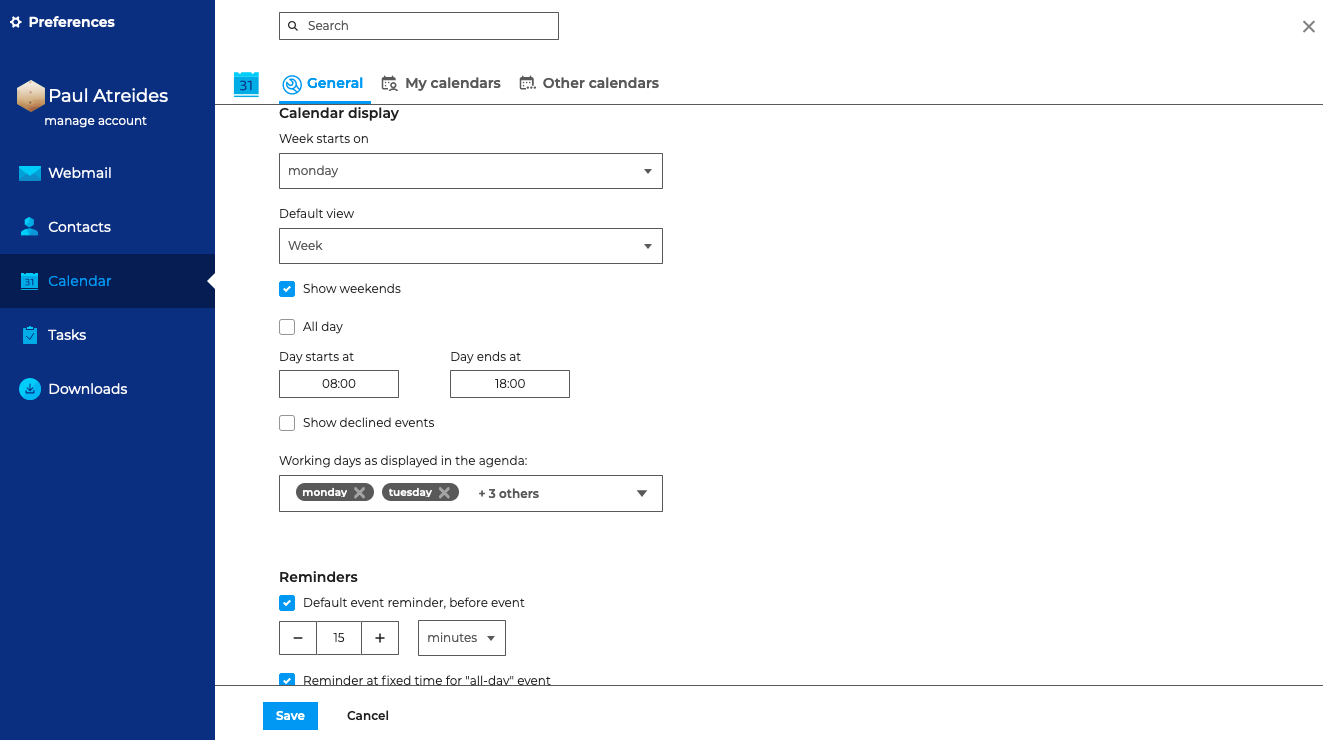
Set calendar display parameters
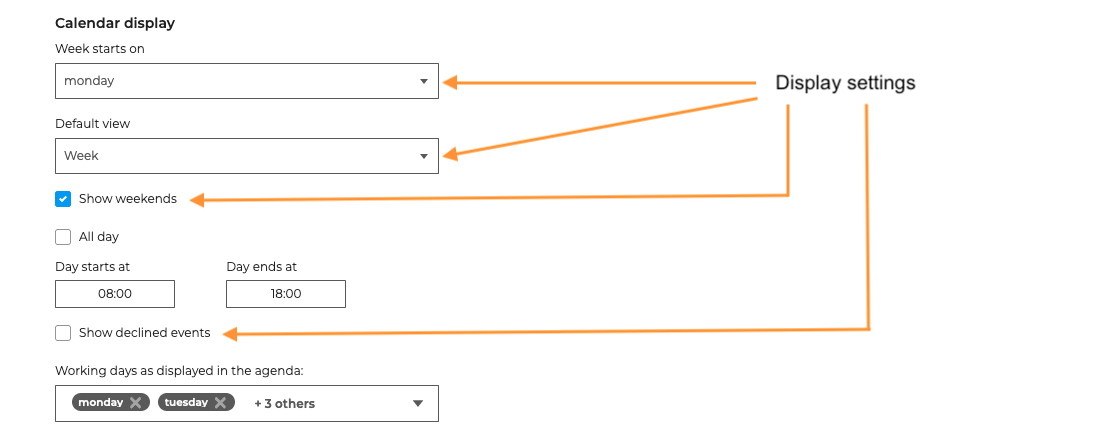
You can choose to:
- start the week on Monday or Sunday
- whether or not to display weekends
- display declined events or not
- default calendar display by day, week, month or list
You can change this view temporarily in the action bar at the top of the Calendar

Setting the working time
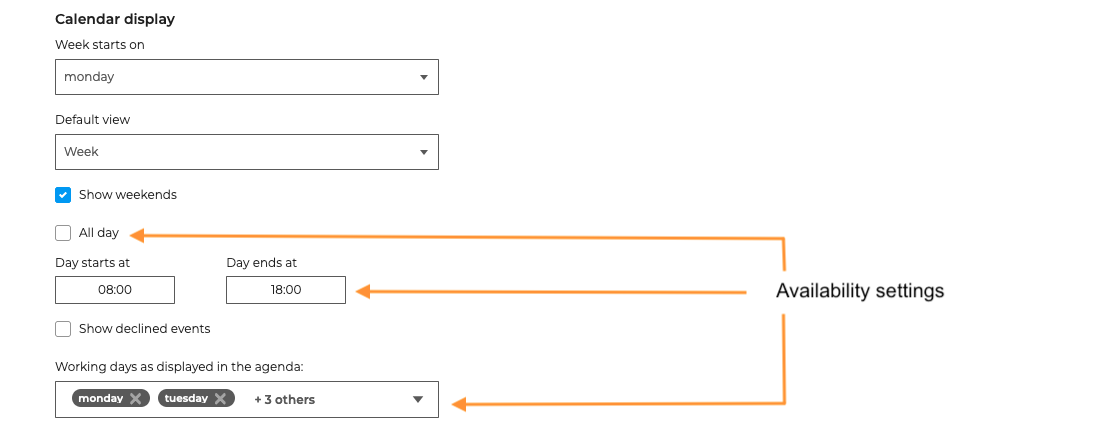
Default day start and end times as well as working days are used to set the time periods BlueMind will consider as working hours.
So, for example, when searching for availability or issuing an invitation, the event organizer will be informed that the event is outside the user's working hours.
Setting reminders
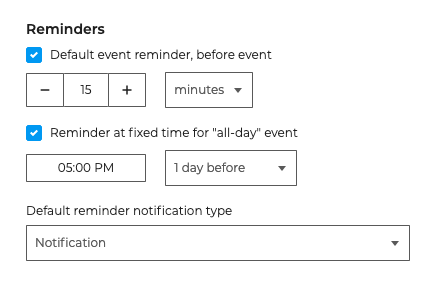
It is possible to define :
- a reminder for classic events (bounded times): from 1 to 1000000 seconds, minutes, hours or days before the event.
- a reminder for full-day events: indicates the reminder time and the number of days before the event
- type of reminder: e-mail or notification
When a reminder is deactivated, the field is empty and the corresponding drop-down list is set to "Seconds".
This setting applies to new events, and is not retroactive to events already in the calendar.