Creating Videoconferences
BlueMind offers 4 videoconferencing solutions:
- via the integrated solution BlueMind Video (based on Jitsi Meet)
- via a connection to one of the external solutions supported :
- through Webex
- through Jitsi Meet
- through Teams
- through Zoom
Integrate a videoconference into a calendar event
Regardless of the solution installed by the administrator, it is possible to integrate a videoconference into meetings created in the calendar. This means that attendees will receive an invitation to the videoconference with the meeting notification email.
To learn more about the steps to follow, consult the dedicated documentation section: Organizing meetings > Adding a videoconference.
Creating independent Videoconferences
With BlueMind Video, you can also create videoconferences outside the Calendar. To do this, click  in the navigation ribbon.
Once the video conference page is open, copy the link displayed in the browser and send it to the participants.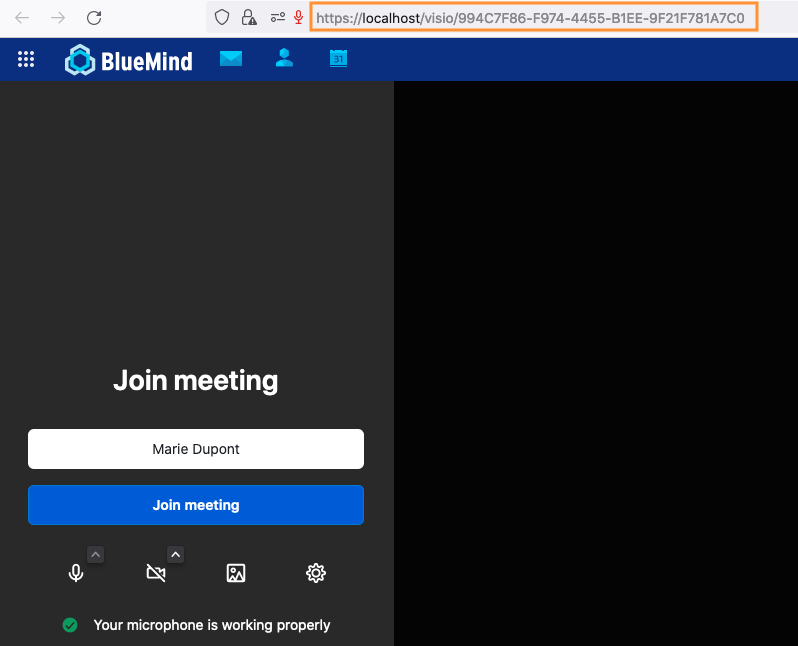
You can also create a videoconference link manually (to send by email, for example), without opening the application.
Type: https://domainname/visio/videoconftitle - e.g.: https://bm.devenv.blue/visio/welcome
⚠️ Please note: as a security measure, to limit the risk of prediction by a third party, the personalized title must include a minimum of 7 letters.