Moderating Videoconferences
The videoconference organizer is also a moderator.
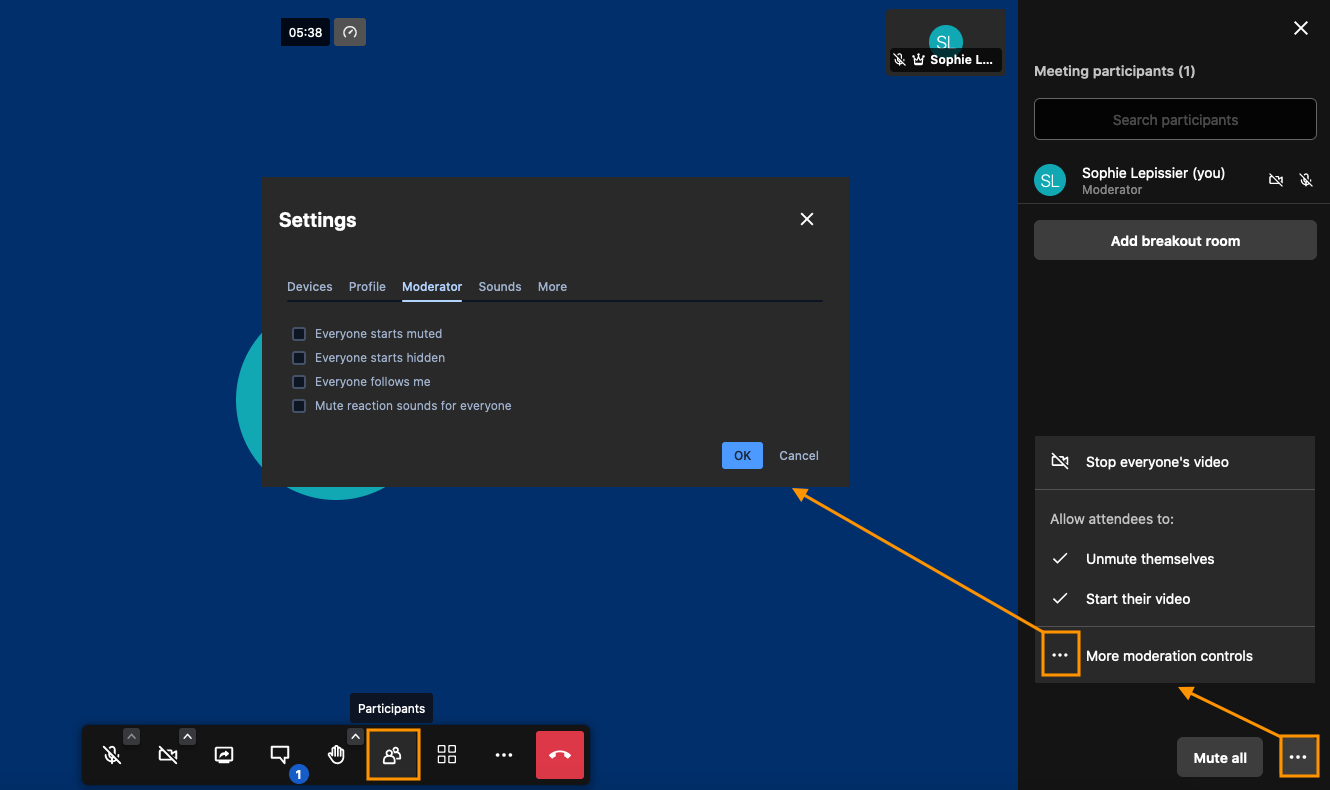
In addition to adjusting settings and participants' permissions, the moderator is able to manage interactions and access to the videoconference. They can also record it.
Managing participants
As a moderator, you can start or stop participants' microphones and cameras. Click the "Participants" icon in the action bar at the bottom of the screen to open the participants control panel.
Securing access to the videoconference
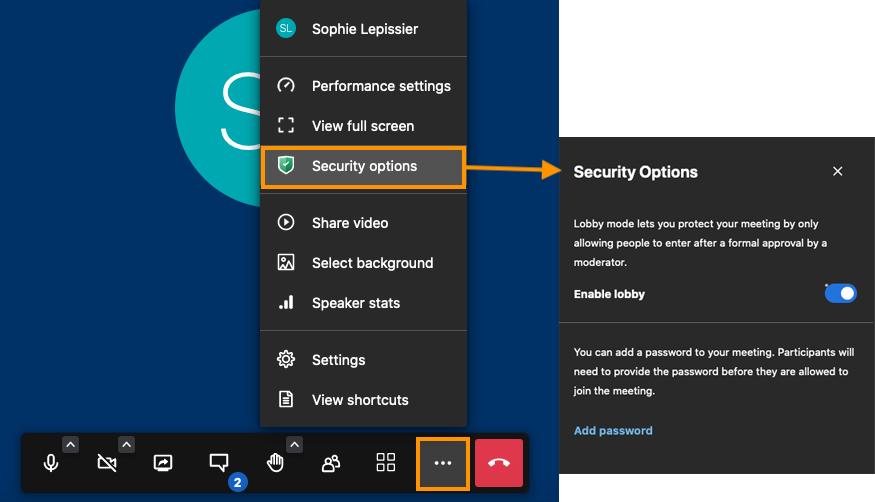
Anyone with a link to the videoconference may join it. However, the moderator can secure access by adding a password and/or using a lobby. To do this, open the menu at the bottom of the screen and click "Security options"
Recording videoconferences
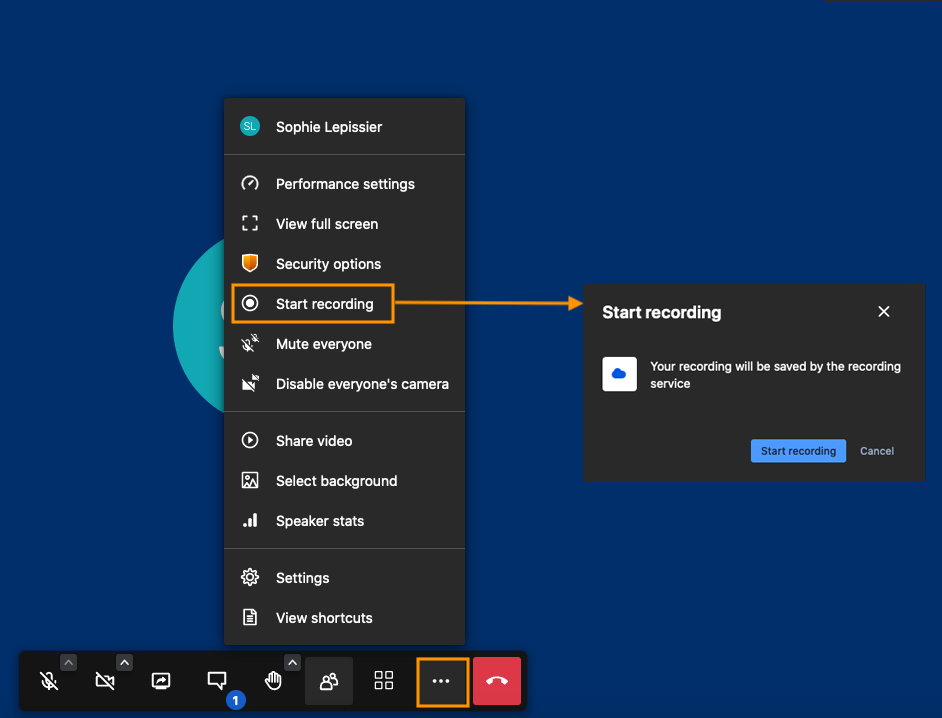
The moderator can record the videoconference. To do this, open the menu at the bottom of the screen and click "Start recording"