Wazo Configuration
This document shows how to install and configure the BlueMind plugins that allow interconnection with Wazo.
Installing the Wazo add-on
- Install the required packages:
- Debian/Ubuntu
- RedHat/CentOS
aptitude install bm-plugin-core-cti-wazoyum install bm-plugin-core-cti-wazo - Restart BlueMind:
bmctl restart
BlueMind configuration
Domain configuration
- Log on to BlueMind as system administrator or domain administrator
- Go to the page System Management > Manage Domains
- Select the domain you want ton configure
- Click the "Telephony" tab
- Select the implementation to use here Wazo
- Enter the server's HTTPS address: Wazo:

- Save the changes
User configuration
- Log on to BlueMind as system administrator or domain administrator
- Go to the page Directories > Directory Browser
- Select the user or user group you want to configure
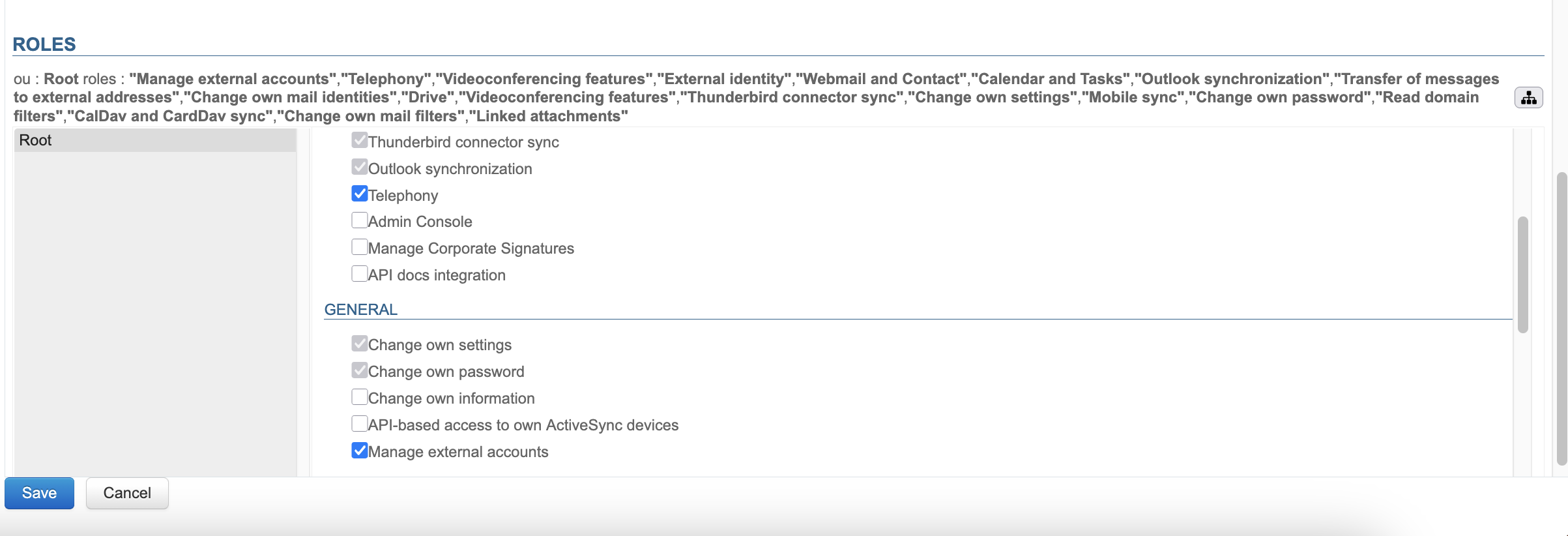
- Check the roles
- "Telephony" in the "App Access" tab
- "Manage External Accounts" in the "General" tab
- Save the changes
Specific configuration
La commande bm-cli suivante permet de faire une correspondance entre les utilisateurs BlueMind et ceux de Wazo, et de créér les comptes externes dans BlueMind associés à des utilisateurs existants :bm-cli wazo populate [-s] -d=<domain> -u=<userLogin>
-d : le nom de domaine bluemind-
-u : le login d'un utilisateur BlueMind possédant un compte externe Wazo (compte Admin Wazo nécessaire), celui ci devra être configuré manuellement au préalable (