Manage resource bookings
Resources are the organisation’s assets (vehicles, meeting rooms, etc.) made available to users.
Each resource has its own calendar to enable users to book it.
This calendar is shared with one or more users who have write access to manage bookings. These users are known as resource managers.
Depending on the booking management settings, their role ranges from simple monitoring to validation of requests:
- Case 1: Fully automatic management of bookings.
- Case 2: Booking management is not automatic.
- Case 3: Booking management is partially automated: only acceptances are automated; decisions regarding unavailability are left to a manager.
To track a resource’s bookings, the manager must view its calendar in their calendar
Automatic management
- The system automatically accepts or rejects the request based on availability
Recurring events
The automatic reservation policy applies if the recurrence duration is less than 12 months from the date of reservation or event update (i.e. the duration is calculated from the day on which the reservation/change is made and not from the 1st day of the recurrence).
Recurring events with a duration longer than a certain threshold are rejected by the automatic policy to protect resources from potentially "perpetual" blocking reservations.
What's more, reservations are only accepted if the resource is available on ALL the slots: if the resource is reserved on at least one of the slots, its participation will be refused.
In each of these cases, a resource manager can still modify the status to manually force acceptance.
- The user and the manager receive notification of validation or rejection by email
- The manager does not need to take any action
- The event appears in the resource’s calendar as ‘confirmed’, ‘maybe’ or ‘declined’ (if the ‘Show declined events’ option is enabled in the calendar settings)
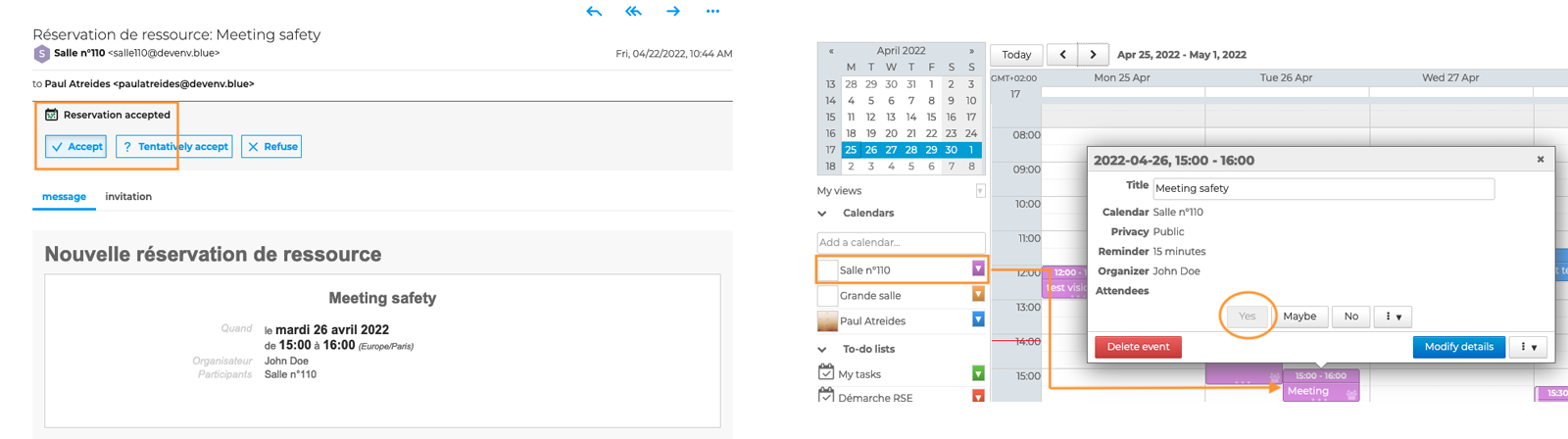
Manual management
- The manager receives the booking request by email and the notification is added to the calendar’s action bar
- The event appears in the resource’s calendar.
- Depending on the availability shown on the resource’s calendar, the manager must accept, place on hold, reject the request or suggest a new time slot
- The user receives notification of validation or rejection by email
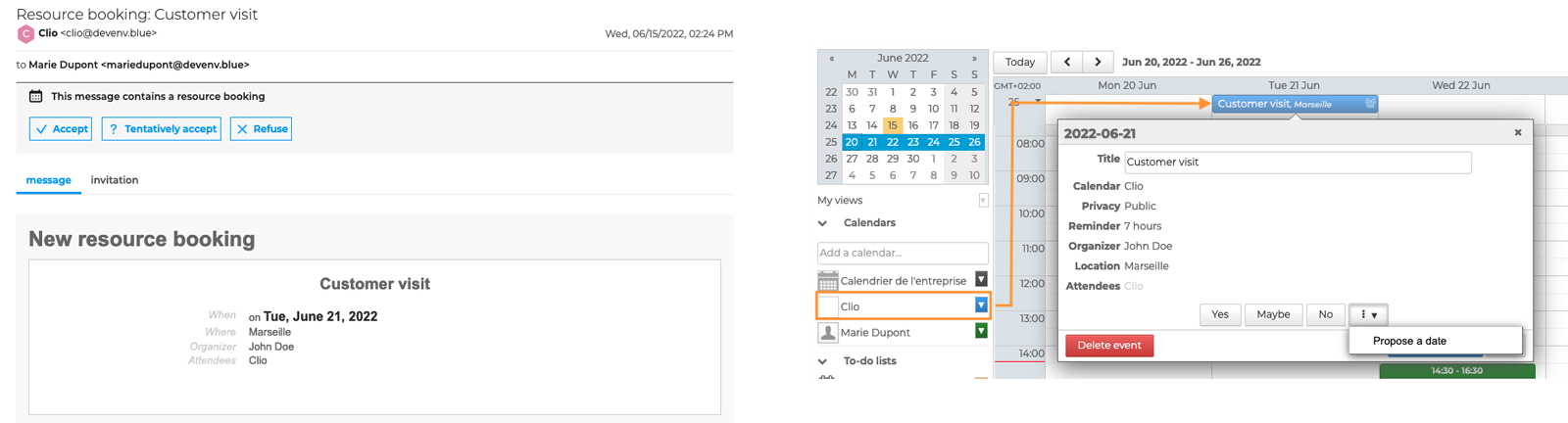
To prevent overbooking, as soon as a user books a resource, it is set to ‘pending’ status and appears as ‘unavailable’ to other users. However, it is still possible to book the resource. In this case, the resource manager will receive all booking requests and will see all events displayed on the resource’s calendar. They will then need to manage the allocations.
Semi-automatic management
- If the resource is available = case 1
- The system automatically accepts the request
- The user and the manager receive a notification of validation by email
- The manager does not need to take any action
- The event appears in the resource’s calendar as “validated”
- If the resource is not available = case no. 2
- The manager receives the booking request by email and the notification is added to the calendar’s action bar
- The event appears in the resource’s calendar with the status “pending”
- The manager must accept, put on hold, reject the request or suggest a new time slot
- The user receives notification of validation or rejection by email
The automatic reservation policy applies if the recurrence duration is less than 12 months from the date of reservation or event update (i.e. the duration is calculated from the day on which the reservation/change is made and not from the 1st day of the recurrence).
Recurring events with a duration longer than a certain threshold are rejected by the automatic policy to protect resources from potentially "perpetual" blocking reservations.
What's more, reservations are only accepted if the resource is available on ALL the slots: if the resource is reserved on at least one of the slots, its participation will be refused.
In each of these cases, a resource manager can still modify the status to manually force acceptance.
Find out more
Related BlueMind documentation pages
- Displaying Multiple Calendars
- Sharing Calendars
- Editing Resources
- Configure resource types
- Introducing Contacts