Enabling S/MIME encryption
To enhance the security of email exchanges, BlueMind allows to encrypt messages with confidential information using encryption and/or to verify the identity of senders and recipients with the electronic signature.
The electronic signature ensures that the message has not been altered, and that there is no impersonation of the sender.
Encryption, on the other hand, ensures that only the recipient can read the content of the message.
Mail security options are only available when enabled by the administrator as described on Configuring S/MIME.
Import file(s)
In order to encrypt and sign sent messages, you need to import the file(s) supplied by the administrator, each containing a private key and a public certificate. The number of files to import depends on your requirements and the type of certificate.
Certificates can have different properties depending on their purpose. A certificate can be used either for encryption, either for signing, either for both.
Depending on the type of certificate, a user can therefore have several files - for example, a certificate for encrypting/decrypting and a certificate for digitally signing/verifying e-mails.
To import the file(s):
- go to Settings : Preferences - Mail - Security and click "Associate"
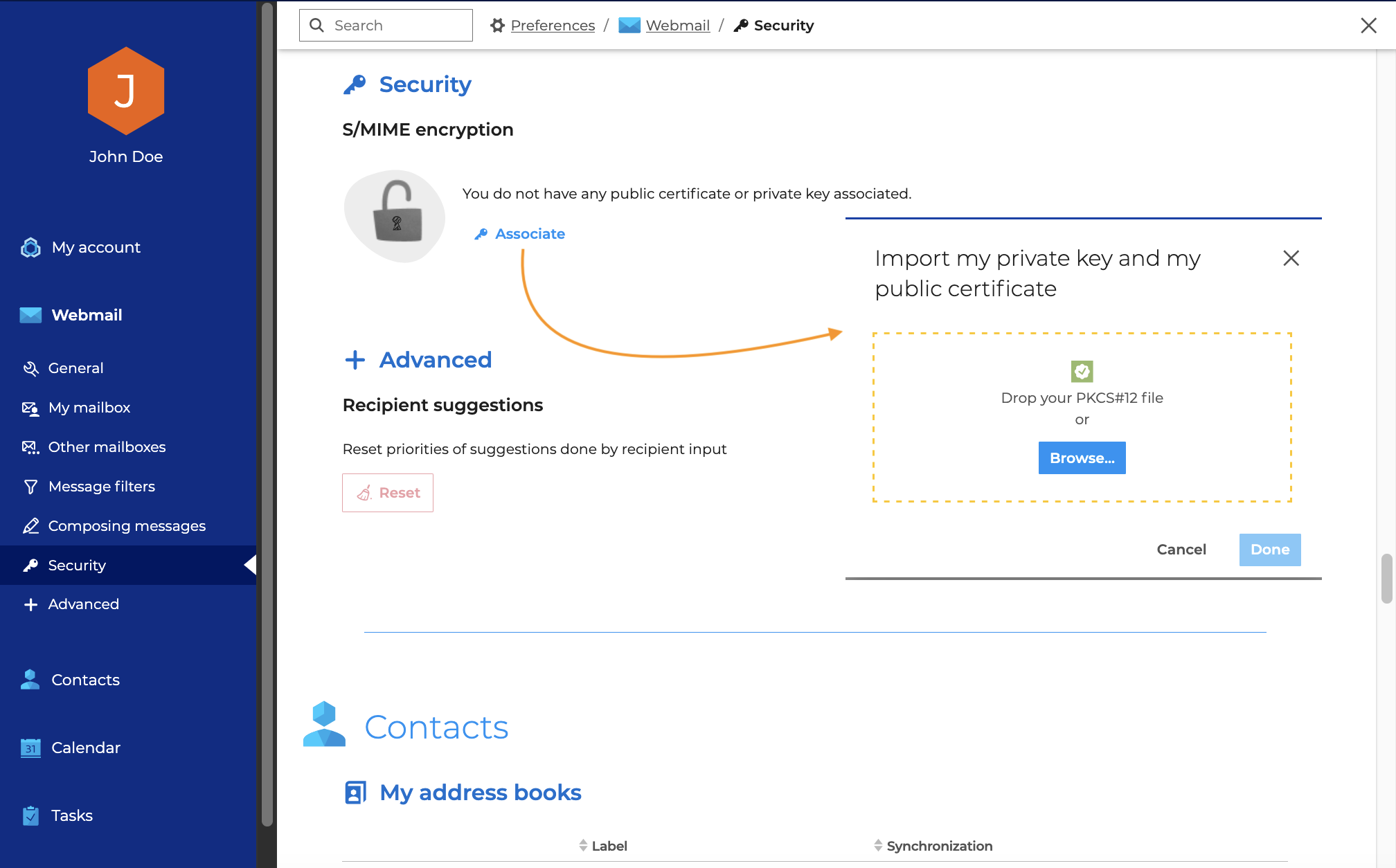
- Select the file in PKCS#12 format, enter the password to unlock it and click Import
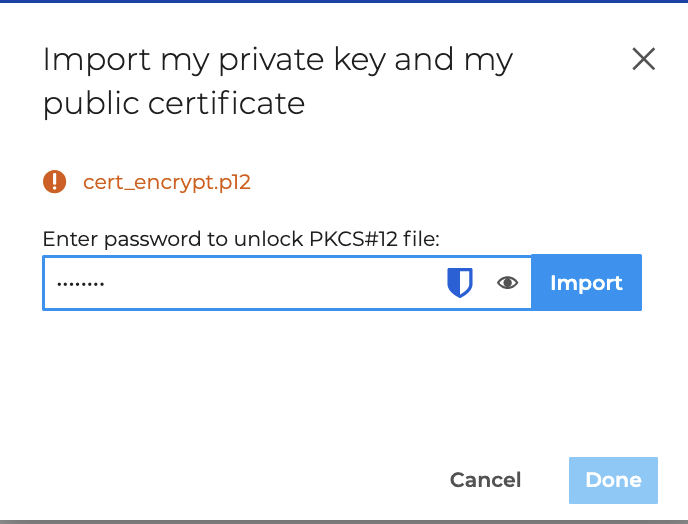
- Add another file if necessary
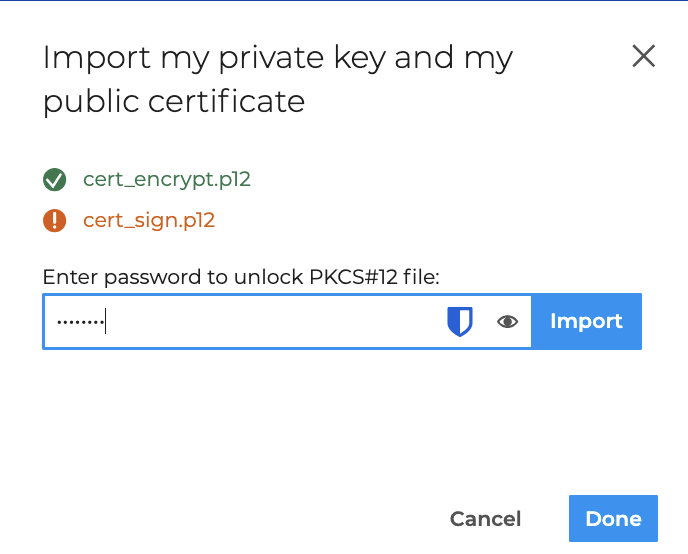
- Click Done
The message "Your private key and public certificate have been associated" indicates that encryption and/or signature - depending on the type of certificate imported - are enabled.
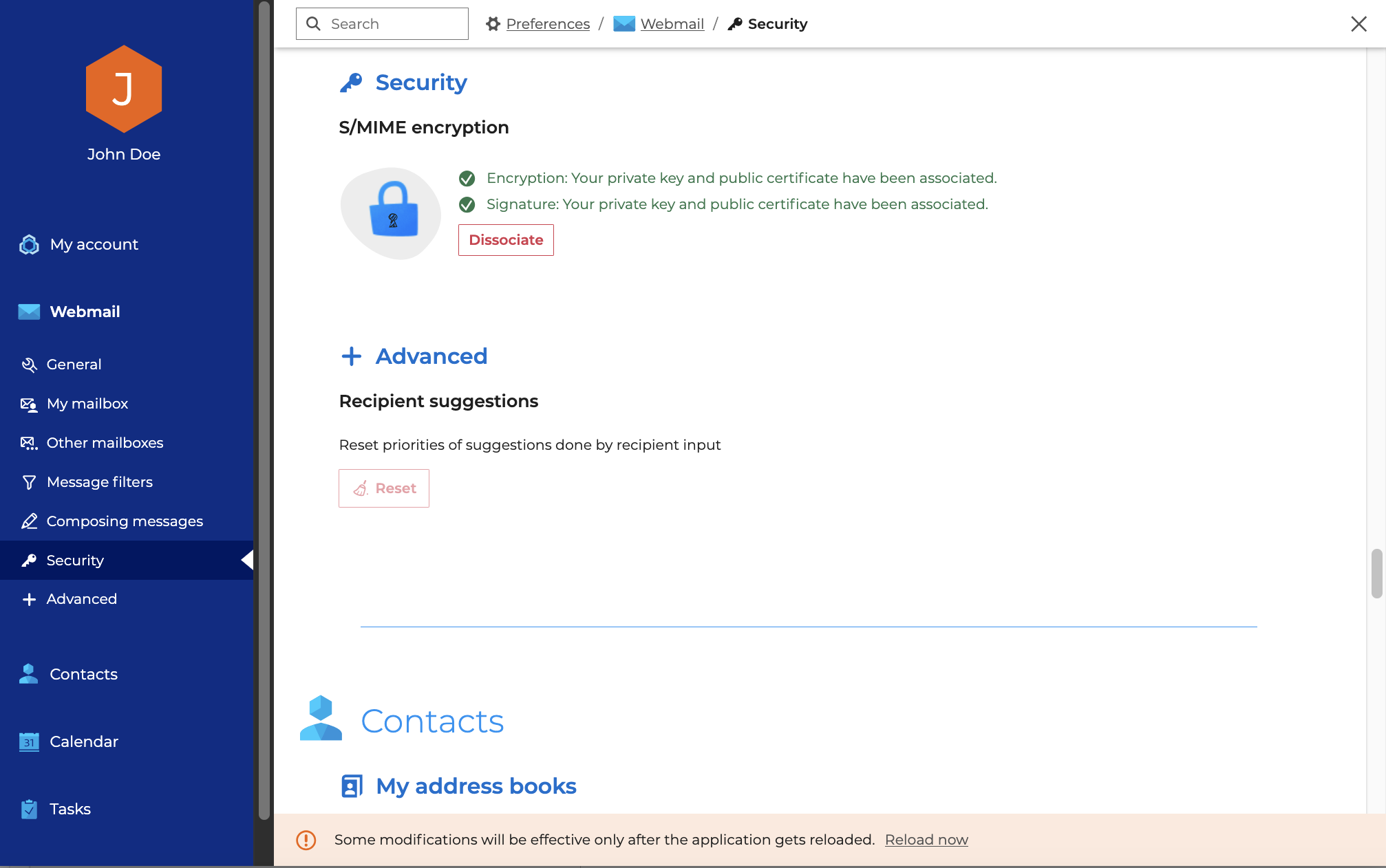
Click "Reload now" in the warning banner or restart webmail
Keys and certificates are valid for the active browser. In the event of a browser change, keys and certificates must be imported again.
Select options
To automatically send encrypted and/or electronically signed messages, activate the desired options:
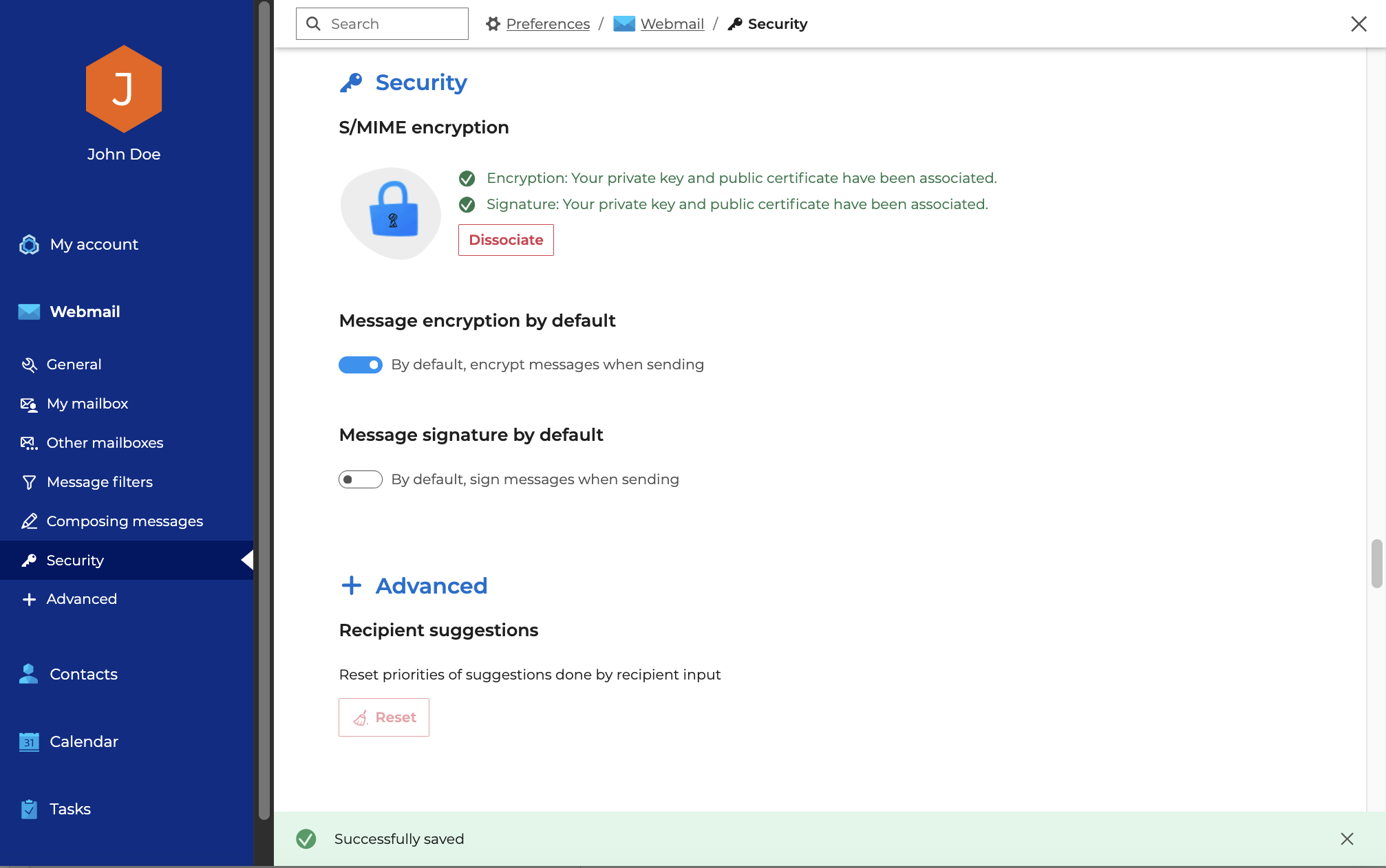
Delete file(s)
To delete imported keys and certificates, click on "Dissociate".
It will then no longer be possible to send or receive secure messages.
Using S/MIME
Once the security settings are configured, it is possible to send and receive secure messages. For further information, please consult the dedicated sections: