Adding a signature
Creating signatures
BlueMind allows users to create several signatures, each associated with a identity. They can be created or modified in the preferences.
For more information, visit Managing Account Identities.
Adding a signature
To automatically add signature to a message :
- Choosing the sender desired
- Click on "Insert my signature" in the action bar at the bottom right of the composer
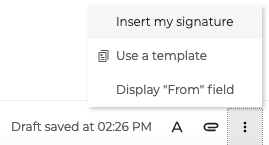
↳ The sender's signature (identity) appears at the end of the message.
To add a signature automatically to all messages :
- go to settings: Preferences > Mail > General > Signatures
- check the "Add signature automatically" option:

When a company signature is enabled by the administrator and applies to the email being composed, the "Insert My Signature" option is not available, and an informational message appears:

For more information, see the following section.
The corporate signature
Inserting and modifying
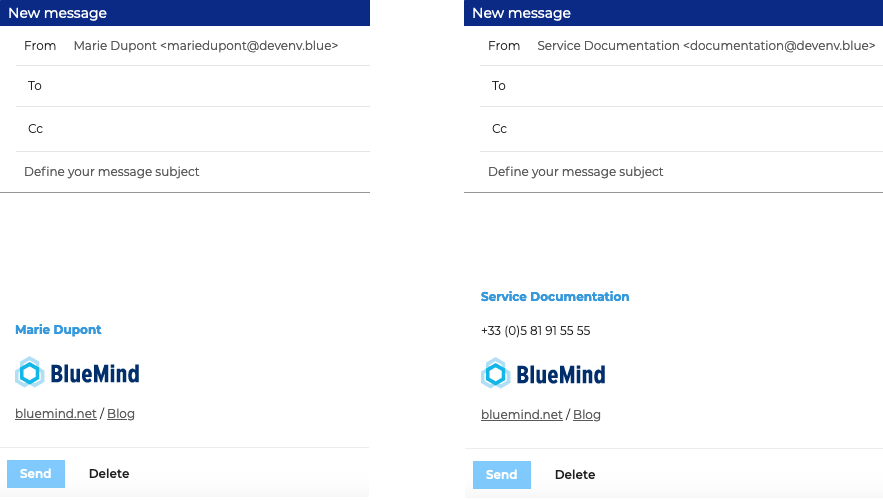
Corporate signatures cannot be modified by users and are inserted automatically according to administrator-defined rules (sender, recipients, etc.). However, they can be configured to adapt to different user identities.
For example, here the same signature is applied but appears differently depending on whether John Smith is writing in his own name or in the name of the shared mailbox (see Subscribing to and using shared mailboxes) of the documentation department:
Placing the corporate signature
In the BlueMind composer
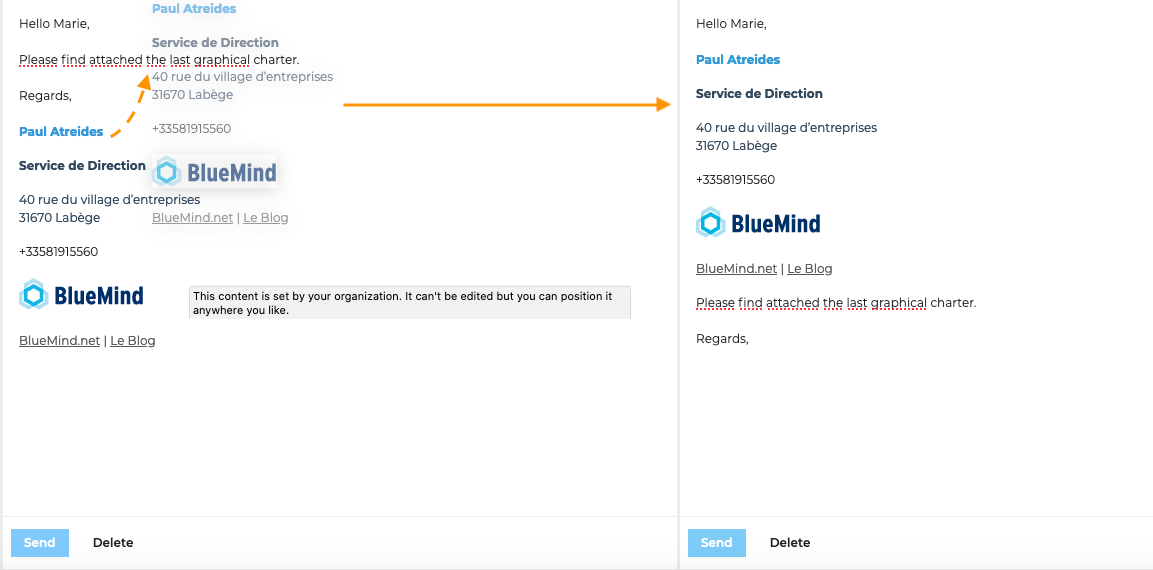
If the administrator has enabled the appropriate option, users can move the signature. To do this, simply use the "drag-and-drop": place the signature and drag it to the desired location in the body of the email:
In a thick client or mobile
In third-party client softwares (such as thick clients like Thunderbird or Outlook, mobile applications, etc.), the company signature can be placed in the desired location in 2 ways:
-
By inserting the marker
--X-BM-SIGNATURE--at the desired location -
Frame the personal signature with the following markers:
+=-=+=-=+ma signature+=-=+=-=+
⇒ If a corporate signature applies, the markers (and content in the second case) will be replaced by it.