View a contact’s contact details
View a contact’s contact details
To view the contact details of the sender or one of the recipients directly from an email, click on the relevant contact.
A record combining all the contact details linked to the contact’s email address appears:
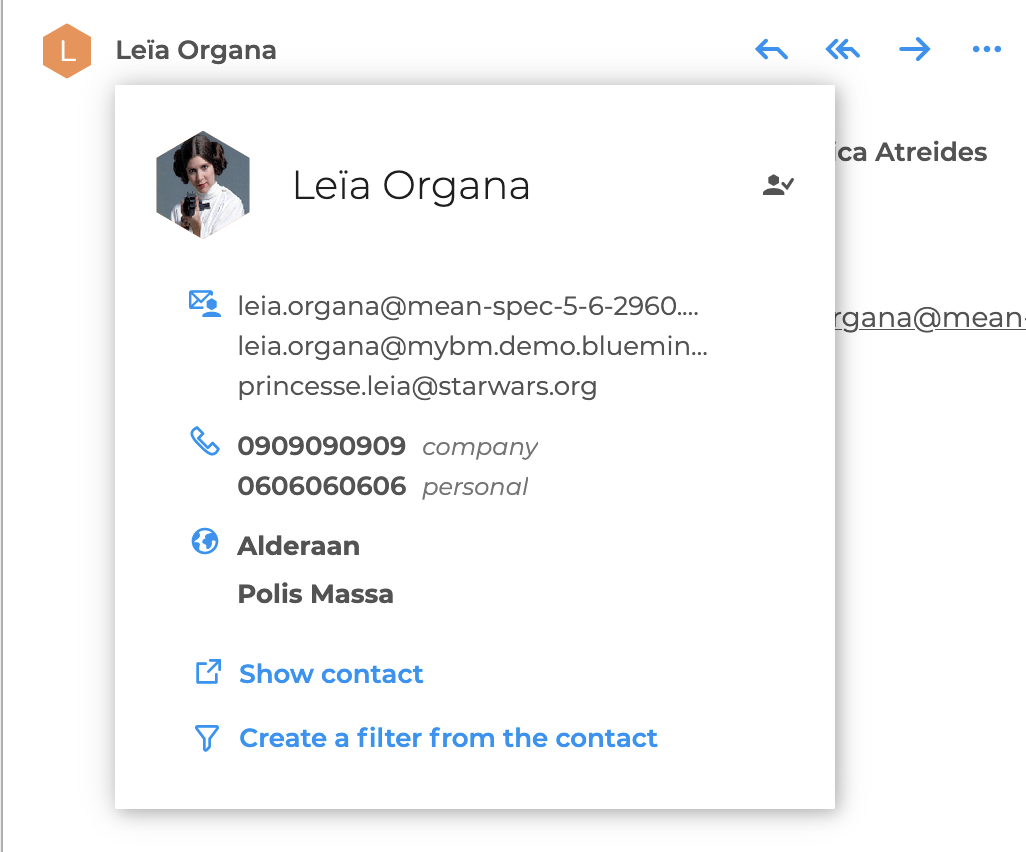
The contact details record contains:
- The
 icon indicating whether the contact belongs to a personal address book or the Directory
- The contact details (email, telephone numbers and postal address) of the contact you clicked on
- The contact details associated with the e-mail address of the contact you clicked on, i.e. all the contact details found in the contact records with the same e-mail address as the contact you clicked on
Example:- The email address for the contact clicked on, ‘Leia Organa’, is
leia.organa@mybm.demo.bluemind.net - The email address
leia.organa@mybm.demo.bluemind.netis also listed in ‘Princess Leia’s’ contact record
⇒ ‘Princess Leia’s’ contact details appear in the contact details of the contact you clicked on
- The email address for the contact clicked on, ‘Leia Organa’, is
- The “View contact” action opens the detailed record for the selected contact in the Contacts application.
If the contact does not exist, the “Add contact” action allows you to add them to the “My Contacts” address book. Once the contact has been added, the ‘View contact’ action appears on the contact details page.
↳For further information on contact records see Add contacts - The ‘Create a filter from this contact’ action allows you to quickly create a new filter for all emails from this contact.
For further information For information on automatic filters, see see the documentation Creating a filter from the mailbox - Next to each contact detail, the
 icon allows you to copy it to the clipboard so that you can use it in any software or application.
delegation
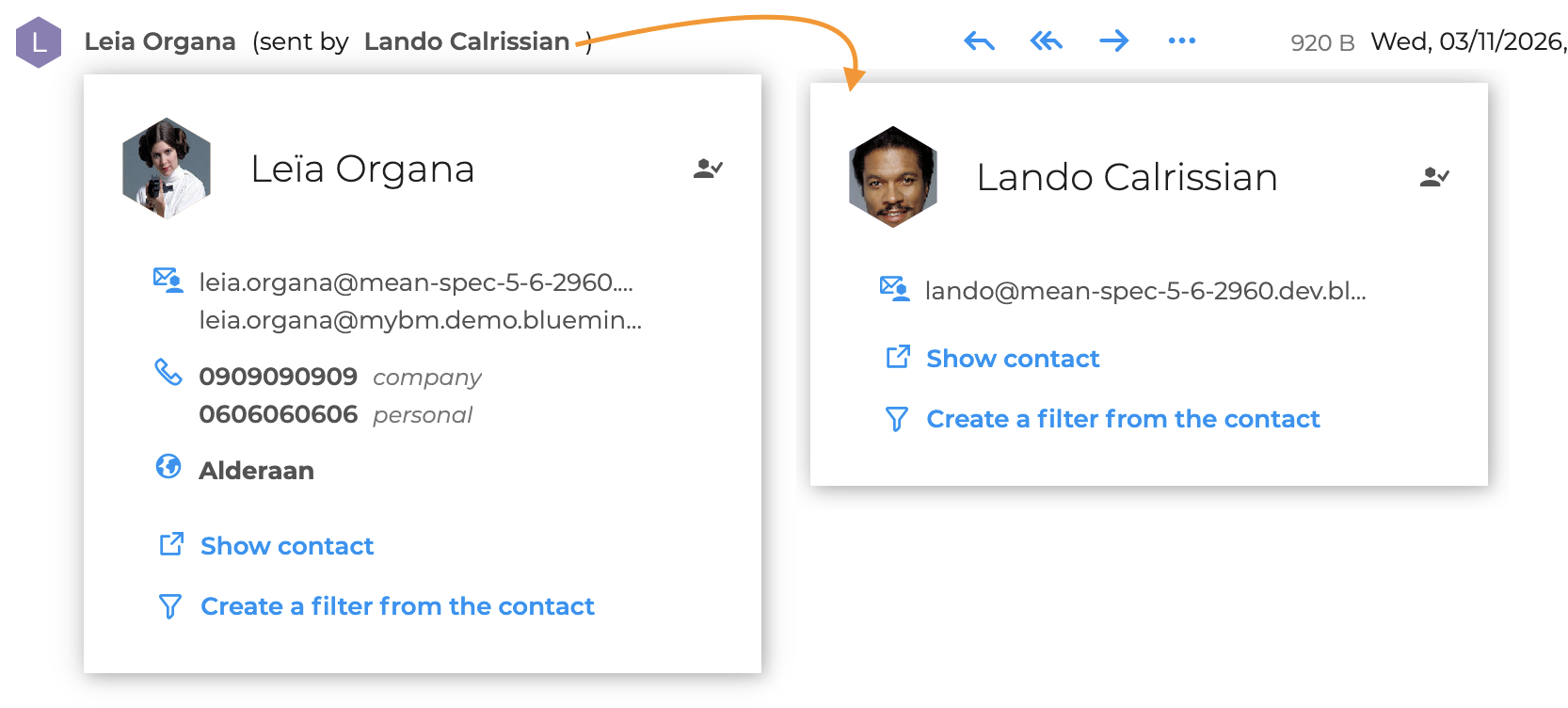
When an email is sent by a delegate, the details of both contacts (the delegator and the delegate) can be displayed:
Using contact details
Just as in the Contacts application, the links for email addresses and phone numbers allow you to send an email or call the contact directly from the details page.