Creating and Editing Address Books
Address books let you organize all your contacts.
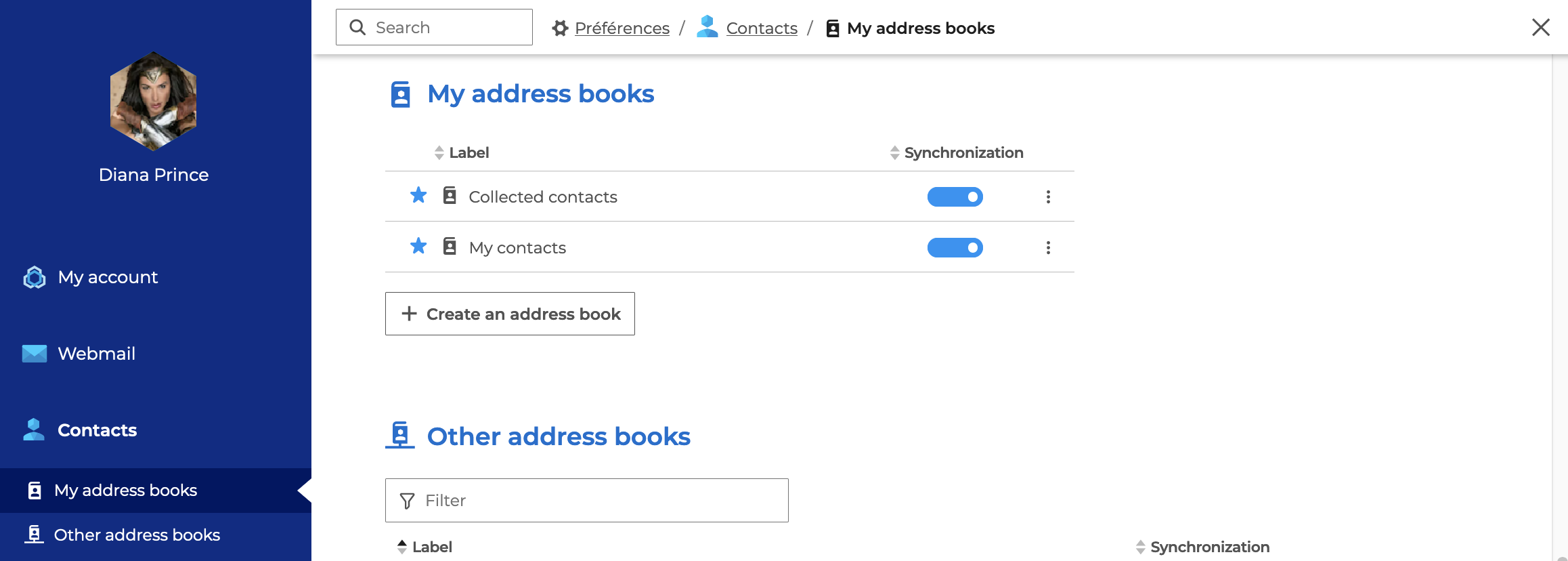
By default, BlueMind provides you with two address books:
- My contacts: an address book you can add your personal contacts to
- Collected contacts: address book that automatically gathers the recipients of the user's emails who are not in the directory.
Address books are managed in the contacts settings, by going to Preferences > Contacts > My address books.
Creating a personal address book
In addition to these two default address books, you can create as many address books as you like.
To create an address book, click  to open the pop-up window.
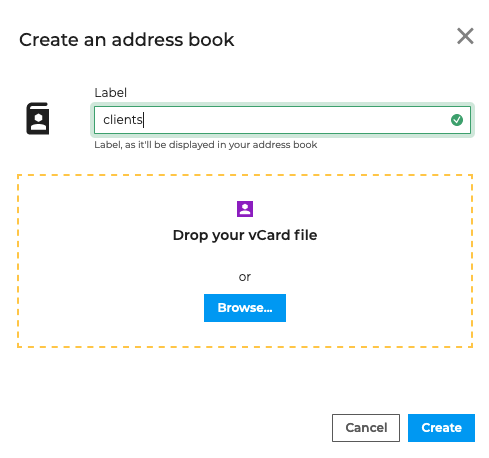
Name the address book and click Create.
You can create an empty address book or add contacts directly to the address book by importing a vCard file.
Editing personal address books
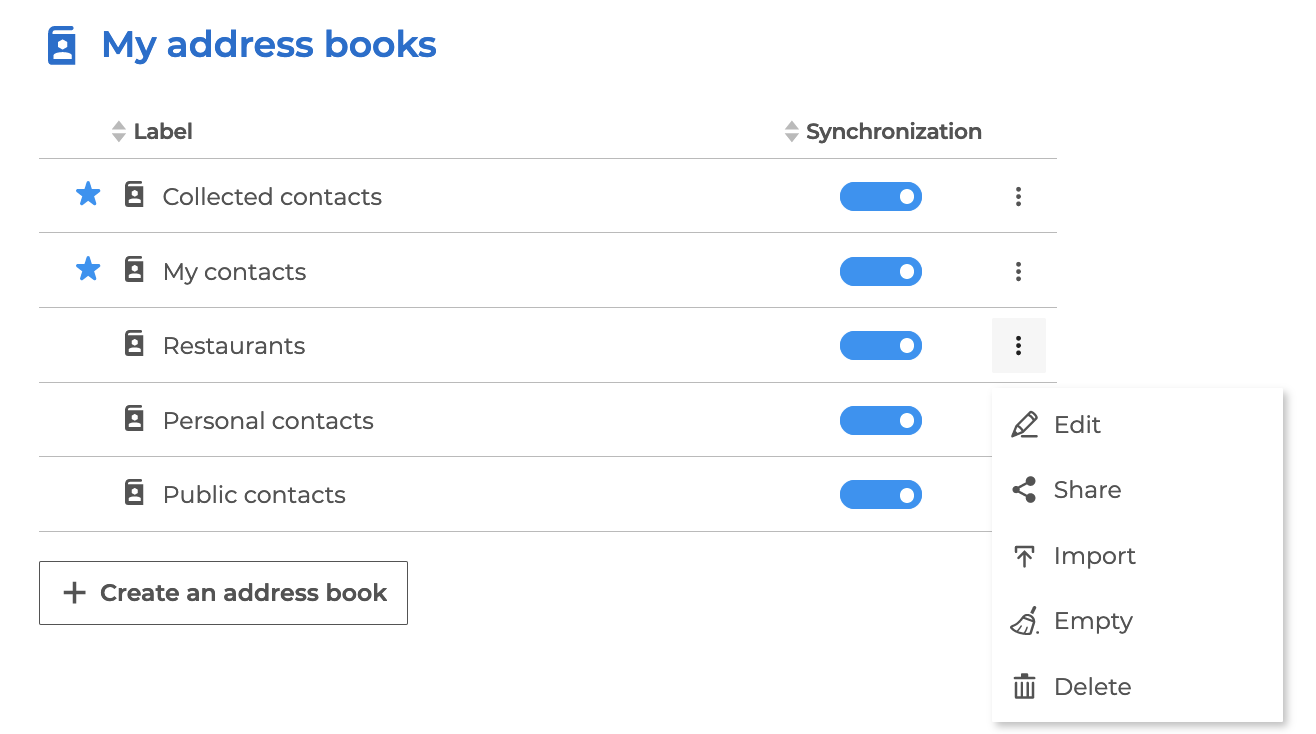
To make changes to a personal address book, open the action menu :
-
Edit opens the address book details window and can be used to change the label
-
‘Share’ opens the share management pop-up window (
For further information see the page Sharing Address Books) -
‘Import’ opens the file import pop-up window (
For further information see the page Add contacts) -
Empty deletes all the contacts in the address book and keeps it empty
-
Delete deletes all contacts and the address book
The two personal address books set up by default, “My Contacts” and “Collected Contacts”, cannot be edited or deleted. However, the user can manage the contacts within them by clearing the address book or importing contacts.
For further information see the page Add contacts..
Download an address book
BlueMind address books can also be exported in a vCard file.
A VCF (or vCard) file is a standard format for exchanging contact details (name, telephone number, email address, etc.) between applications or devices.
A file may contain the details of a single contact, a distribution list, a group, or all the contacts in an address book.
To do this:
- Go to the Contacts app
- Click on the menu for the address book you wish to export, then select ‘Download as VCF’
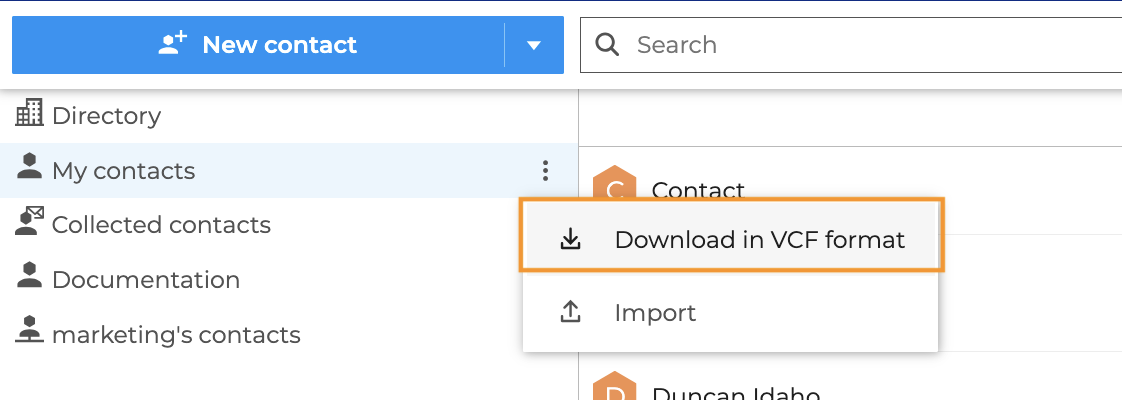
It is also possible to download a single contact.