Sharing Address Books
You can decide to share your address books with other users and give them different permission levels.
Managing address book shares
Access rights management for address books is done in the contact settings, by going to Preferences > Contacts > My Address Books
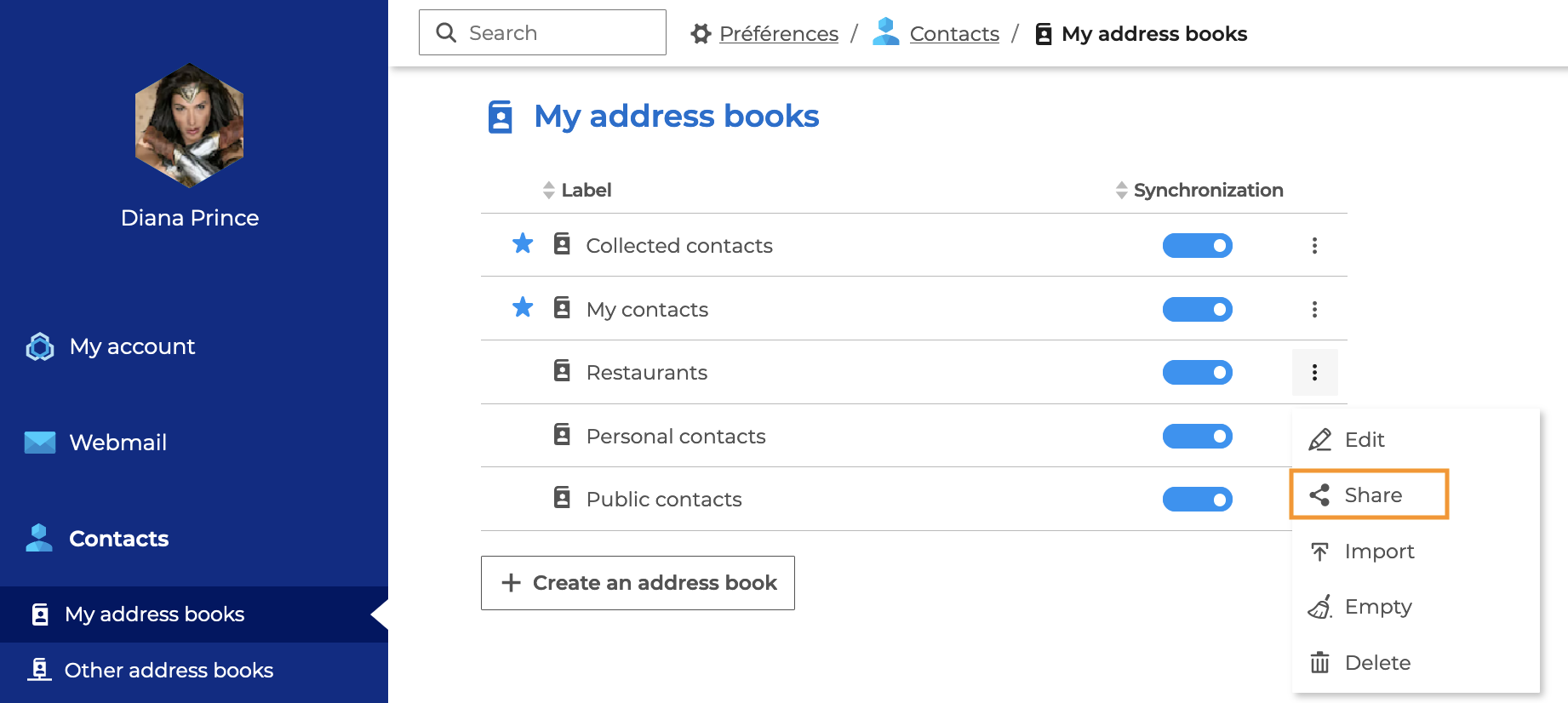
To share an address book with one or more members of the organization, position yourself on the address book then click on "Share" in the menu to open the pop-up window.
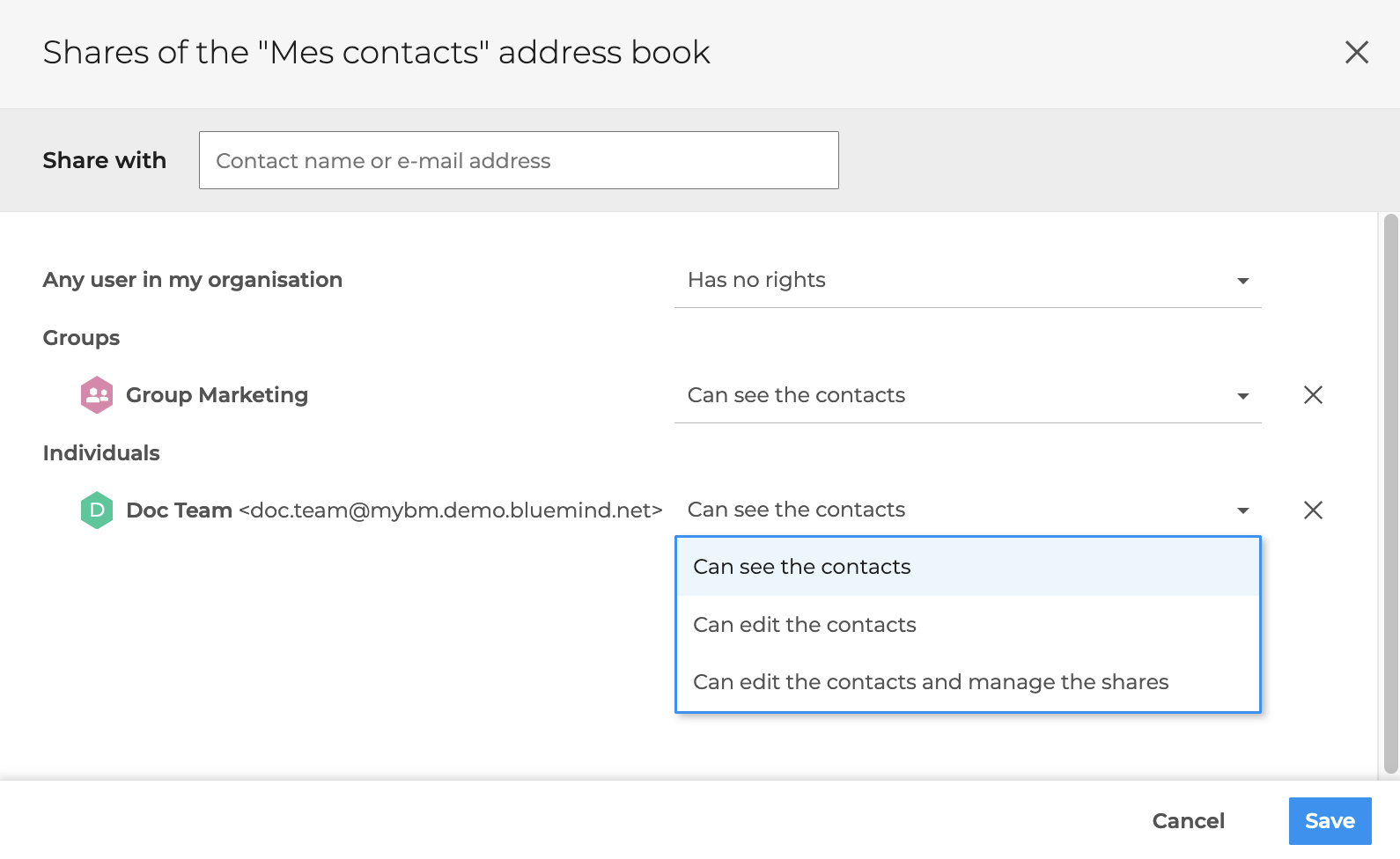
In the share popup window :
- search for user or user group in the search bar by typing the first few letters - autocomplete will suggest all available users
- Select the desired sharing level (see below)
- click on Save
Setting the sharing level
Public sharing
"Any user in my organisation" corresponds to the public share of the address book.
The chosen level of rights determines the minimum level that will be applied to all users in the domain.
No user can be assigned a lower level than this. If necessary, a warning message appears.

Modify the user rights levels indicated by the icon  or click on "Delete rights with no effect" to remove them from the list and assign them the public sharing rights level.
To delete the public share, select the minimum right level :
- Has no rights: Organization users have no access to the address book.
Sharing with groups and individuals
The levels of sharing rights are :
- Can see the contacts ⇒ share with read rights Once subscribed, the address book will be added to the user's shared address books. They will be able to use its contacts and add them to personal distribution lists.
- Can edit the contacts ⇒ share with write access In addition to read access, the user can edit, copy, move or delete contacts in the address book
- Can edit the contacts and manage the shares ⇒ share with management rights In addition to read and write rights, the user can add or remove access rights to the address book
To revoke access rights for a user or group, click on the cross. They will then be removed from the list and granted public sharing rights.
When a delegation is created, the level of access rights to the “My Contacts” address book assigned to the delegate can also be changed in the “Delegations” tab of the preferences.