Using Shared Address Books
In addition to personal address books, users can access additional contacts via the Directory, an address book shared by all users by default, as well as address books shared by other users.
Subscribing to a shared address book
When a user has given you permission to access their address book, you will receive an email notification.

Once the notification is received, the user must activate the subscription to the address book in their contact settings: Preferences > Contacts > Other address books
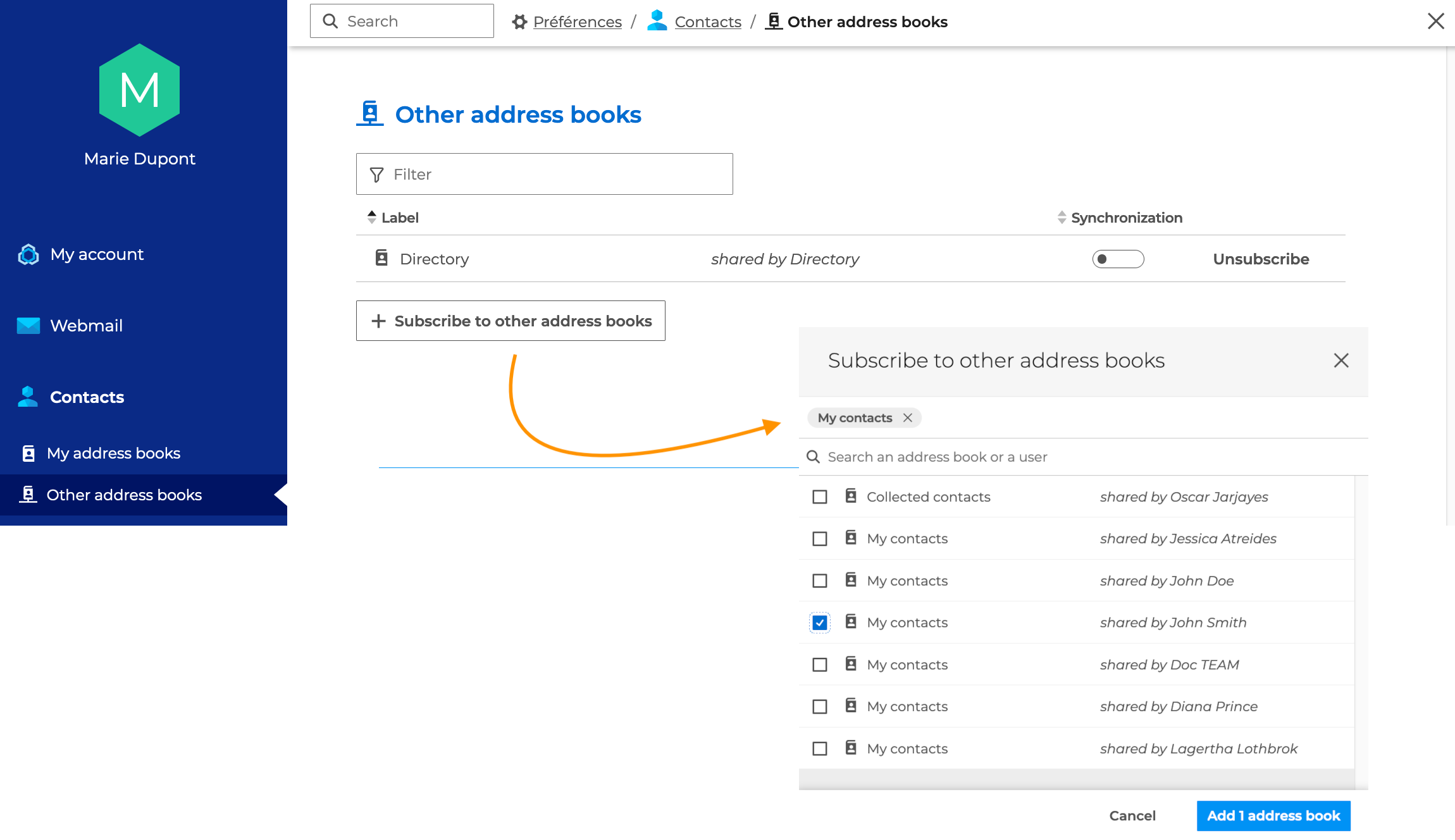
Where applicable, the interface displays a list of address books to which the user has already subscribed.
Some address books may appear even though the user has not yet subscribed to any of them: these are the address books for which the user has been given the right to manage shares ("Can modify my contacts and manage my shares" for a user, "Can modify contacts and manage shares in theaddress book" for a domain address book); subscription is neither automatic nor compulsory, and a "Subscribe" button is available for each one.
Click Subscribe to other address books to open the pop-up window, check the address book(s) you want to add and click Add X address book(s).
To validate the subscription, relaunch the application by clicking on "Reload now" :

Consulting shared address books
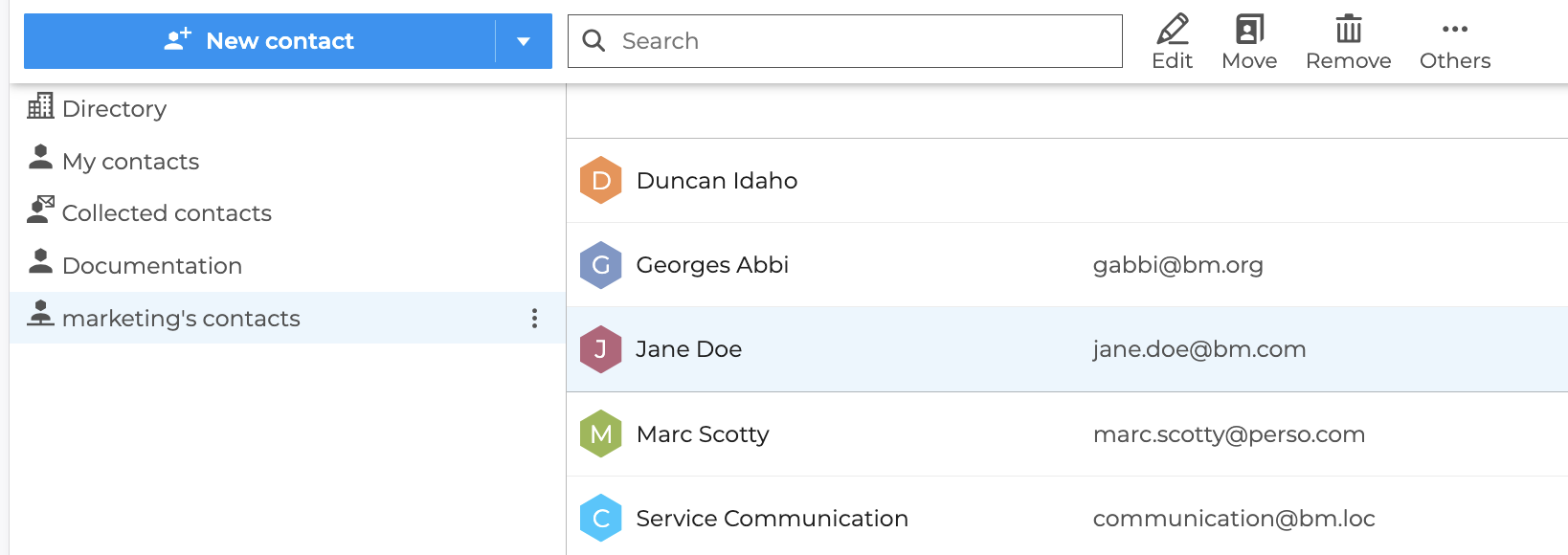
Once the subscription has been confirmed, the address book appears in the list of address books (left-hand column) and the contacts in the address book appear in the contacts list (middle column)
Depending on the level of access rights granted to the user, they will be able to:
- Permission to view: you can view and use the contacts in the address book
- Permission to write: you can edit the address book, i.e. add contacts or distribution lists (except in the Directory which is view-only for all users)
- Permission to manage: you can manage the address book's shares
Using the Directory
The Directory appears by default at the top of the list of address books. You do not need to subscribe to access it.
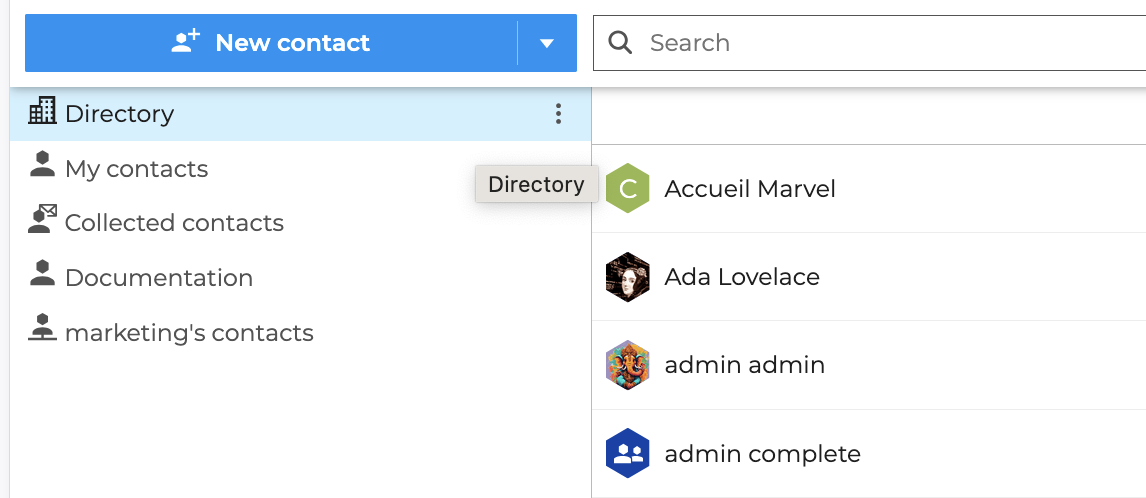
It is a company directory that contains the organization's public "entities":
-
Internal users: users that belong to the organization.
-
External users: users that do not belong to the organization, e. g. service providers
-
groups of users: groups of internal or external users with common needs or objectives. A mailbox can be added to the group for rapid contact with all members.
For further information see documentation Add a group contact. -
Shared mailboxes: mailboxes shared by several users or groups of users.
For further information see documentation Using a shared mailbox. -
Resources: company assets available to users, e.g. meeting rooms
Directory contacts are created and managed by the system administrator. Users cannot edit the Directory. The Directory is updated automatically when edits are made by the administrator.
Managing shares for a shared address book
To manage access permissions for shared address books, go to your Contacts settings in Preferences - Contacts - Other address books
Click on the share icon  to open the pop-up window and Sharing Address Books.
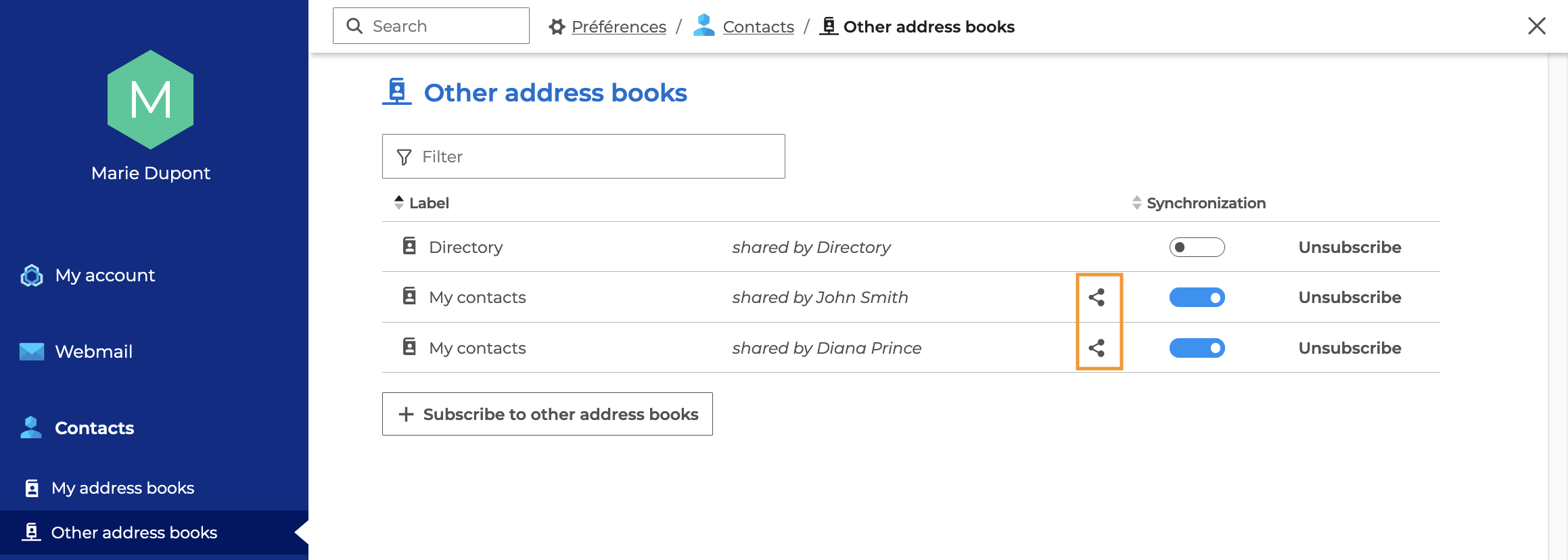
To be able to edit access permissions for an address book shared with you, you must have permission to manage that address book and have subscribed to it.