Release Notes 5.1
In accordance with our release lifecycle policy, the end of support dates for BlueMind 5.1 are:
- bug support: 26/03/2025
- security support: 09/24/2025
Discover here the major evolutions and new features of BlueMind, available from version 5.1.0.
General
BlueMind version lifecycle
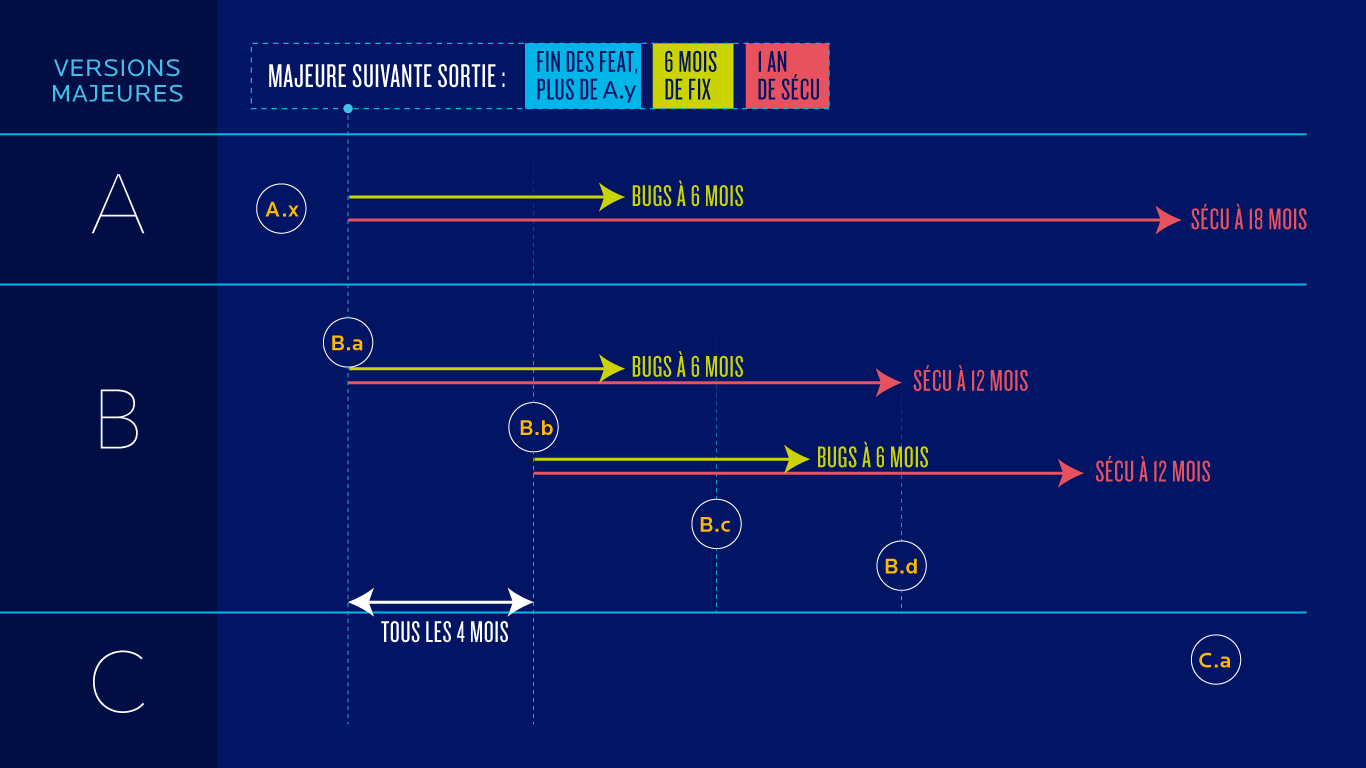
In order to improve visibility on BlueMind releases, their support and lifecycle, we publish the naming and lifecycle policy :
Redesign of sharing rights
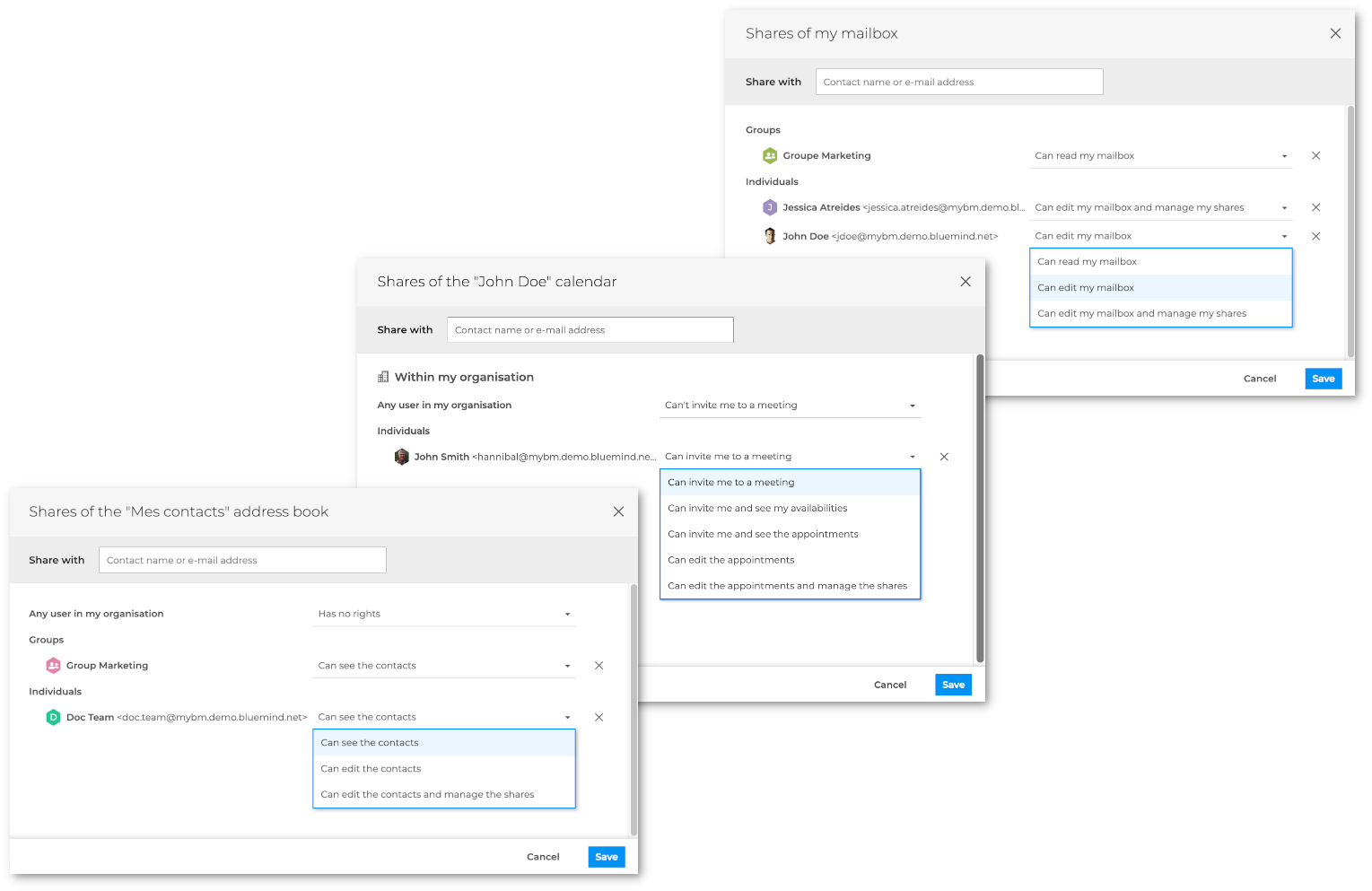
Sharing rights and their interface have been revised to improve ergonomics, standardize rights in different applications, clarify their effects and simplify their use:
Mail
Sharing individual folders
BlueMind's messaging system now includes a much-awaited and much-appreciated feature: folder sharing! Users can now access their folders individually, without having to share their entire mailbox. Thanks to the subscription mechanism, the recipient can then find the folder in their BlueMind mailbox, as well as in their third-party client software (Thunderbird or Outlook, for example) or mobile application.
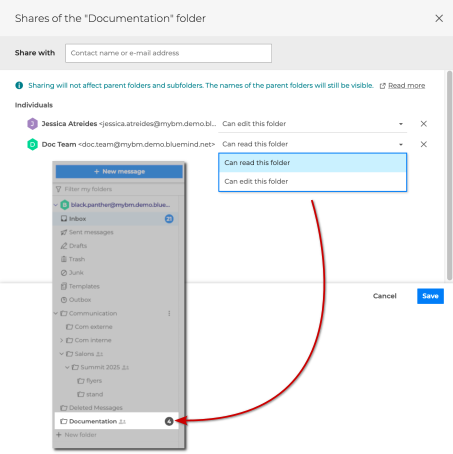
For more details on the procedure and possible accesses, please consult the dedicated documentation: Manage shared folders.
Conversation display
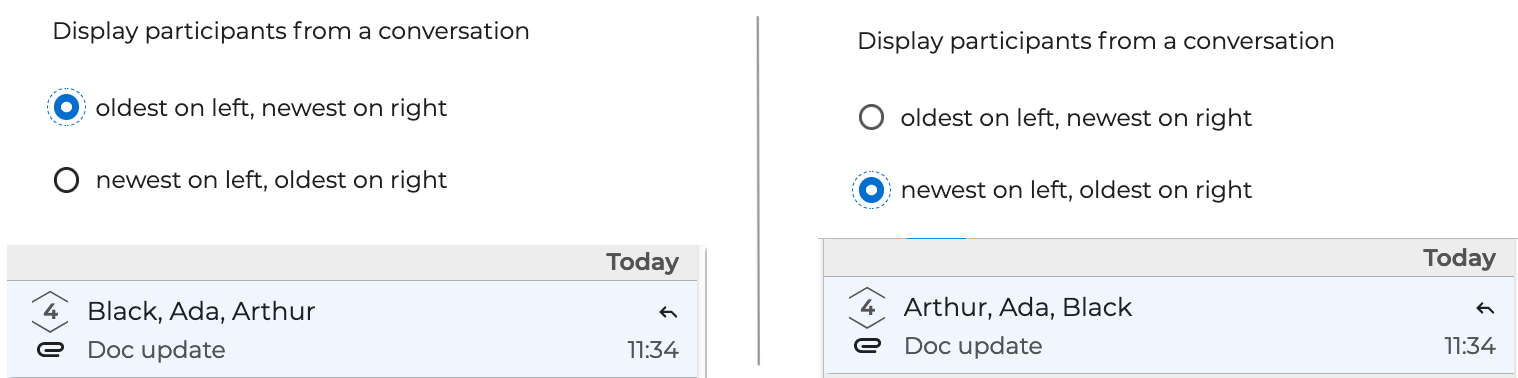
Conversation mode display has new customizable settings:
- participant's display order:
- message display order (chronological or reverse chronological):
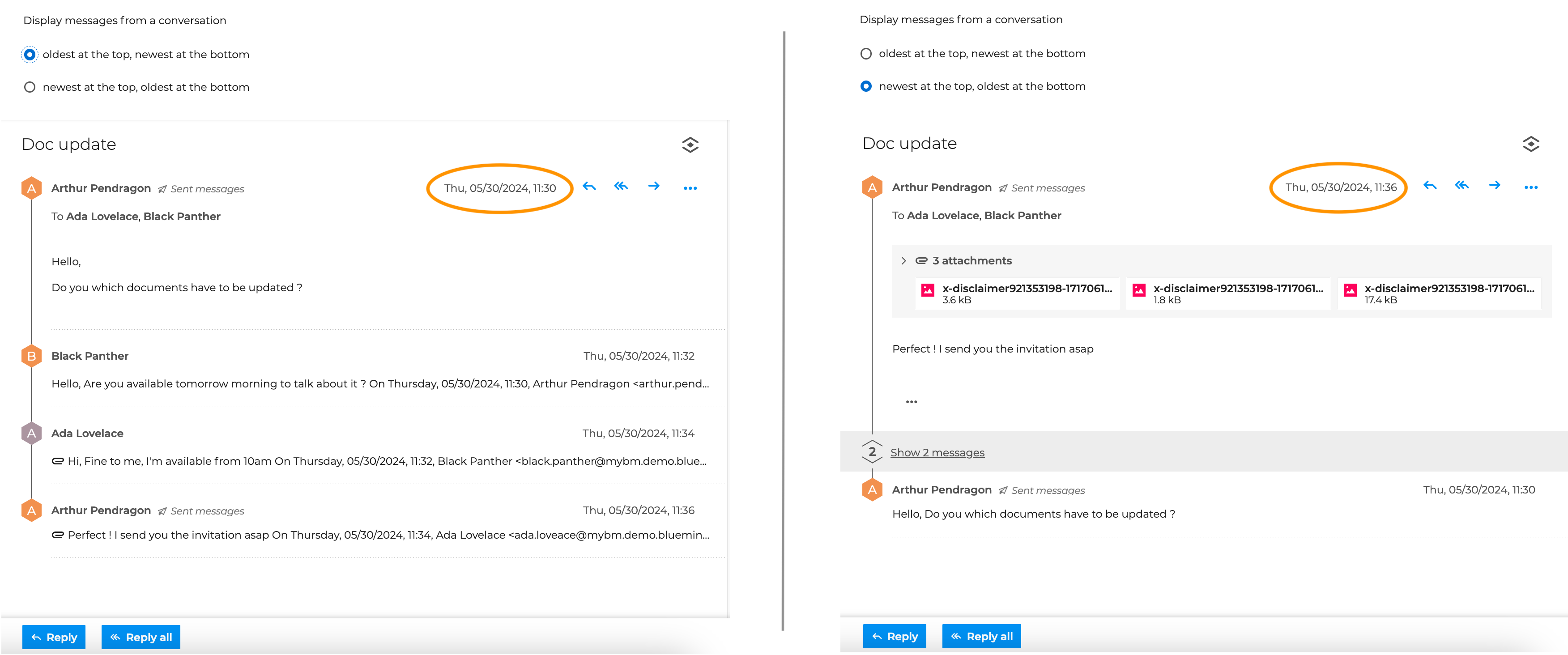
For more details on the positioning and effects of these new parameters, see the dedicated page: Moving, Flagging and Marking Conversations.
Quota display
The display of the mailbox occupancy rate has been enhanced with several visual alert levels depending on how full the mailbox is (color change in the message list and connection alert banners) to prevent users from unexpectedly reaching saturation:
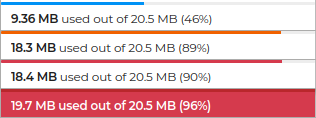
To find out how to set up the display and what the thresholds and alert types are, visit the dedicated page: Managing storage capacity (quota).
Download all attachments
BlueMind version 5.1 adds the long-awaited download all attachments feature to the webmail: in a single click, download an archive containing all e-mail attachments!
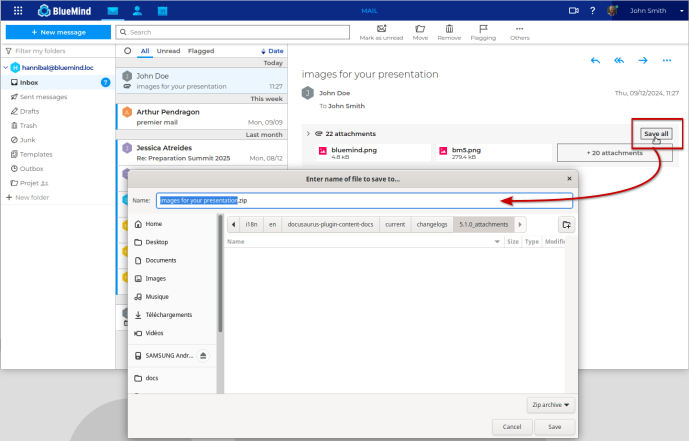
Webmail interface improvements
↳ When replying, the composer now offers a more complete header: the reply shows all the recipients and headers of the quoted e-mail:
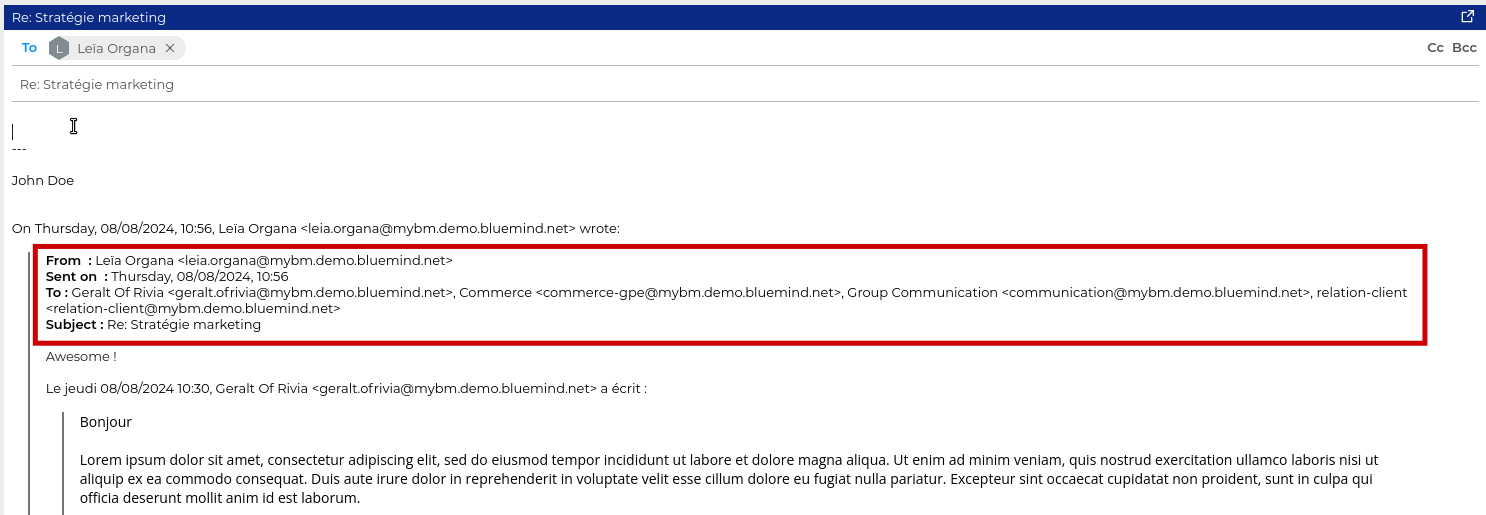
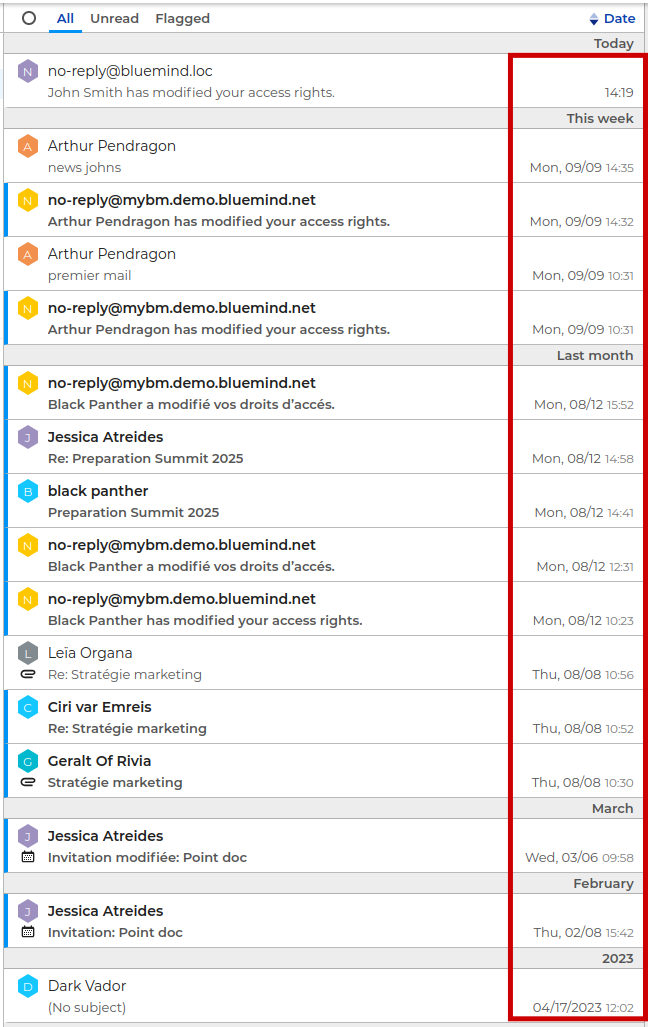
↳ The message list now shows the time of messages from previous days, in addition to the date:
Calendar
Proposing a new schedule
Improved support for the counter-proposal mechanism for recurring meetings.
Outlook
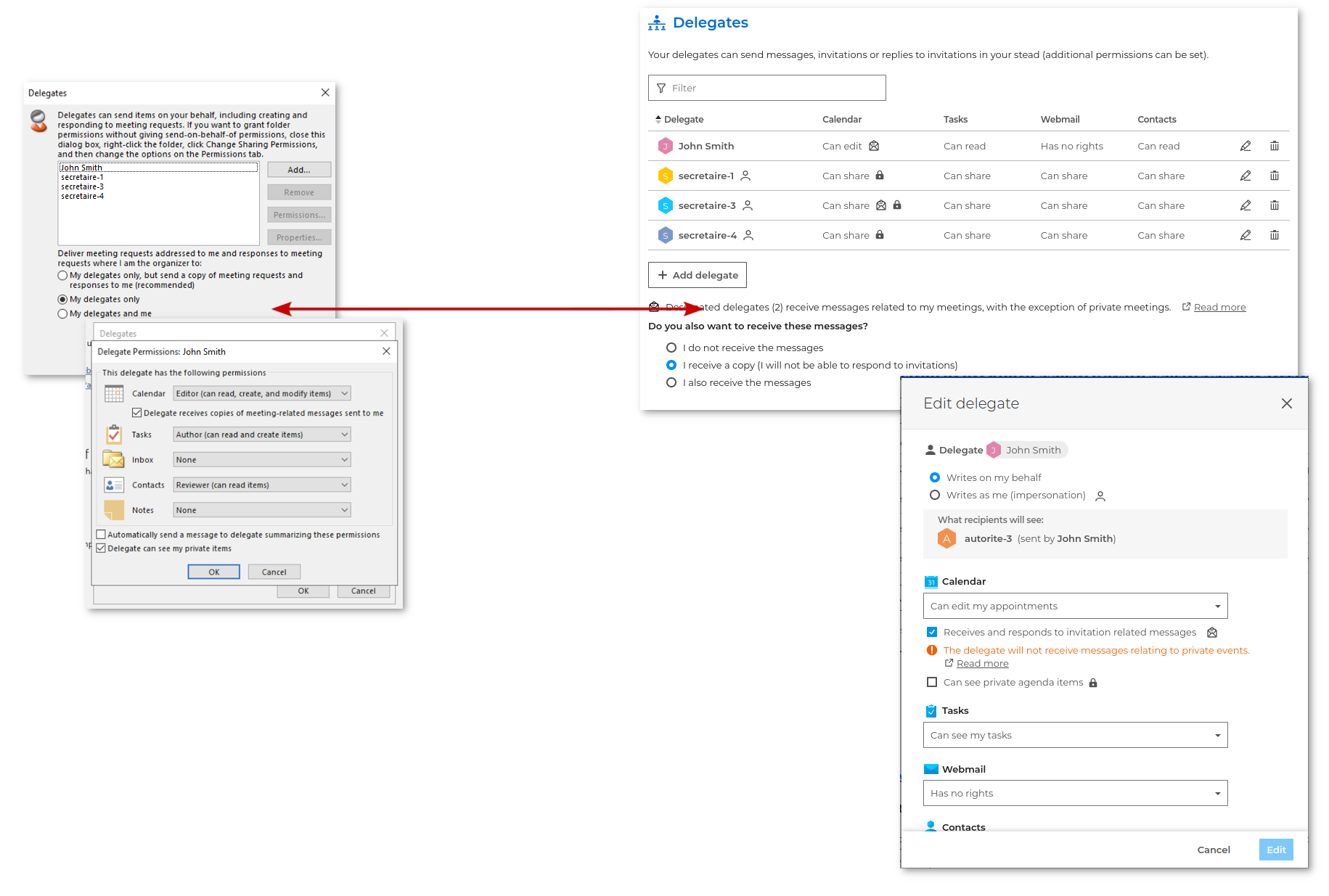
Delegation management
Delegations can now be managed from Outlook: changes made in Outlook are taken into account and saved in BlueMind.
Proposing a new schedule
Improved support for the counter-proposal mechanism for recurring meetings.
Overall improvements
Keycloak upgrade
Keycloak is upgraded to version 25, enabling the use of a dedicated port (8100) for its management.
Protocol support
BlueMind 5.1 brings major optimizations and general improvements to IMAP, EAS and webmail support.