Release Notes 5.7
In accordance with our release lifecycle policy, the end-of-support dates for BlueMind 5.7 are:
- fix support: date to be determined
- security support: date to be determined
We were expecting her... Here it is! The new Contacts by BlueMind app, redesigned to be more user-friendly and enjoyable to use. Another major new feature in version 5.7 is the introduction of artificial intelligence, a valuable tool for drafting or editing emails. Administrators are not left out either, thanks to the new Supervision app, which has also been completely redesigned to make it easier to monitor server performance and usage.
In line with its commitment to continuously improving the user experience, version 5.7 also enhances existing applications with, for example, the long-awaited addition of right-click functionality in Webmail, highlighting of searched words in search results, and the addition of large file uploads and the ability to link BlueMind attachments in Outlook.
For upgrades from BlueMind version 4, see BlueMind major version update.
/var/mmap-pool be moved to a dedicated partition.The new Contacts app
The Contacts app has a new look! In addition to its improved design, this new Contacts app is also more user-friendly and offers new features.
Clearly defined areas
The Contacts app is laid out in three columns:
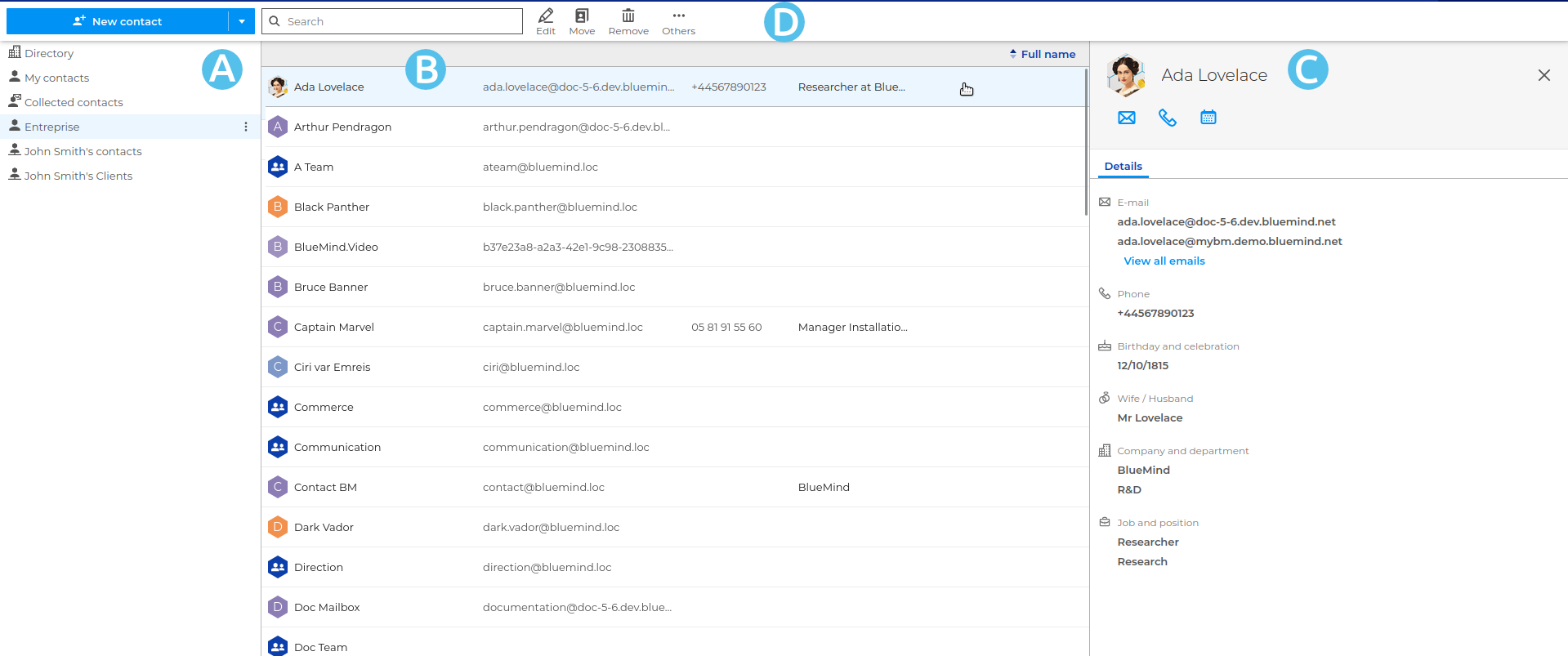
 : The first column contains the list of address books accessible to the user: their personal address books and those to which they are subscribed.
 : The second column contains the list of contacts in the address book selected in the first column.
 : The third column displays the profile of the user selected in the second column.
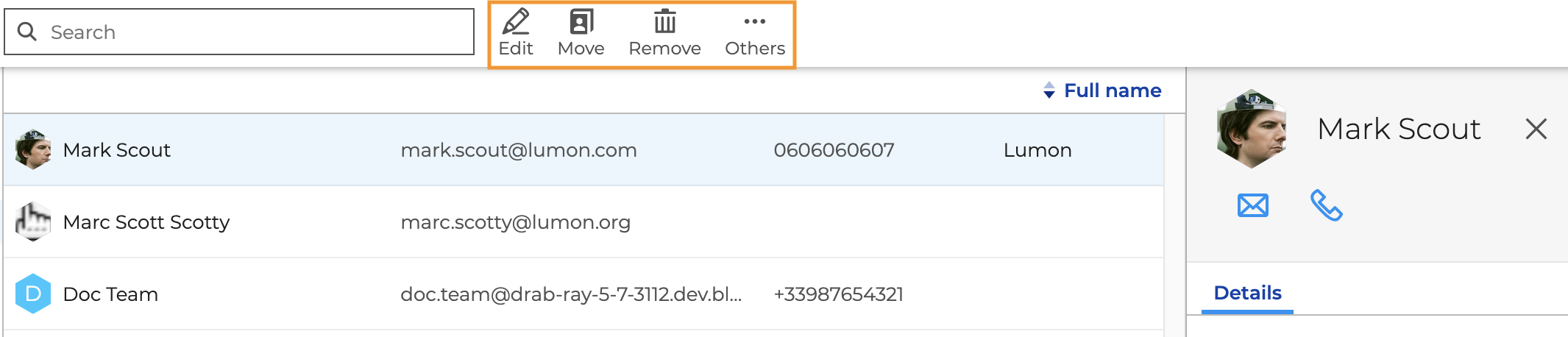
 : The toolbar at the top displays context-sensitive actions: a button to create a contact and a search box are always available, action buttons appear when the selected contact is editable, and the "More" menu allows you to copy a contact to another address book or download it in VCard format.
ℹ️
For further information see the documentation Contacts.
A new contact form
Creating a contact is easier thanks to the new form.
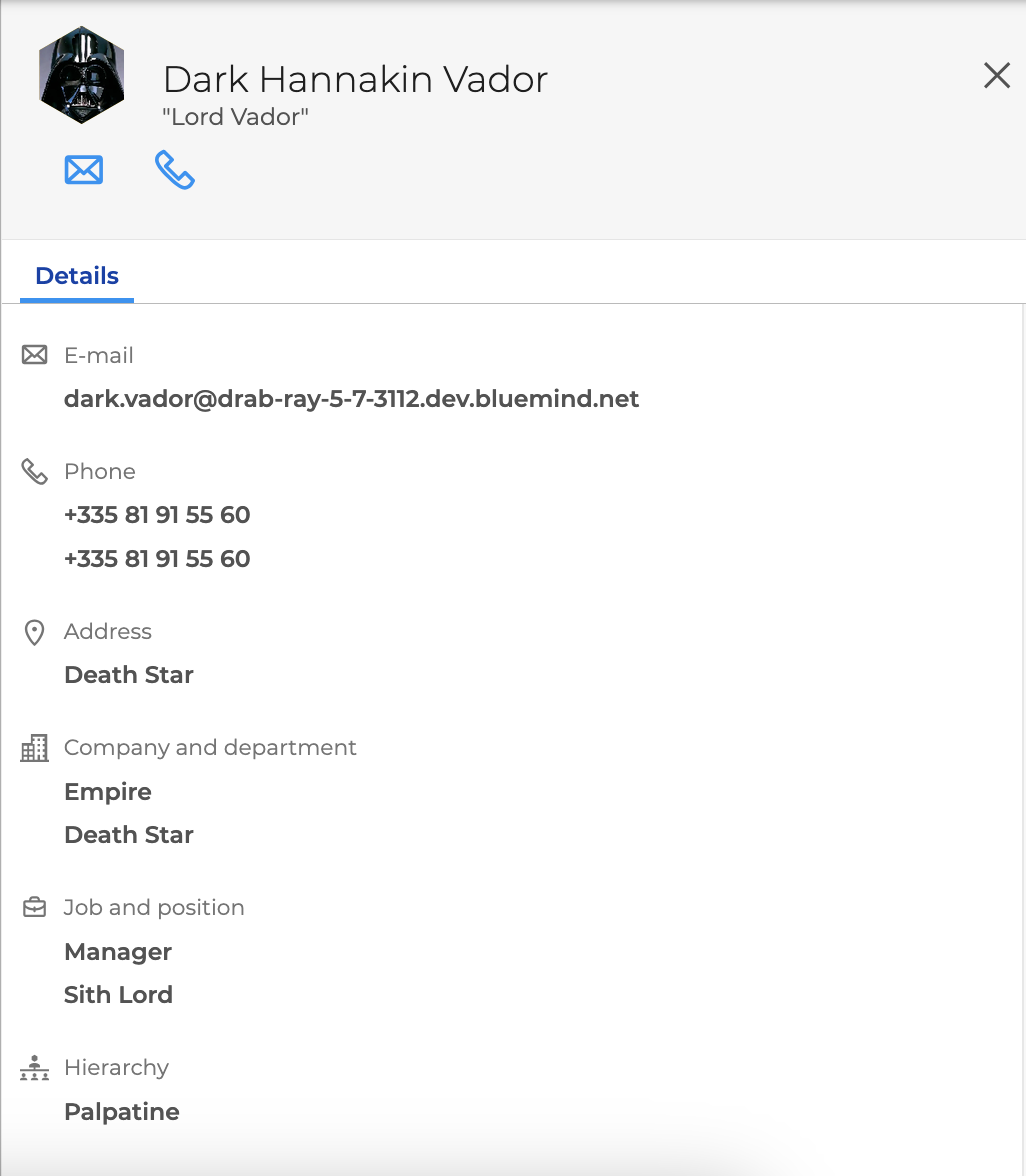
The process for adding and editing profile photos has been redesigned, and entering contact information has been made easier.
ℹ️
For further information see the pages:
An accessible action bar
The new action bar provides direct access to editing, deleting, or organizing contacts.
ℹ️
For further information see the pages:
Improved sorting and contact search
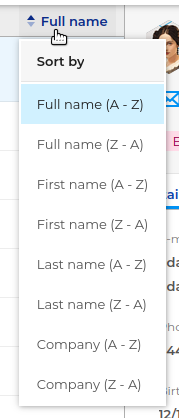
- Sorting contacts in an address book has been improved, with the option to sort by full name, first name, last name, or company.
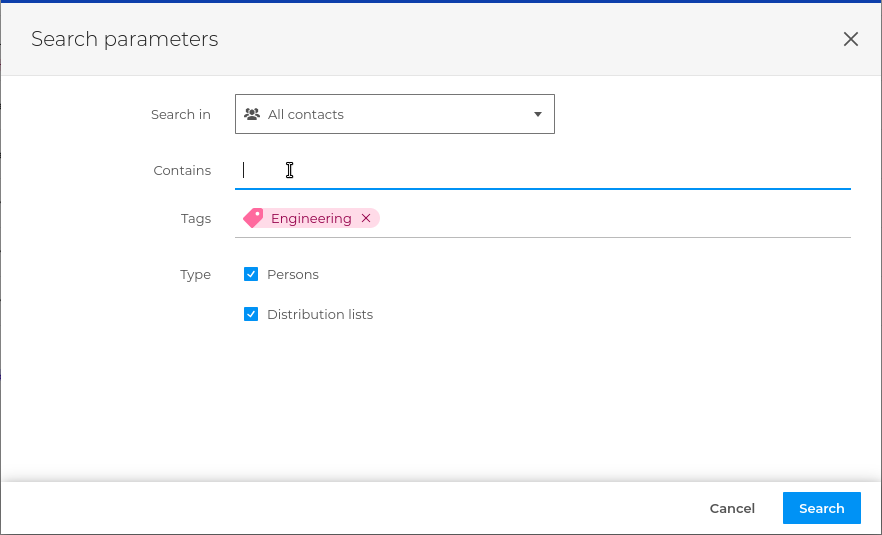
- Searching for contacts is easier thanks to the addition of an advanced search mode
ℹ️
For further information see the page Sorting and Searching for Contacts
Simplified Distribution List Management
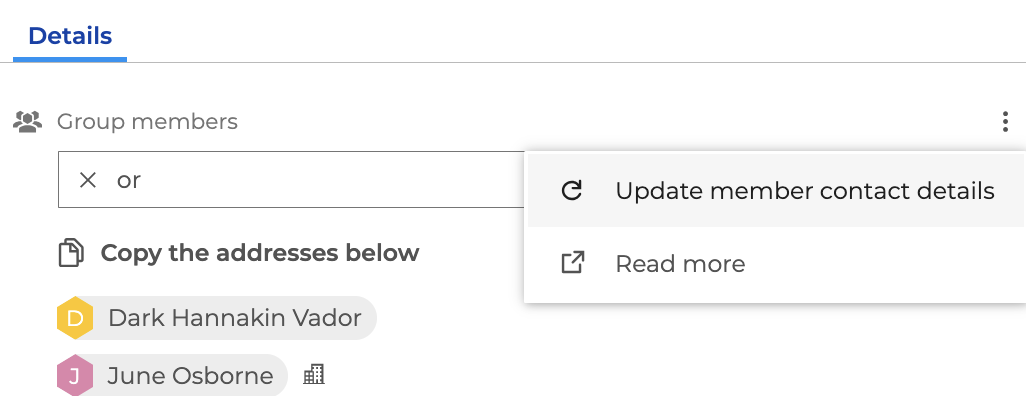
You can now search for and filter members of a distribution list, quickly update their contact information, and copy their addresses with a single click.
ℹ️
For further information see the page Viewing and Using a Distribution List
General
Improving Search
The search terms are now underlined in the search results:
- In the MailApp: Searching in messages
- In the template selector: Using templates
- In the contact selector: Searching for recipients
- In Preferences: Searching in Preferences
- In the Contacts app: Quick Search in Contacts
Navigating Between Applications
From now on, when switching between apps, the context is preserved. When you return to an app, it automatically restores it to the state in which you left it, which makes switching between apps more seamless.
MailApp
The AI Assistant
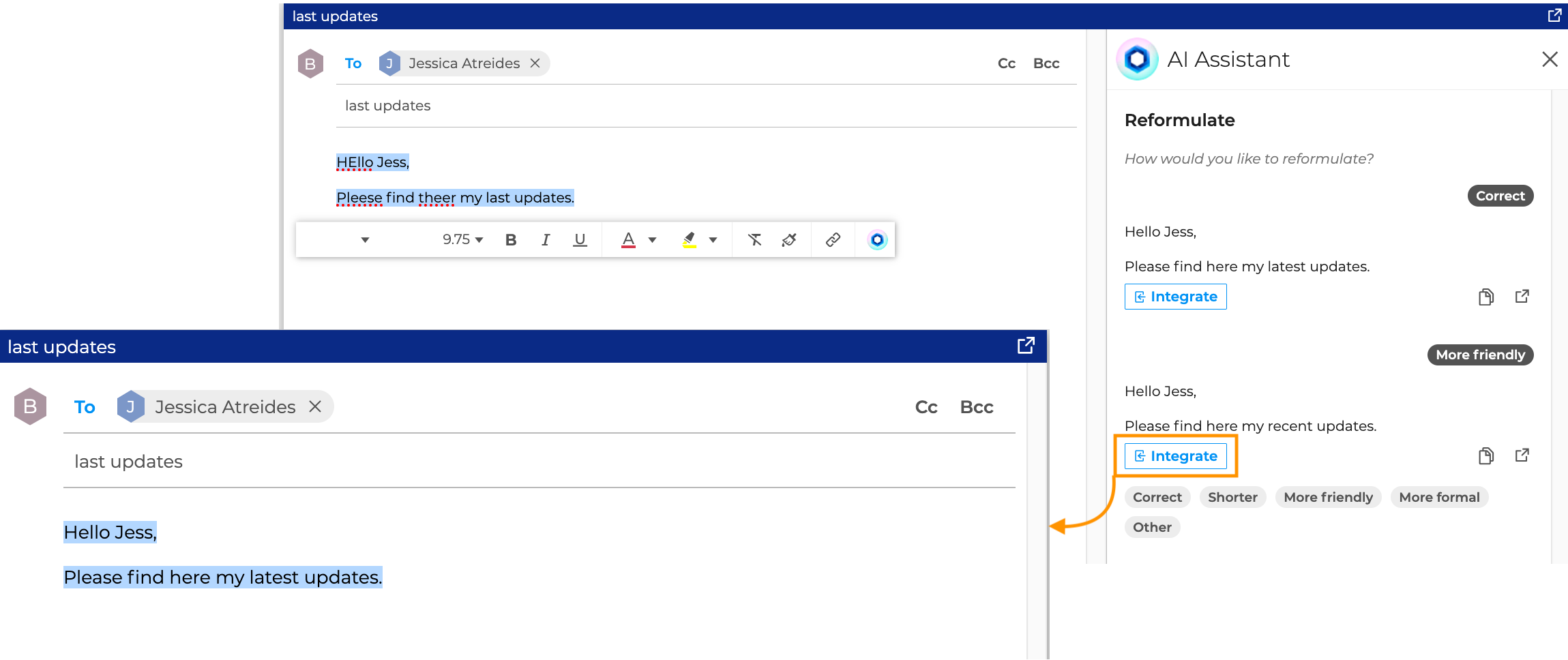
Version 5.7 introduces artificial intelligence to the MailApp and, thanks to the AI Assistant, allows you to correct or rephrase an email quickly.
ℹ️
For further information see the page Using the AI Assistant.
Right-clicking on folders and emails
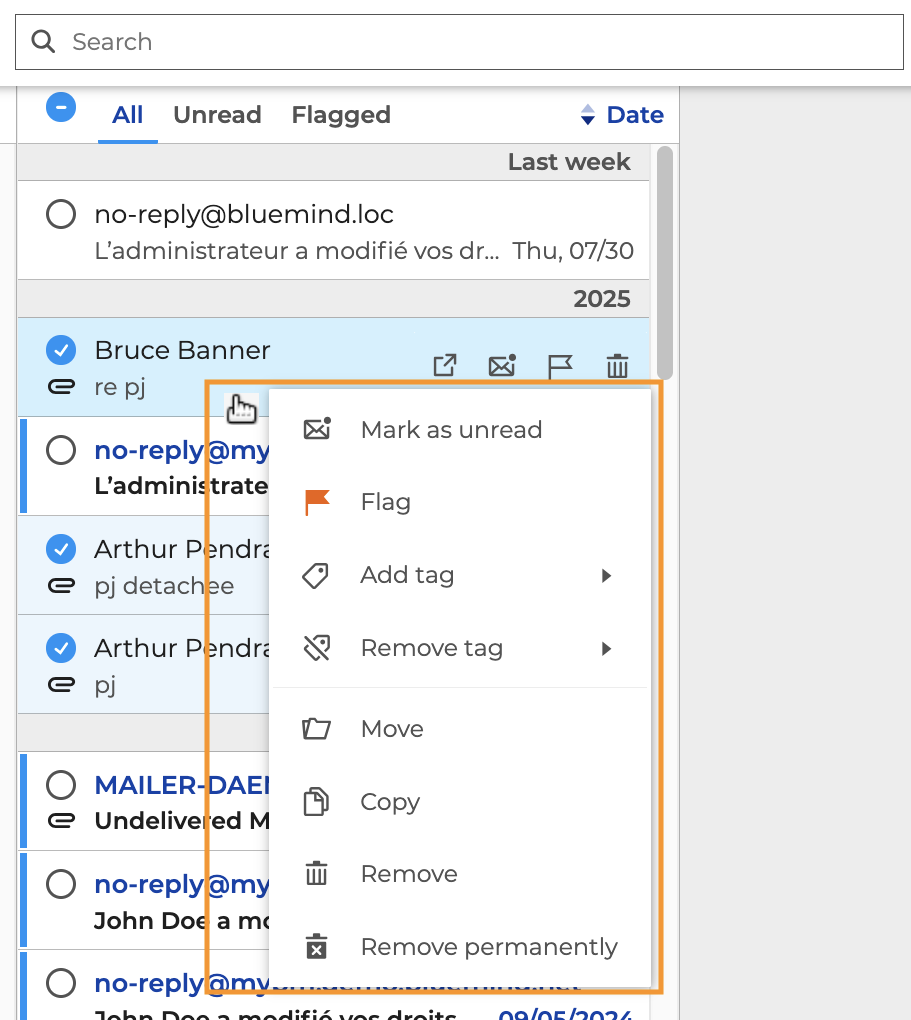
In addition to the menu or the action bar, you can now select an action by right-clicking on a folder, one or more emails, or conversations.
ℹ️
For further information see the pages:
Unread emails
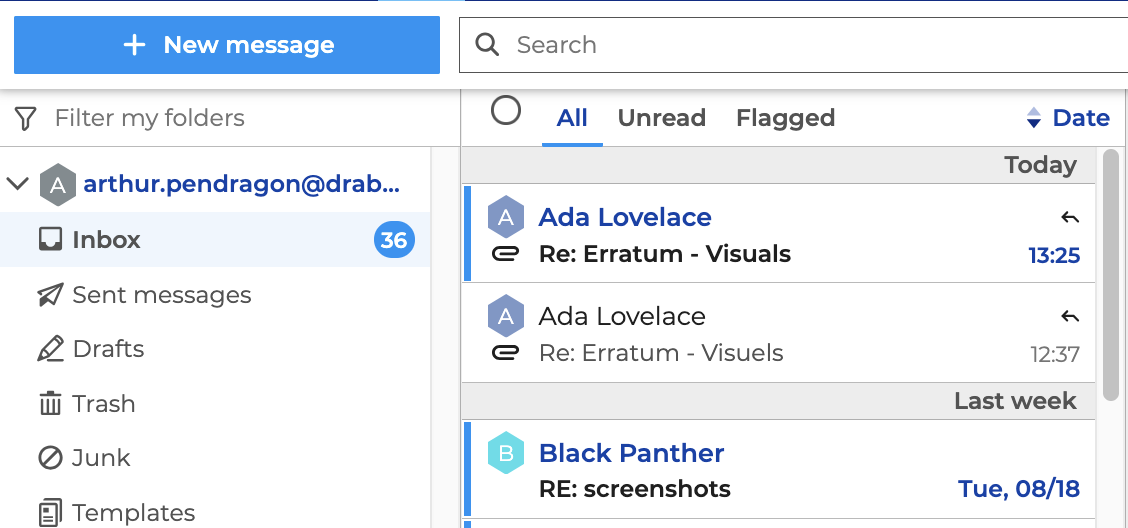
The visibility of unread emails has been improved. In addition to appearing in bold, the sender and the date received are now displayed in blue in the message list.
ℹ️
For further information see the page Viewing messages
The CC Field Display
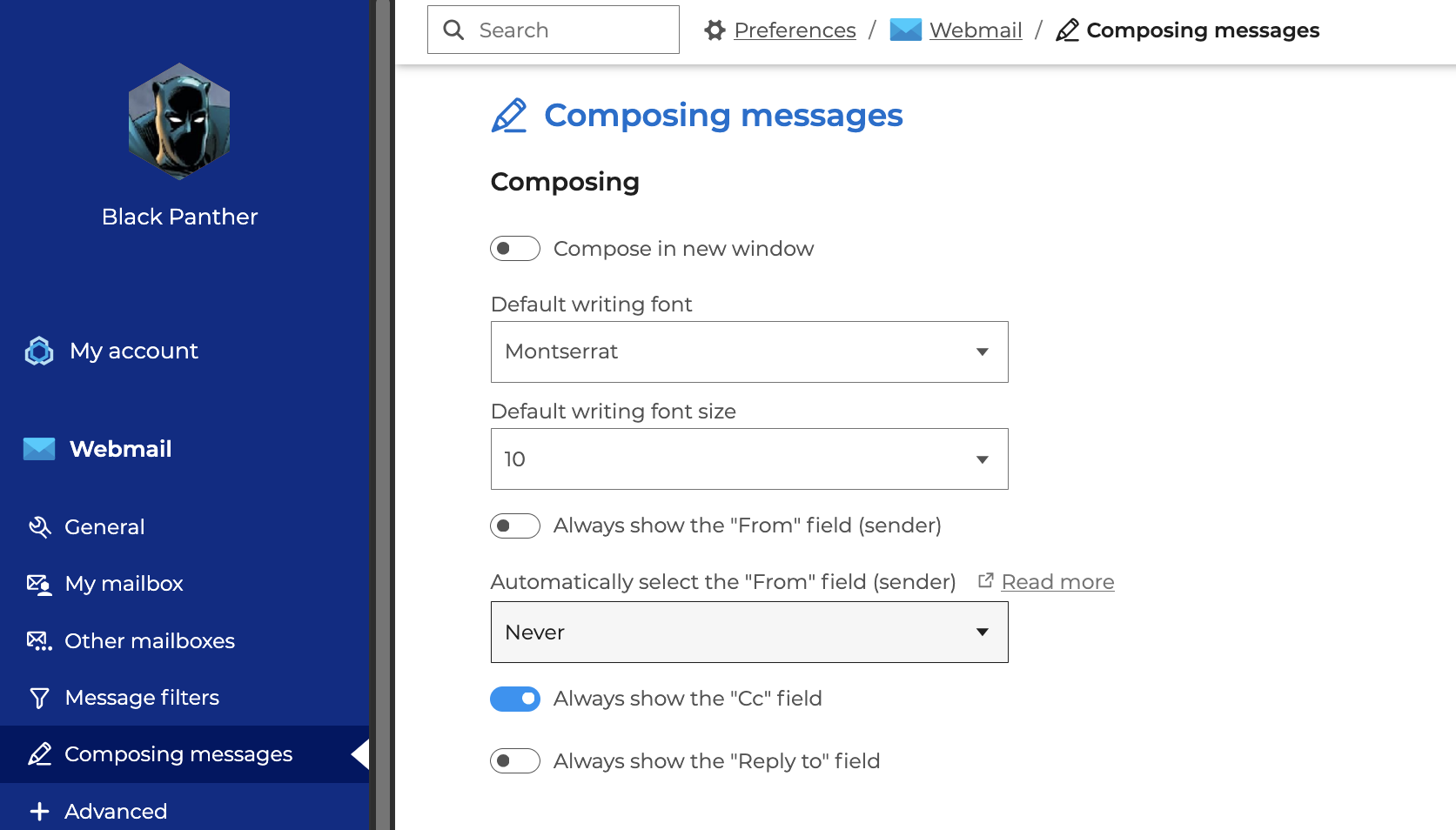
To make it easier to select email recipients, you can now set the Cc field to be displayed at all times in your preferences.
ℹ️
For further information see the page Displaying address fields.
Copying and pasting plain text
A new option lets you copy text from another email or document and paste it into the email without the formatting or links.

ℹ️
For further information see the page Editing message contents .
Thick clients
What's New in the BlueMind Client
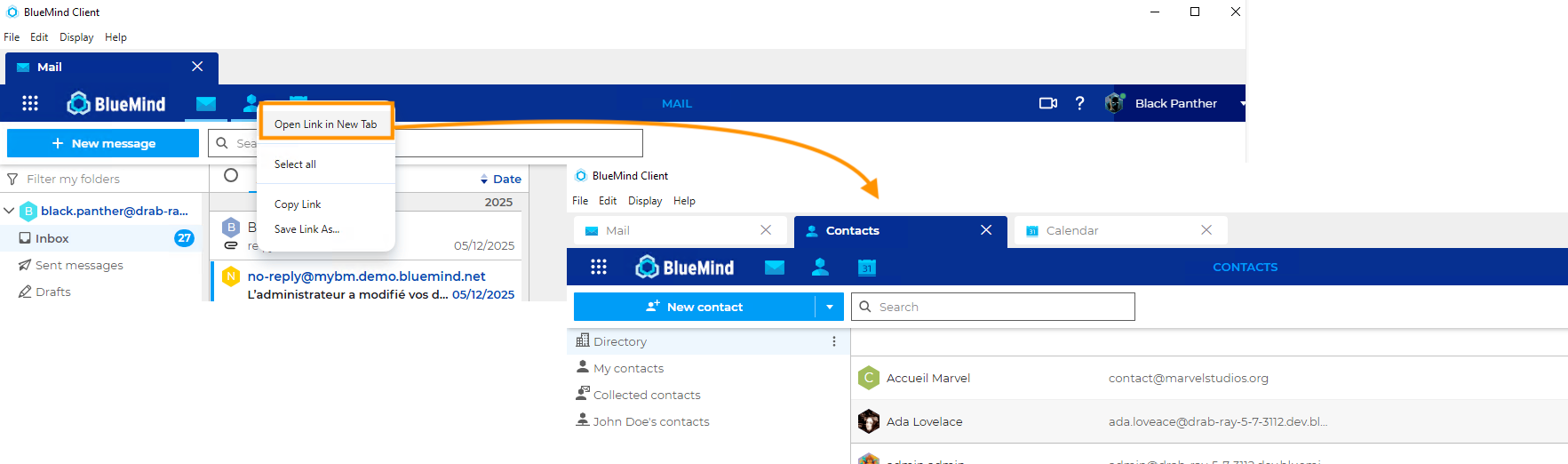
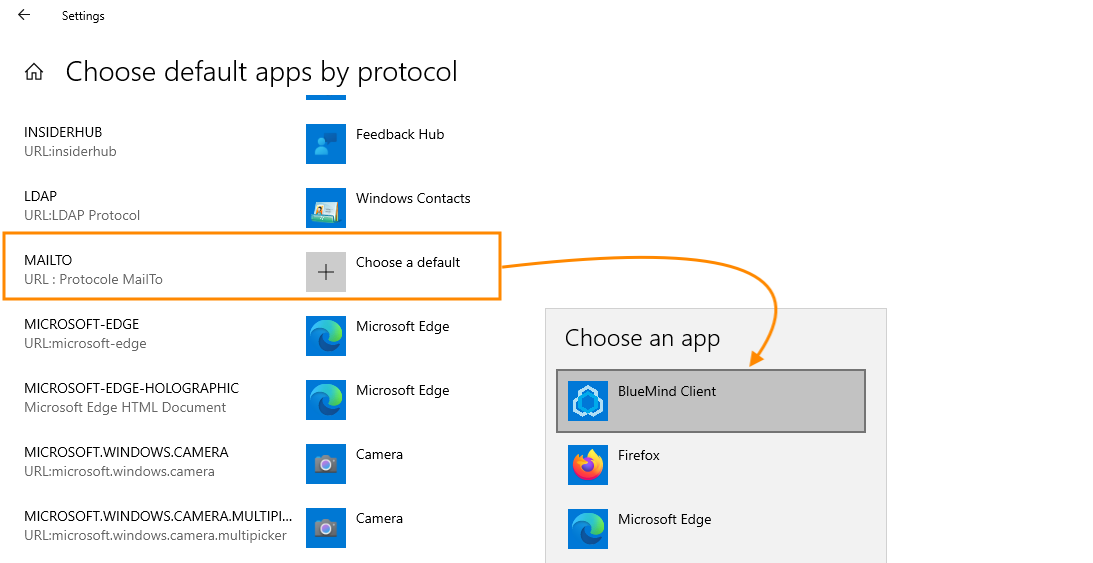
The BlueMind software has been enhanced with the addition of two new features:
- the ability to open each app in a tab
- the option to choose the BlueMind client to open
mailtolinks by default
ℹ️
For further information see the page Configuring and using the BlueMind client
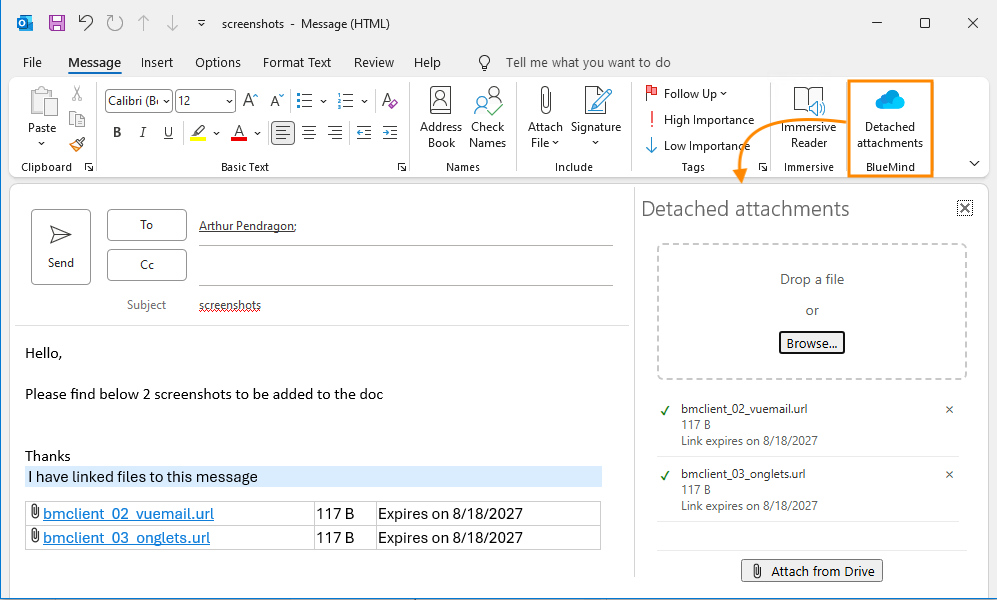
Linked attachments in Outlook
It is now possible to use the linked attachments and BlueMind Drive features from Outlook.
ℹ️
For further information see the page Working with Outlook.
Administration
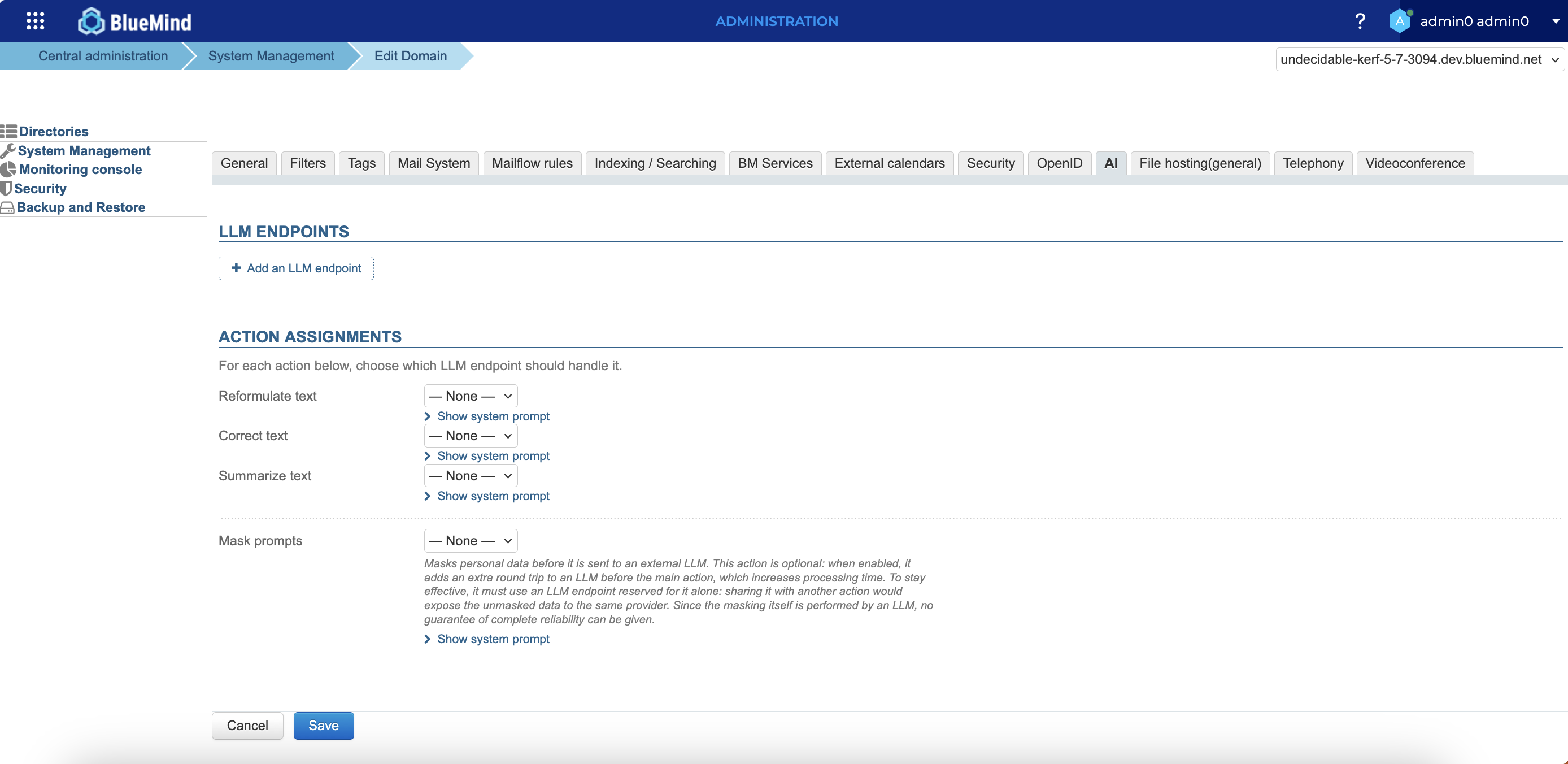
Integrating an LLM tool
To give users within a domain access to the AI Assistant, a new tab allows you to configure the LLM tool and add as many access points as needed.
ℹ️
For further information see the page Set Up an LLM.
The New Supervision App
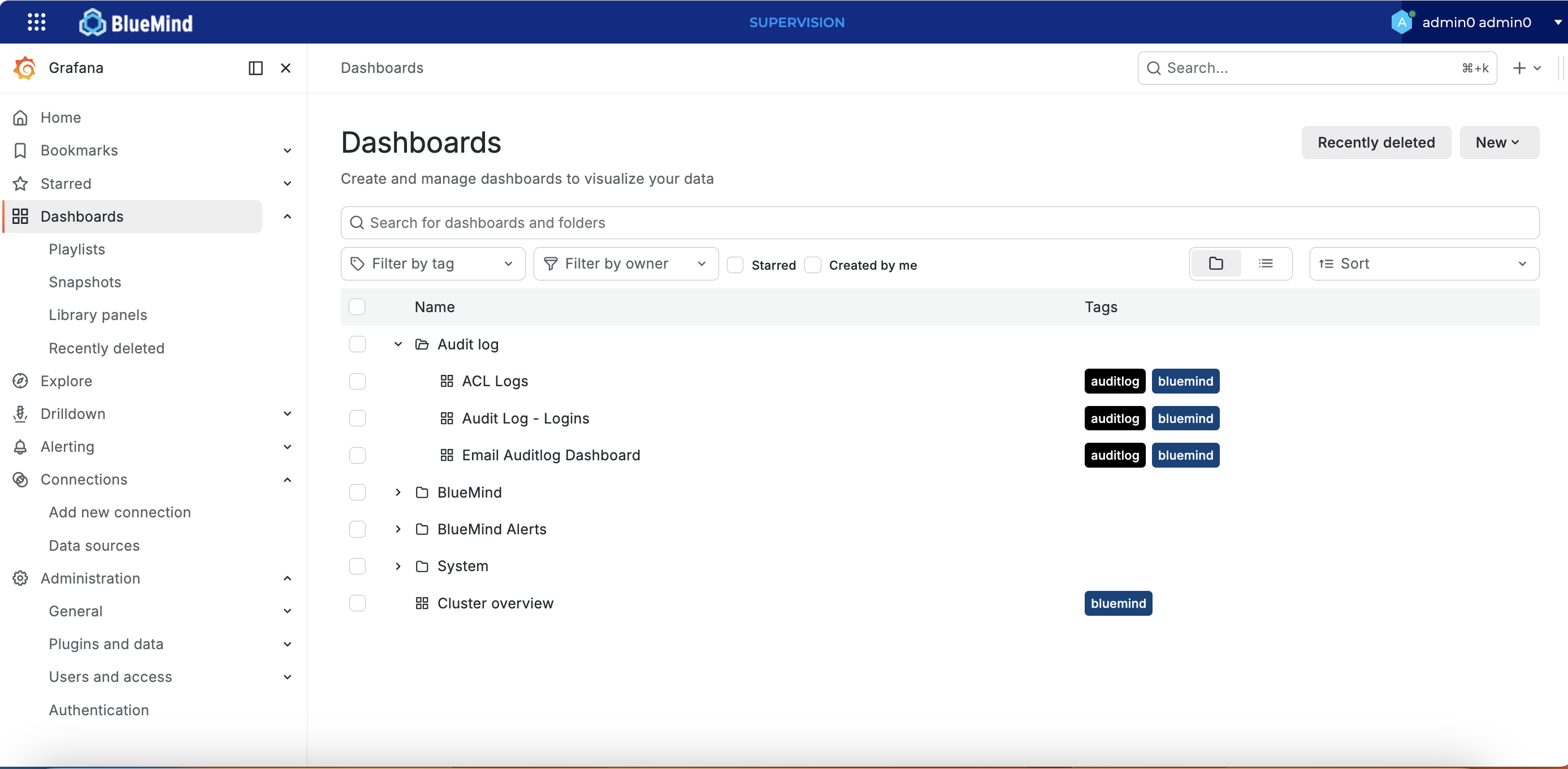
The BM-Tick monitoring tool has been replaced by the new Supervision application, which is based on Grafana, Alloy, and Mimir (Prometheus).
Viewing dashboards and exploring data is becoming easier and more visual.
ℹ️
For further information see the page Using the Supervision App
Additional videoconferencing solutions
Version 5.7 of BlueMind adds the ability to integrate two new videoconferencing solutions: LiveKit and LaSuite Visio (Meet).
The patches
BlueMind version 5.7 includes the same level of patches as version 5.6.3.
For details of fixes made to previous versions of BlueMind, please refer to the 5.6 patch release notes: