External URL Configuration
External BlueMind URLs are the URL addresses used to access the BlueMind server and mail domains. This means that if you have a multi-domain install, you can define an external URL for each domain - from BlueMind version 4.7.
This page describes how to set up external URLs for each domain on the one hand, and a global server-level external URL on the other.
Warning!
Changing the external URL of an existing production server has several consequences for users:
- The address users use to access BlueMind obviously changes. This not only impacts their browser-based access but also thick client access. Thick client configurations therefore need to be updated.
- The certificate for this new external URL also needs to be changed and configured.
- Previously-generated links (linked attachments or videoconferences, in particular) may not be accessible or may generate alerts (certificates).
Global configuration
This is the BlueMind server configuration, as well as the configuration for BlueMind domains that don't have their own external URL.
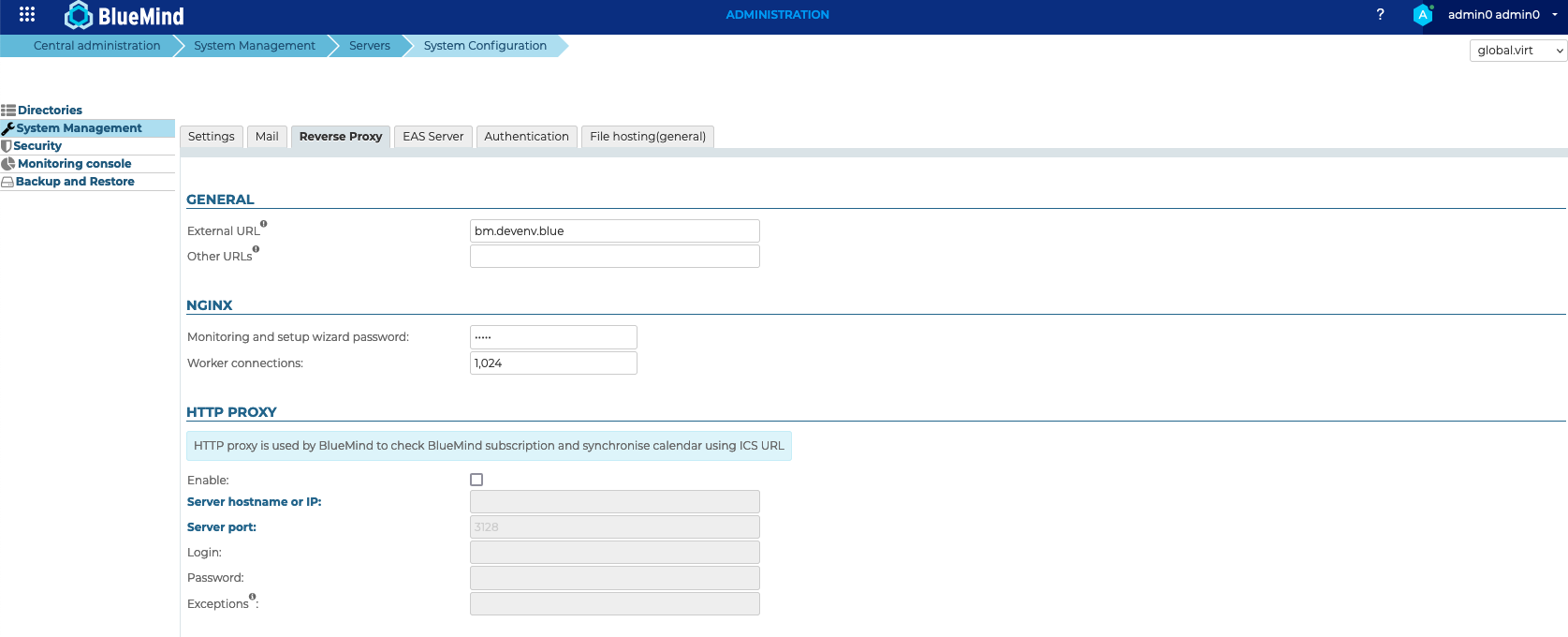
To set up a global external URL:
- Log into BlueMind as system administrator (admin0)
- Go to System Management > System Configuration
- Click the "Reverse proxy" tab
- Enter an external URL
- Save
Domain configuration
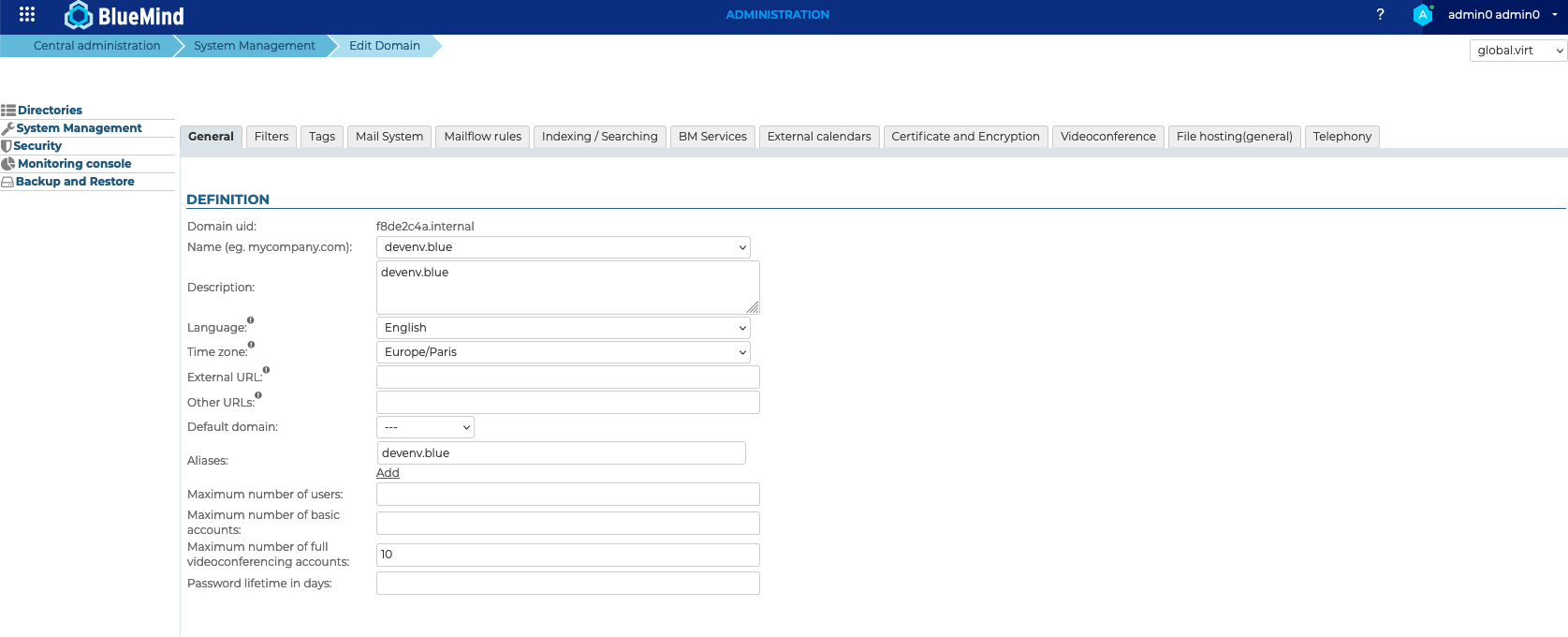
- Log into BlueMind as system administrator (admin0)
- Go to System Management > Manage Domain and double-click the domain to open it
- In the "General" tab, enter an external URL
- Save
Consequences of changing an external URL
Browser error message
When you change an external URL, your browser will display a certificate error message when you log into BlueMind.
The external URL no longer matches the certificate's CN. You need to get a new certificate with the new external URL as CN and update the SSL certificate.
Links generated by BlueMind
Automatically-generated links, in particular BlueMind Video links, need to be updated for all future meetings. You need to go edit these events to generate the link's URL again.
This cannot be done automatically as the event also has to be modified in other participants' external third-parties' messages. The event has to be updated manually.