Release Notes 5.5
In accordance with our release lifecycle policy, the end of support dates for BlueMind 5.5 are :
- patch support: 07/07/2026
- security support: 01/05/2027
This new version of BlueMind is focused on improving the user experience and enhancing Outlook compatibility, with two eagerly-awaited new features in particular: new collaborative shared mailboxes based on the Microsoft Exchange template, and the ability to add tags to emails.
It also significantly improves server performance for email processing.
For upgrades from BlueMind version 4, see BlueMind major version update.
Shared mailboxes
The new shared mailboxes: more complete, more compatible
To further enhance native Outlook support, BlueMind 5.5 adds Exchange-style shared mailbox management.
These new shared mailboxes, which replace existing shared mailboxes, are much more than just shared messaging systems: they feature calendars, address books and to-do lists. Created and managed by administrators, they have similar characteristics to users and have the same default folders. They're like user boxes that can't log in. For example, a shared mailbox can now host a meeting or be invited by domain users. In addition to sharing the various elements of the box, it is possible to give users access to the box via delegations.
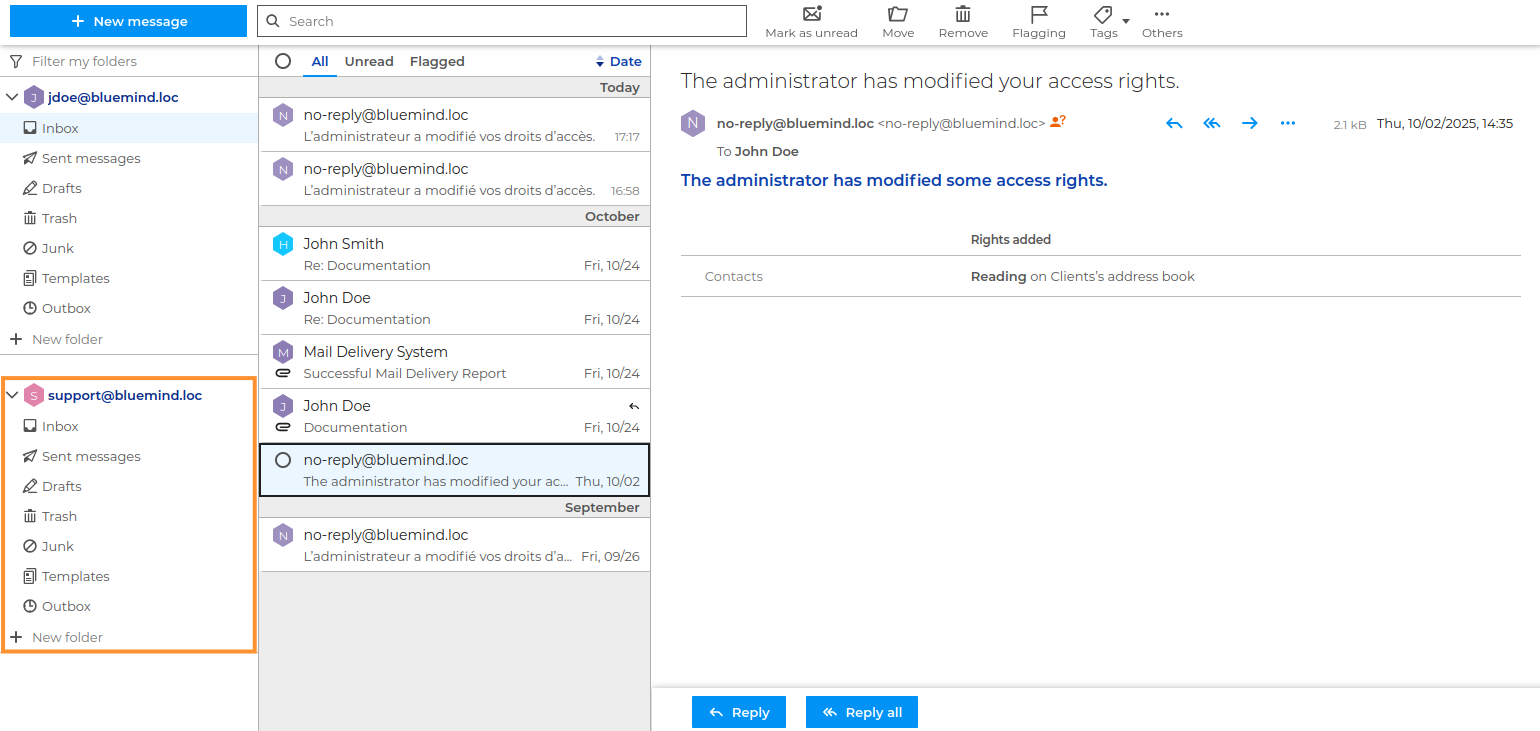
Shared mailboxes benefit from the new tags on e-mails feature (see below): users of the box can see and use its categories. The operation of these categories is compatible and unified with Outlook: users find the tags of an email in both Outlook and BlueMind.
By smoothing out the differences with user boxes, these new boxes also benefit from better management of sorting filters, including the application of domain filters.
Thanks to all this, these new shared mailboxes are perfectly compatible with Outlook. Users return to their usual workflows, and collaboration between Outlook and BlueMind users is made easier, as is switching from one to the other on mobility.
- Administrator's Guide: Edit functional mailboxes
- User guide:
Tags
Only the account owner can change tags from the settings. As shared mailboxes have no account, it is not possible to modify or delete tags from the settings.
Mail filters
Only an administrator with access to the admin console can manage mail filters for a shared mailbox. BlueMind's user preference management interface does not yet allow users with privileges to do this.
Sharing and delegation management
In addition to the new shared mailbox operation, the sharing and delegation interfaces have also been redesigned and standardized.
From now on, whatever the type of entity (user, new or old version shared mailbox), sharing and delegation are carried out in the same way. Users can still perform these actions from their settings.
In addition to share management, administrators can now manage delegations from the admin console :

Another important new feature is that, in addition to users, it is now possible to delegate your mail or calendar to a group:
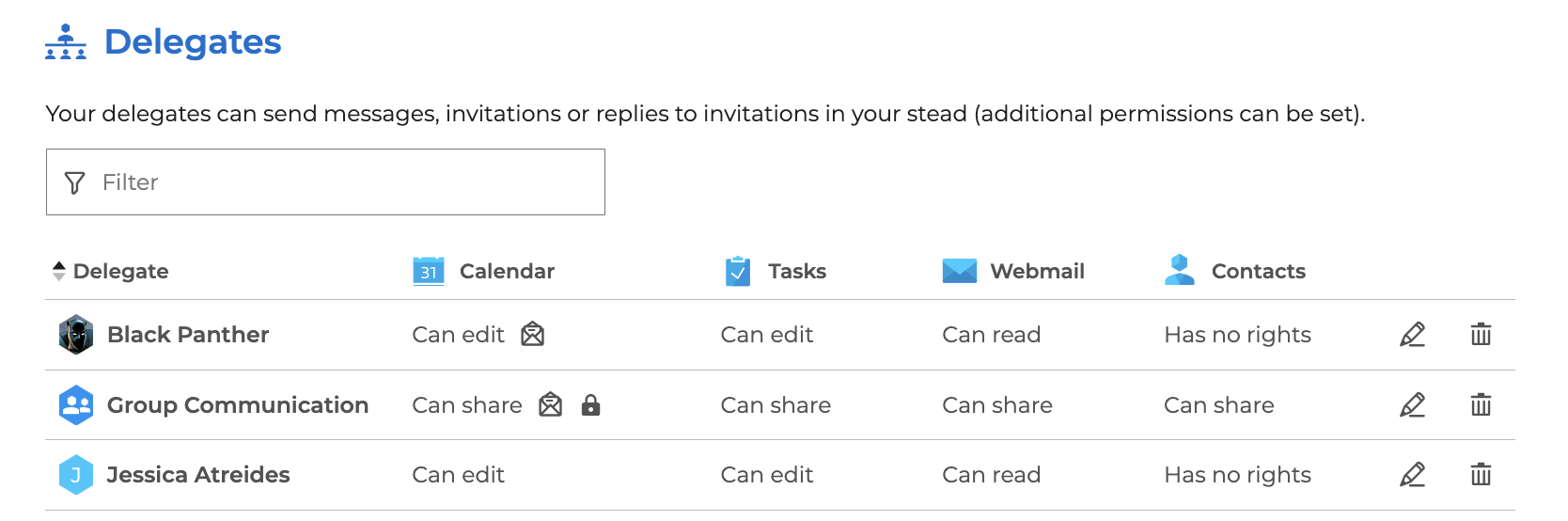
The rights assigned are then the same for all group members. In case of numerous delegates, this can help facilitate their management.
- Administrator's guide: Directories > Editing users or Shared Mailboxes or Edit functional mailboxes
- User's guide: Adjusting your Account Settings > Managing delegations
Mail
Email tags
Another major new feature in version 5.5 is the ability to add tags to emails. This was already possible for contacts and events, and is now also the case for emails:
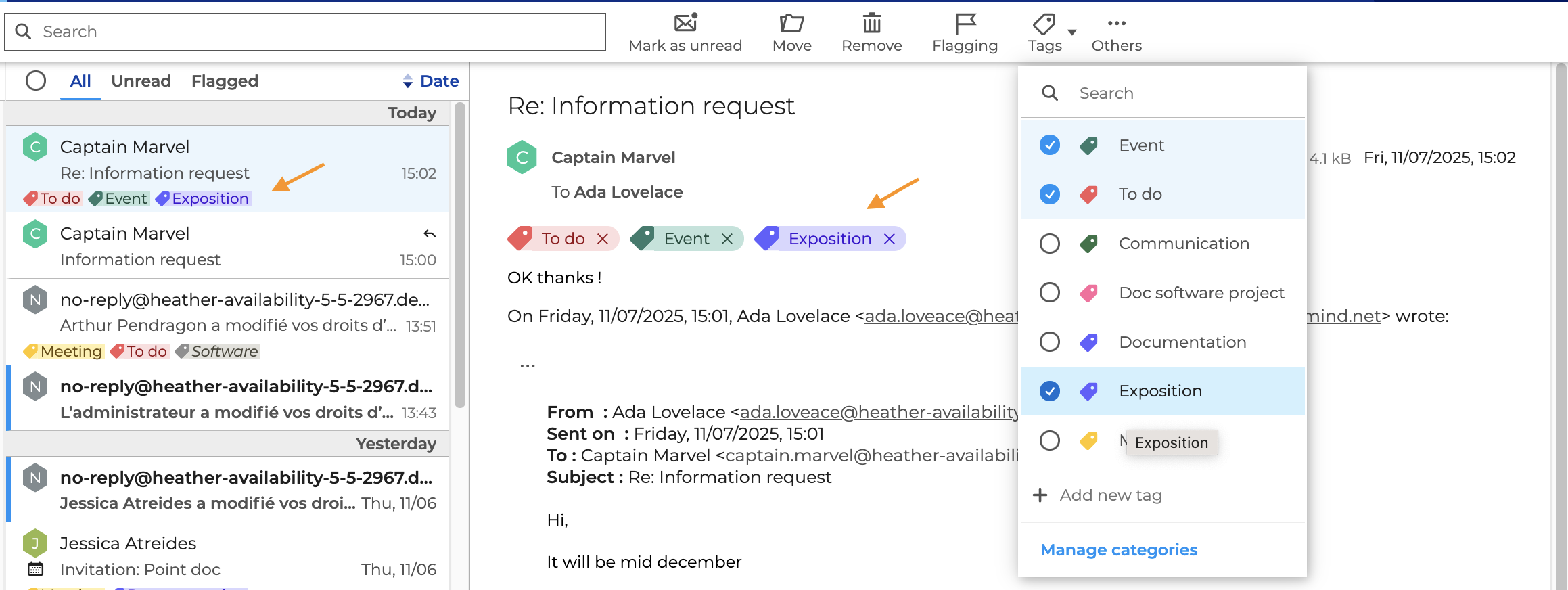
Categories make it even easier to classify and find emails.
What's more, tags are Outlook-compatible: users can manage tags from their client software, and these will be saved and visible in BlueMind.
Email composition
Version 5.5 of BlueMind brings a number of new features to make composing and sending emails even easier:
Email priority
Users can now tell their recipients that an email is important:
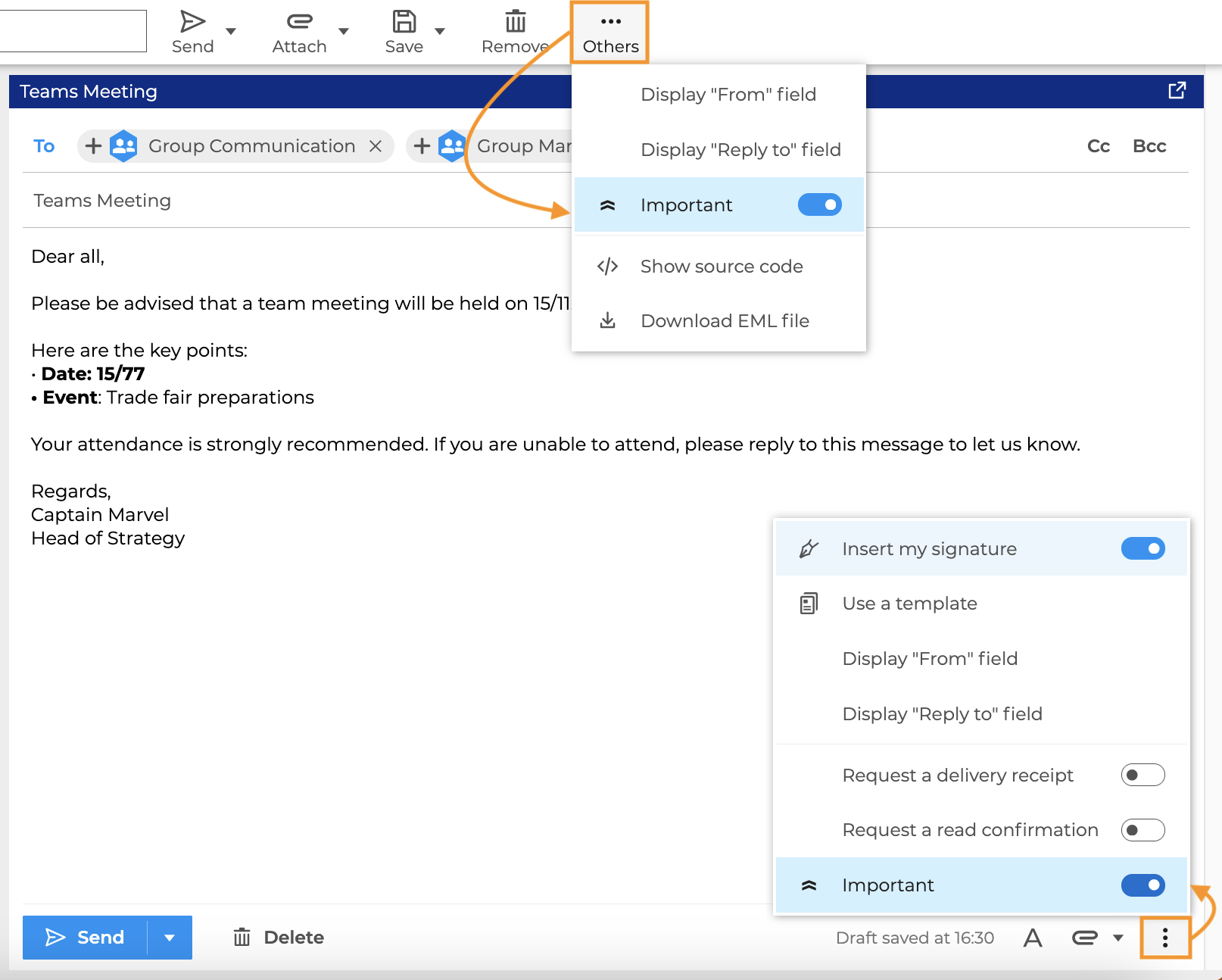
↳ For further information, see Sending an important email
Unavailability Alert
An alert is displayed if some of the added recipients are not able to read the email, either because they are absent or because their mailbox is full:
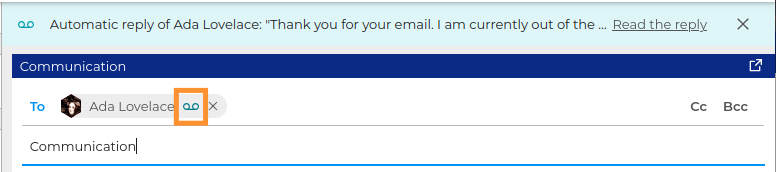
↳ For further information, see Email alerts.
Drag&drop recipients
Recipients can be moved from one field to another by simple drag & drop:
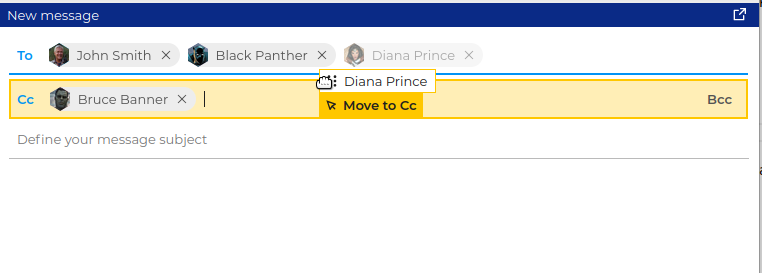
↳ For further information, see Choosing recipients
Alert on e-mail without subject
Users are warned if they try to send an e-mail without subject, without being prevented from doing so.
↳ For further information, see Creating and Sending a message
Default font size
In addition to the choice of font, it is now possible to define the default text size of an email.
↳ For further information, see Editing text
Viewing emails
Email viewing has also been improved, with the ability to:
- easily identify the priority level of incoming emails and quickly view important messages:

↳ For further information, see Sending an important email - view detailed information such as received and sent dates, as well as facilitating copy/paste of addresses and access to contact files:
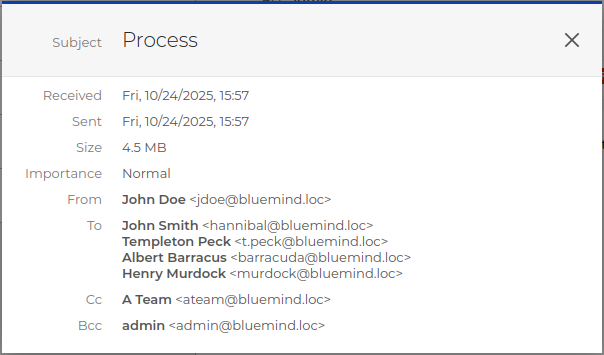
↳ For further information, see Getting detailed information about an email - resize the folder list column: in the same way as the email list column, it is now possible to adapt the width of the column to the content or size of the screen:
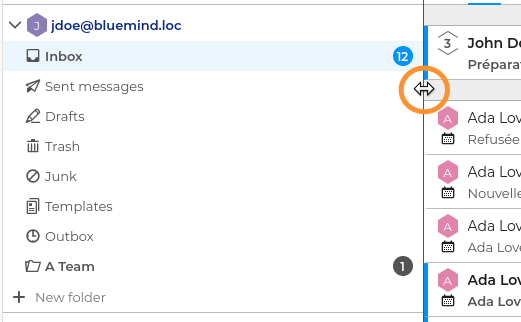
↳ For further information, see Using the folder list
The name in identities
When creating an identity, the "Display name" field is now automatically generated from the name of the entity (user, shared mailbox, etc.) in order to improve name consistency across the organization.
This field can still be modified in the identity form:
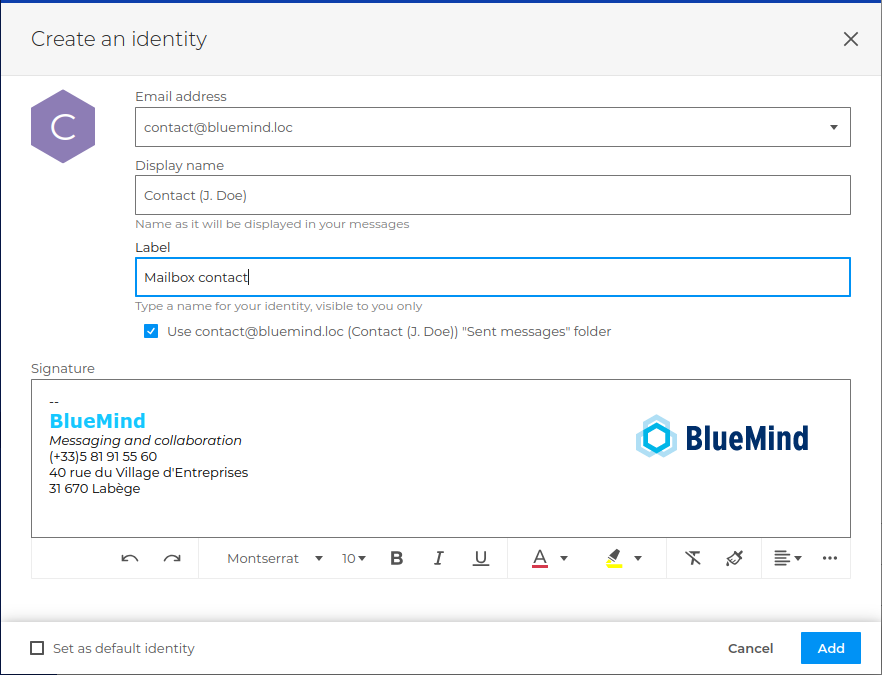
↳ For further information, see Managing Account Identities
BlueMind Solution
Upgrade warnings
When a new version of BlueMind is released, a warning banner appears, allowing users to reload the page and take into account the latest changes. This ensures that users have an up-to-date interface when administrators upgrade the server:
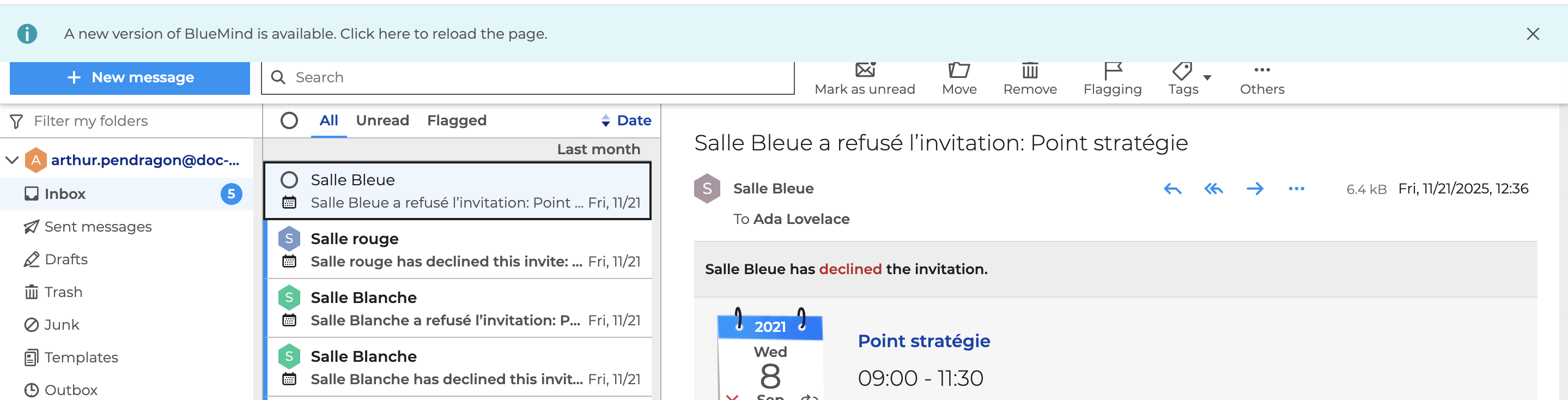
↳ For further information, see Introducing the BlueMind Solution > Updating the solution
Safety parameters
To enhance security, several changes have been made to BlueMind's connection settings:
- Administrators can now reinforce user authentication by enabling OTP (One Time Password) security.
- The value of API keys, enabling users to log in without using a password, are now visible only on creation.
- Administrator's guide: Editing users > Multi-factor authentication via OTP
- User's guide: Adjusting your Account Settings > Secure connection with OTP and Managing API keys
Architecture
Version 5.5 optimizes performance by caching certain processes within bm-core. As a result, discs can be put under greater strain, and their occupancy significantly higher than before.
Please check disk space requirements before installing or upgrading: Installation requirements: Disk space
The patches
BlueMind version 5.5 includes the same level of patches as version 5.4.6. For details of fixes made to previous versions of BlueMind, please refer to the 5.4 patch release notes: https://doc.bluemind.net/release/5.4/changelogs